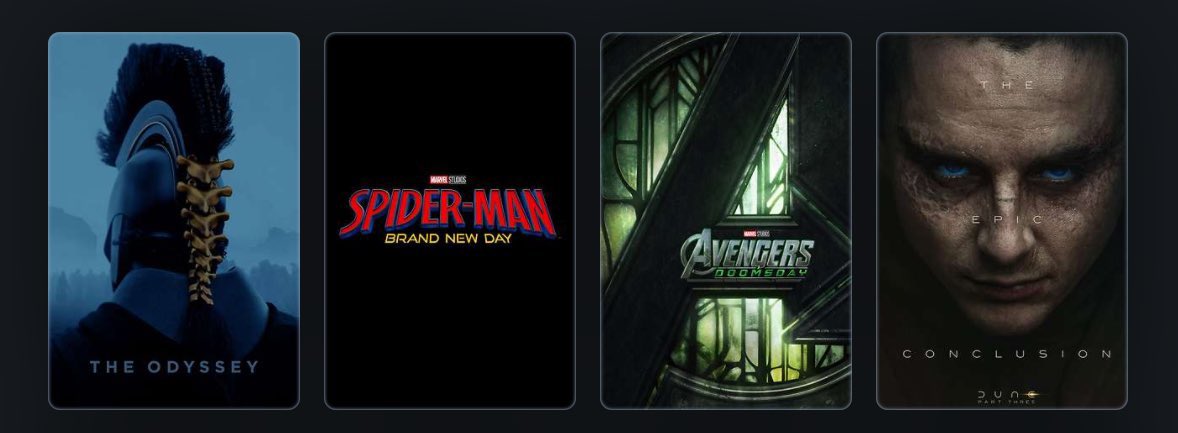
Make new friends, but keep the old.
A new photo captures the Moon's near side on the right (the side we see from Earth, identifiable by its dark splotches) and its far side on the left. The Artemis II crew are the first to see the far side with human eyes.
Claude vs. Claude Code vs. Cowork.
If you've been confused about which one to use and when, this post will clear that up in under two minutes.
Anthropic now offers three distinct ways to interact with Claude, and each one targets a fundamentally different workflow. Think of it as: Chat for thinking, Code for building, and Cowork for doing.
Here's a quick breakdown:
1️⃣ Claude Chat
This is the conversational AI assistant most people already know. You type a prompt, Claude responds, and you iterate together.
- Turn rough ideas into structured plans through conversation
- Write emails, reports, essays, and long-form content
- Research and summarize complex topics in minutes
- Analyze documents, PDFs, and images
- Build interactive prototypes through Artifacts
The key here is that everything happens through conversation. You're thinking with Claude, not delegating work to it.
It's available on every device, has a free tier, and supports persistent memory across sessions.
The tradeoff is that it has no direct access to your local files (upload only), and it can't generate raster images natively.
2️⃣ Claude Code
This is a terminal-native coding agent. You describe what you want in plain English, and Claude reads your codebase, writes code, runs tests, fixes errors, and ships the result.
- Build and debug entire features across the full codebase
- Write, run, and fix tests automatically
- Manage git workflows and create pull requests
- Spawn multiple parallel agents working on different parts of a task simultaneously
It handles the full development cycle end to end, from planning to execution to testing. With the CLAUDE(.)md configuration file, you can teach it your project's conventions, patterns, and constraints so it writes code the way your team expects.
The tradeoff is a steeper learning curve compared to Chat, and token costs can add up during heavy sessions.
3️⃣ Claude Cowork
This is the newest addition. Anthropic describes it as Claude Code for the rest of your work.
It's an agentic desktop assistant that automates file management and repetitive tasks through a GUI. You describe an outcome, and Claude plans, executes, and delivers finished work: formatted documents, organized file systems, spreadsheets with working formulas, and synthesized research.
- Direct local file access and editing (no upload/download cycle)
- Schedule recurring tasks automatically
- Assign tasks remotely via Dispatch from your phone
- Computer Use lets Claude control your screen directly
It runs inside a sandboxed virtual machine on your computer, so Claude can only access folders you explicitly grant. You don't need to know how to code to use it.
The tradeoff is that your computer must stay awake for tasks to run, and it's still in research preview.
Here's how to think about choosing between them:
→ If you need to think through a problem or get writing/research help, use Chat
→ If you're building software and want an autonomous coding partner, use Code
→ If you have a clearly defined deliverable that involves local files and desktop workflows, use Cowork
All three are included in the same subscription starting at $20/month, which makes it one of the highest-leverage subscriptions in productivity software right now.
I've put together a visual below that maps the workflow of each product side by side.
If you want to go deeper into Claude Code specifically, I wrote a detailed article covering the anatomy of the .claude/ folder, a complete guide to CLAUDE(.)md, custom commands, skills, agents, and permissions, and how to set them all up properly. Link in the next tweet.
Le créateur de Claude Code @bcherny, vient de lâcher un ÉNORME thread sur les features qu'il utilise.
Y a des bangers que j'vais adopter des maintenant
J'vous résume TOUT en un tweet ⬇️
>app mobile : Claude Code tourne sur l'app iOS/Android. Onglet "Code" à gauche.
Boris écrit une grosse partie de son code depuis son téléphone, sans ouvrir son laptop
>/teleport : tu bosses justement sur l'app mobile dans le train, t'arrives chez toi, /teleport et tu reprends ta session exactement là où t'en étais sur ton PC.
Ça marche dans tous les sens : mobile, desktop, web, terminal, tu peux bouger de l'un a l'autre.
>/remote-control : ton build plante pendant que t'es dehors ?
Tu contrôles ta session PC depuis ton téléphone.
💡Son astuce : dans /config, il active "Enable Remote Control for all sessions" pour que ce soit
toujours dispo quelque soit ta session
>/branch : GAME CHANGER que j'utilisais pas encore.
En gros, tu veux tester une idée risquée sans casser ta session ? /branch la duplique.
Si ça foire, t'as rien perdu.
Depuis le terminal : claude --resume <id> --fork-session
>/loop et /schedule : programme Claude pour tourner en boucle tout seul, jusqu'à une semaine.
Boris s'en sert comme ça :
- /loop 5m /babysit : review ses PR, rebase, et les pousse en prod toutes les 5 min
- /loop 30m /slack-feedback : crée des PR à partir du feedback Slack toutes les 30 min
- /loop /post-merge-sweeper : rattrape les commentaires de review qu'il a ratés
- /loop 1h /pr-pruner : ferme les vieilles PR qui servent plus
Le game changer c'est de transformer tes workflows en skills, puis de les mettre en boucle 🔁
>hooks : branche des automatismes à chaque étape de Claude.
Exemples :
- SessionStart : charger du contexte à chaque lancement
- PreToolUse : logger chaque commande que Claude exécute
- PermissionRequest : valider les actions de Claude depuis WhatsApp
- Stop : relancer Claude automatiquement quand il s'arrête
>Dispatch : contrôle l'app Desktop à distance. Pour gérer tes mails, Slack, fichiers, navigateur.. même quand t'es pas devant ton ordi.
Boris l'utilise tous les jours, même quand il code pas
>l'extension Chrome : Claude VOIT ton site dans le navigateur et corrige en boucle jusqu'à ce que ça soit propre.
En vrai c'est logique : si tu demandes à quelqu'un de construire un site sans qu'il puisse le voir, le résultat sera moyen.
Là il code, regarde, corrige, répète.
Ça marche sur Chrome et Edge
>Desktop app : l'app Desktop lance et teste tes serveurs web automatiquement dans un navigateur intégré.
Tu codes ton site, Claude le démarre et le vérifie pour toi, sans que tu touches à rien
>/btw : l'agent est en plein boulot sur un truc long et t'as une question rapide ? /btw te laisse lui parler à côté sans interrompre ce qu'il fait
>claude -w (worktrees) : lance plusieurs Claude en parallèle sur le même repo, chacun dans son espace isolé.
Ils se marchent pas dessus. Boris en a des dizaines qui tournent en même temps.
Sur le Desktop app, c'est juste une checkbox "worktree" à cocher
J'utilisais pas encore ça, ça va changer 🤯
>/batch : Ça c'est quand t'as un ENORME chantier devant toi.
Migration de 200 fichiers, refacto massif ? /batch va te poser des questions puis envoie des dizaines, des centaines, voire des milliers d'agents bosser en parallèle.
Tu dors, et eux font le taff
>--bare : accélère le lancement jusqu'à 10x.
Par défaut Claude charge tes configs, CLAUDE.md, MCPs.. --bare skip tout ça. Utile quand tu fais des appels rapides.
>--add-dir : ton projet dépend d'un autre dossier ? Donne accès aux deux en même temps.
Il dit qu'on peut aussi mettre "additionalDirectories" dans le "settings. json" pour que ce soit automatique à chaque lancement
>--agent : fabrique tes propres agents dans .claude/agents/.
Chaque agent a ses propres instructions et outils.
Un pour le front, un pour les tests, un pour la doc..
Tu lances avec claude --agent=mon-agent
>/voice : parle au lieu de taper. Maintiens la barre espace dans le terminal, ou le bouton micro sur Desktop.
Boris fait la MAJORITÉ de son dev comme ça
En vrai je taffe beaucoup au bureau donc pas évident, mais je vais tester quand je serai dehors.
____
Voilà, vous avez TOUT,
Je vais envoyer a Claude Code tout ce qui me parle et que j'utilisais pas encore.
Hâte de voir ce que ça peut changer dans mon quotidien.
New in the Stitch Vibe Design launch: DESIGN.md
Design consistency specified.
Stitch generates design systems and a markdown specification you can export.
https://t.co/fBIjYE4bQz
Meet the new Stitch, your vibe design partner.
Here are 5 major upgrades to help you create, iterate and collaborate:
🎨 AI-Native Canvas
🧠 Smarter Design Agent
🎙️ Voice
⚡️ Instant Prototypes
📐 Design Systems and DESIGN.md
Rolling out now. Details and product walkthrough video in 🧵
Today we're launching Glaze 💠
Create any desktop app in minutes by chatting with AI.
Beautiful, powerful, and truly personal.
Learn more on https://t.co/tTL644I574
Follow @glazeapp for updates.