I've seen lots and lots of orgs that are completely unaware of the phishing risks associated with device code flow. The technique has been around for 5 years. The Microsoft docs provide a great walkthrough of checking logs and implementing policy.
🔒 Secure Bits ����
New LAPS Features – 𝗔𝗿𝗲 𝗬𝗼𝘂 𝗨𝘀𝗶𝗻𝗴 𝗧𝗵𝗲𝗺?
You probably know about the newer Windows LAPS (now in GPO > System\LAPS), but are you really taking advantage of all its capabilities?
𝗪𝗵𝗮𝘁’𝘀 "𝗻𝗲𝘄" 𝗶𝗻 𝗟𝗔𝗣𝗦?
✅ Password Backup for DSRM accounts
✅ Password Encryption for extra security
✅ Automatic Account Management (not just the built-in Administrator)
✅ Backup Directory Configuration
𝗕𝘂𝘁 𝗵𝗲𝗿𝗲’𝘀 𝘄𝗵𝗮𝘁 𝗿𝗲𝗮𝗹𝗹𝘆 ��𝗮𝘂𝗴𝗵𝘁 𝗺𝘆 𝗮𝘁𝘁𝗲𝗻𝘁𝗶𝗼𝗻:
💡Improved Readability Mode – No more struggling to rewrite complex passwords! A simple change that makes LAPS so much more user-friendly.
💡Post Authentication Actions – Decide what happens after usage:
▪️Reset the password
▪️Log off the account
▪️Reboot the machine
▪️Even terminate all remaining processes!
Are you already using these? Or do you still rely on the "old" LAPS? Drop your thoughts below! 👇
#Windows #ActiveDirectory #Cybersecurity @BlueTeamDave
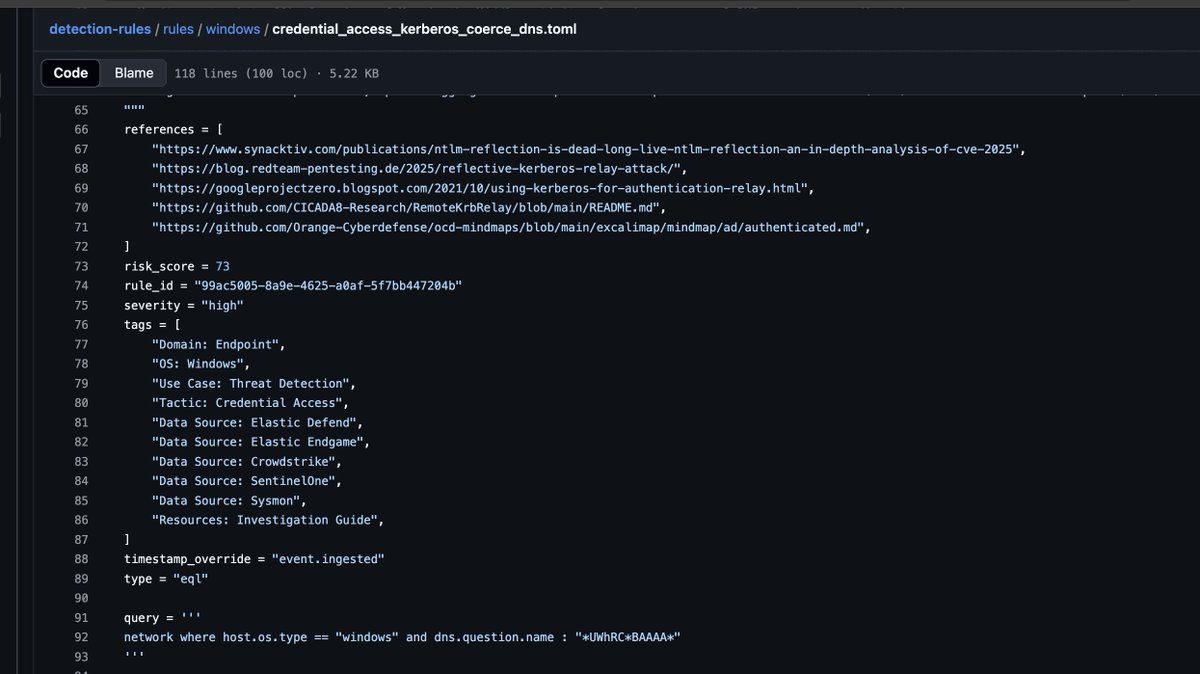
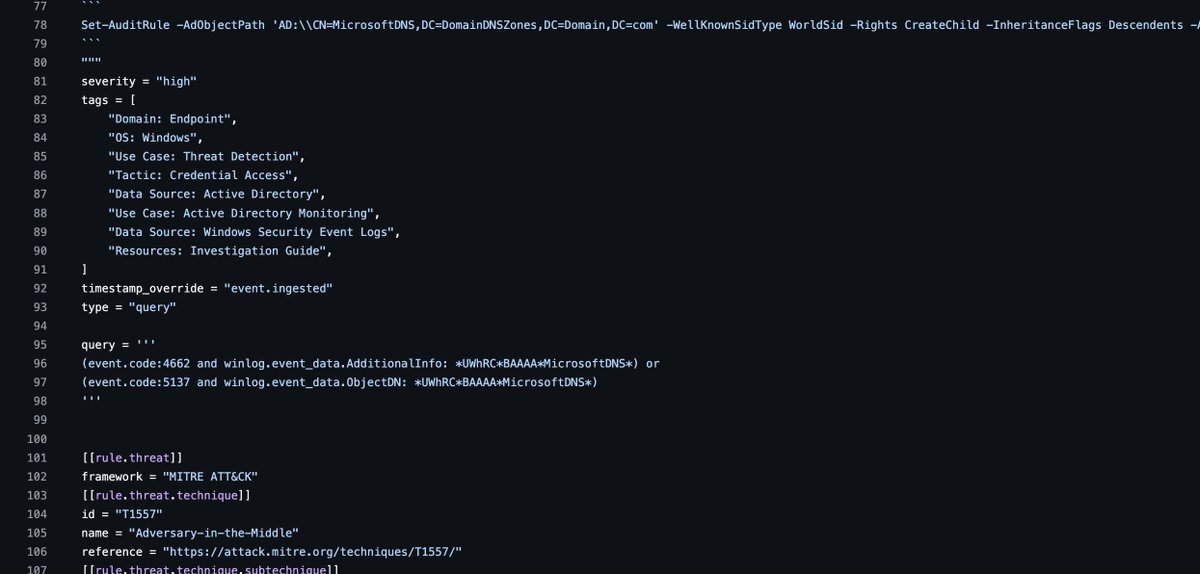
some cool #Elastic detections added by @_w0rk3r to identify potential kerberos SPN Spoofing via the CredMarshalTargetInfo primitive (abused in CVE-2025-33073 and also in other Kerberos reflection attacks):
https://t.co/cBIyEgfGt9
https://t.co/ASqCOjxj9A
https://t.co/pHG3QElvSH
Finally made it happen! Public Custom Maester Test Collection is now available. Check out my blog post for more info, and hope you will contribute as well! #powershell#Maester#Security https://t.co/NUpuzb7A1o
What types of deception tech should I use? Here’s some examples I have come across that I really liked. Please, other folks, chime in here with what you’ve seen and liked too…
- Honey file called password.doc on a shared drive
- Honey file called test.txt in an IT admins personal folder on a shared drive
- Honey account with a password in the description attribute in AD