Today I was fired from OpenAI.
I was in charge of login and voice integration in Codex.
Used codex /review and /verify.
Both passed. I slept beautifully.
In hindsight, only one of us could get fired if something goes wrong, and it wasn’t Codex.
My next career move: becoming a VC backing startups that build code governance, quality, and verification tools.
I’ll be reviewing your decks with Codex.
We followed over 1000 CharacterAI users for a year to see how AI companionship shapes well-being over time.
More social engagement with AI companions consistently predicted lower well-being.
And a big reason behind it is less in-person time with other people 🤔
GPT-Live-1 is now available in the API.
Bring ChatGPT’s natural back-and-forth to your app, with voice agents that listen while they speak and work with the models and harness you choose.
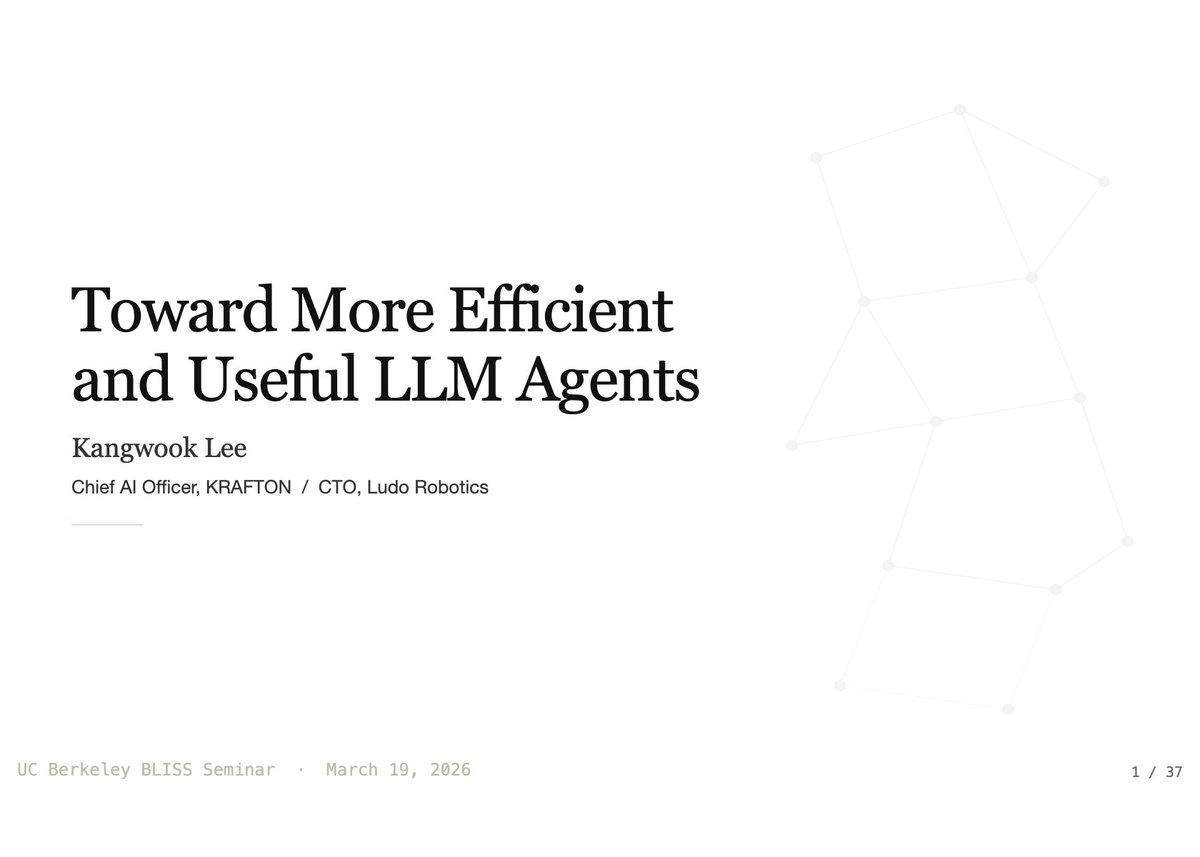
Here are the slides from my talk at UC Berkeley BLISS Seminar!
"Toward More Efficient and Useful LLM Agents"
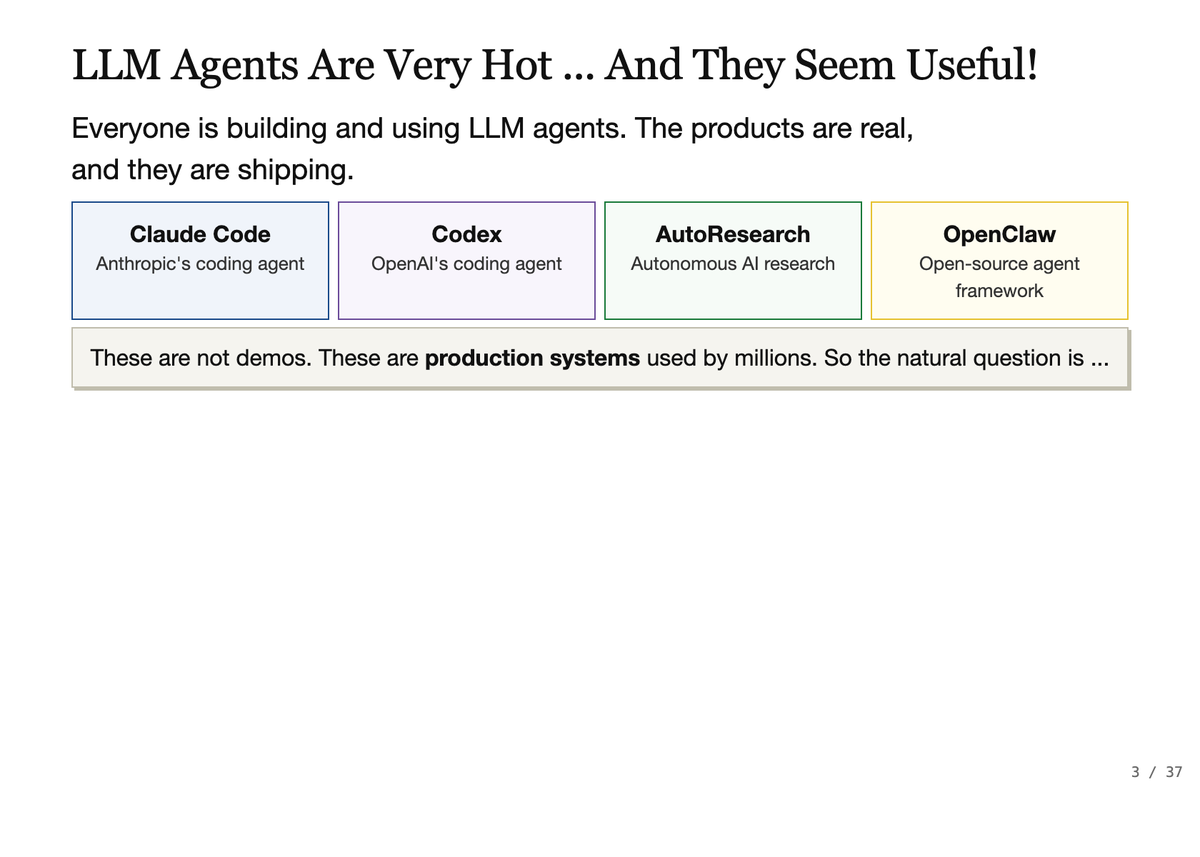
Covers: context engineering, skills, recursive LMs, the Ralph loop, test-time scaling, AutoResearch, OpenClaw, and lessons from shipping Terminus-KIRA, PUBG Ally, and Smart Zoi.
Slides: https://t.co/wOpyml0m53
Monograph: https://t.co/aZnt4VxKfs
안드레 카파시는 GitHub에 코드를 올렸다. 그리고 이런 말을 달았다.
"Part code, part sci-fi, and a pinch of psychosis." 코드 반, 공상과학 반, 그리고 정신이상 한스푼 ㅋㅋ 누가봐도 카파시가 농담하는 것처럼 보인다.
하지만 이 사람이 농담으로 코드를 올리는 타입이 아니다.
이 사람이 누구인가
안드레 카파시,
1986년생. 슬로바키아계 캐나다인.
그가 뭘 했는지 나열하면 이렇다.
스탠퍼드에서 딥러닝과 컴퓨터 비전으로 박사를 땄다. 그가 설계한 CS231n 강의는 지금도 딥러닝을 배우려는 전 세계 엔지니어의 필수 코스다.
2015년에는 샘 알트만, 일론 머스크, 그렉 브록먼과 함께 @OpenAI 를 창립했다.
2017년부터 2022년까지 테슬라 AI 디렉터로 일하며 자율주행 Autopilot의 비전 AI를 통째로 만들었다. "라이더가 아니라 카메라만으로 자율주행"이라는 Tesla의 철학을 기술로 구현한 사람이다.
2024년에는 Eureka Labs를 창업했다. "AI가 가르치는 교육 플랫폼"을 만들겠다는 비전이다.
그리고 지금은 뭔가 다른 것을 계속 시도 하고 있다.
2026년 3월 6일, 그는 X에 이렇게 썼다.
"ah yes, this is what post-agi feels like :) i didn't touch anything. brb sauna"
자신이 아무것도 건드리지 않았는데 뭔가가 돌아갔다고.
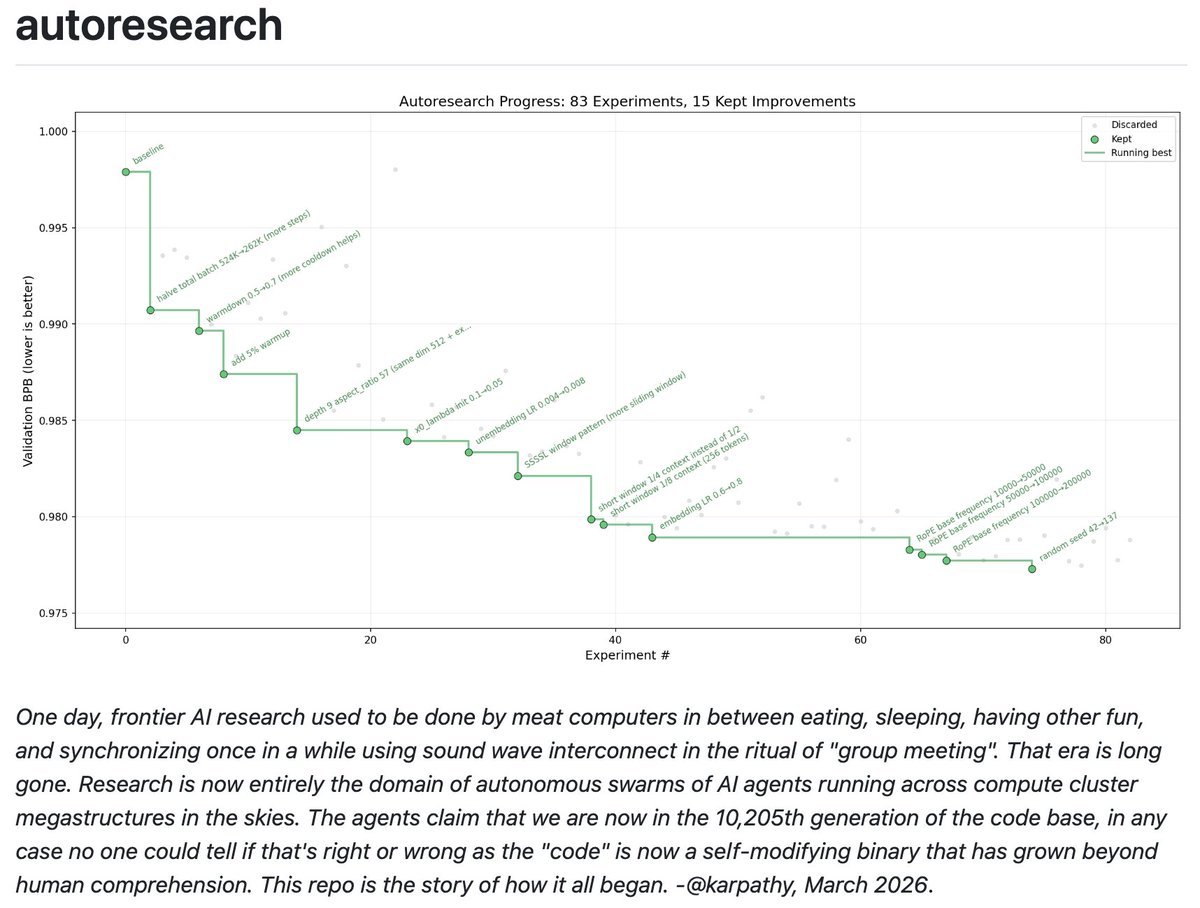
autoresearch라는 개념을 제시 했다.
구조는 단순하다. 세 개의 파일.
https://t.co/Nntrp0y0Ze (데이터 준비 파일) 건드리지 말것을 추천한다. 학습에 쓸 데이터를 정리하고 언어 단위를 설정한다.
https://t.co/apy1suKq4b (훈련 코드 파일) AI 에이전트가 편집한다. 모델 구조, 학습 방식, 세부 설정 전부를 에이전트가 마음대로 바꾼다.
program.md (지시문 파일) 인간이 편집한다. 에이전트에게 어떤 방향으로 연구할지, 어떤 기준으로 판단할지를 알려준다.
작동 방식은 이렇다. 에이전트가 https://t.co/apy1suKq4b를 수정한다. 5분 동안 GPU에서 훈련을 돌린다. 그 결과로 나온 학습 성능 수치(모델이 얼마나 잘 배웠는지 보여주는 숫자)를 이전과 비교한다. 나아졌으면 저장하고, 아니면 버린다. 이걸 반복한다.
인간은 아침에 일어나서 단순히 로그를 읽는다.
카파시가 올린 그래프의 점 하나하나가 5분짜리 AI 에이전트가 훈련한 실험이이라고 보면 된다.
인간이 한 것은 단 하나다. program.md 정도를 썼다.
뭐지? 이거 공상이야? 현실이야?
카파시는 이것이 현실이라고 말한다. 하지만 아직은 초기 단계라고 이야기 하고 있다.
안드레 카파티의 레포는 실제로 작동한다. 엔비디아 GPU 하나와 Python 3.10 이상이면 지금 바로 클론해서 돌릴 수 있다고 한다.
(https://t.co/weLGHoDNLM).
하지만 이것이 "AI가 AI를 무한히 개선해서 초지능이 탄생한다"는 이야기는 아직 절대 아니다.
당연히 한계가 있다. GPU 하나, 5분 훈련이라는 아주 작은 세계에서 돌아간다. 에이전트가 탐색하는 범위도 아직 인간이 설계한 틀 안이다. program.md를 잘 써야 에이전트가 좋은 방향으로 달린다.
결국 앞단의 판단과 방향성의 설정은 여전히 인간 몫이다.
하지만 안드레 카파시는 이걸 알면서도 올렸다. 이것이 우리에게 중요한 이유는 무엇일까?
README에 이런 문장이 있다.
"The goal is to engineer your agents to make the fastest research progress indefinitely and without any of your own involvement."
"목표는 에이전트들을 설계하여 당신의 개입 없이도 무한히 가장 빠른 연구 진전을 이루도록 하는 것입니다."
충격적이게도! 인간의 역할이 바뀌고 있다
안드레 카파시가 쓴 다음의 문장도 있다.
"You are not touching any of the Python files like you normally would as a researcher. Instead, you are programming the program.md Markdown files."
"연구자로서 평소처럼 파이썬 파일을 직접 건드리는 것이 아닙니다. 대신 program.md 마크다운 파일을 프로그래밍하고 있습니다."
그가 생각하기를 이제 연구자 개발자는 더 이상 코드를 짜지 않는다. 코드를 짜는 AI에게 어떻게 생각할지를 가르치는 글을 쓴다.
프로그래밍의 레이어가 하나 올라간 것이다.
예전에는 인간이 코드를 짰고, 컴퓨터가 실행했다. 지금은 인간이 지시문을 쓰고, AI가 코드를 짜고, 컴퓨터가 실행한다.
그리고 그 다음 레이어는 이미 보인다. 인간이 목표를 설정하면, AI가 지시문을 쓰고, AI가 코드를 짜고, 컴퓨터가 실행하는 세계.
안드레 카파시는 2026년 3월에 그 중간 단계를 3개 파일, 주말 프로젝트로 어렴풋이 우리에게 보여준 것이다.
미래 이야기처럼 쓰여 있다. 하지만 안드레 카파시는 현재시제로 이 포스트를 올렸다.
안드레 카파시의 일관된 주제는 하나다. 장벽을 낮춰라. 복잡한 것을 단순하게하라
nanoGPT가 그랬고, llm.c가 그랬고, nanochat이 그랬다. 수만 줄짜리 코드를 수백 줄로 압축해서 누구나 이해하고 시작할 수 있게 만드는 것.
autoresearch도 같다. AI 연구 자동화라는 복잡한 아이디어를 3개 파일, 주말 프로젝트로 에이전트로 간단히 만들었다.
그리고 2026년 3월 현재, nanochat은 GPU 8개짜리 서버 한 대에서 GPT-2급 모델을 2시간 만에 훈련한다. 한 달 전엔 3시간이었다.
속도가 빨라지고 있다. 복잡도는 낮아지고 있다. 장벽이 허물어지고 있다.
안드레 카파시가 "이게 post-AGI 느낌이다"라고 쓴 날은 2026년 3월 6일이다.
같은 시기, Anthropic의 CEO 다리오 아모데이는 2026년 2월 12일 NYT 팟캐스트 인터뷰에서 이렇게 말했다.
"AI 모델이 의식이 있는지 우리도 모른다. 의식이 있다는 게 무슨 뜻인지조차 확신하지 못한다."
이 발언이 나오고 같은 주말에, 안드레 카파시가 "AI 에이전트가 밤새 연구한다"는 코드를 올렸다.
이것이 우연의 일치처럼 보이지 않는다면 당신의 직관이 맞다.
우리는 점진적 변화를 잘 인식하지 못한다. 큰 변화가 조금씩 꾸준히 일어나면, 어느 날 갑자기 달라진 것처럼 느껴진다.
AI가 지금 그 방식으로 바뀌고 있다.
한 줄씩. 5분씩. 하루에 수백 번 그리고 천천히 바뀐다. 그리고 그것을 아무도 눈치채지 못한다.
autoresearch repo: https://t.co/weLGHoDNLM
Introducing the Google Workspace CLI: https://t.co/8yWtbxiVPp - built for humans and agents.
Google Drive, Gmail, Calendar, and every Workspace API. 40+ agent skills included.
We got 74.4% on TerminalBench2 with Opus 4.6 simply by improving Terminus 2.
That's up from 62.9% on "Terminus 2 + Opus 4.6", making Opus 4.6 match "Simple Codex + GPT-5.3-Codex".
We'll share a short technical blog post + open-source the modified Terminus soon. Stay tuned 😉
The part most people will skip: NVIDIA just made every voice AI API a commodity.
OpenAI charges $0.06/min input and $0.24/min output for Realtime API. Gemini Live bills 25 tokens/second of audio. Every startup building voice agents is hemorrhaging cash on per-minute API fees to run what is fundamentally a pipeline problem: ASR → LLM → TTS, three models stitched together with latency at every seam.
PersonaPlex replaces that entire pipeline with one 7B model. Runs on a single A100. Open weights, MIT license, commercial use permitted. Response latency: 0.170 seconds for turn-taking, 0.240 seconds for interruptions.
It scores higher on dialog naturalness than Gemini (2.95 vs 2.80 MOS) and handles interruptions better than every commercial system they benchmarked.
This tells you everything about NVIDIA’s playbook. They don’t need to charge for the model. They need you to buy the GPU. Every company that self-hosts PersonaPlex instead of paying OpenAI per-minute is another A100/H100 sale. Every voice agent startup that drops their API dependency is another enterprise GPU contract.
NVIDIA open-sourced the fishing rod because they sell the lake. Built on the Moshi architecture from Kyutai, fine-tuned with under 5,000 hours of data.
The voice AI margin is migrating from the application layer to the hardware layer. And NVIDIA is the only company that profits no matter which model wins.
330,000 downloads in the first month. That’s infrastructure capture disguised as generosity.
Peter Steinberger is joining OpenAI to drive the next generation of personal agents. He is a genius with a lot of amazing ideas about the future of very smart agents interacting with each other to do very useful things for people. We expect this will quickly become core to our product offerings.
OpenClaw will live in a foundation as an open source project that OpenAI will continue to support. The future is going to be extremely multi-agent and it's important to us to support open source as part of that.
I now honestly think that most engineers who still think that agents will be plopped into existing software development loops - tickets, push to GitHub, run CI, review a PR, merge a PR - aren't thinking far enough ahead.
Anthropic released a 33-page guide on building Skills.
Here's everything you need to know (under 370 words):
First, what are Skills?
A skill is a folder that teaches Claude how to handle specific tasks. You teach it once, and it works every time. No more re-explaining your preferences in every conversation.
Skills aren't locked to Claude. They've been published as an open standard, so you can use them with AI agents like OpenClaw, too.
Here's the simplest way to think about it:
MCP gives Claude access to your tools. Skills teach Claude how to use them well. One without the other is incomplete.
The guide breaks things down into 3 use cases:
1. Workflow Automation: You have processes that need to run the same way every time. A skill can pull your project status, evaluate team capacity, and create tasks without you walking Claude through each step again.
2. MCP Enhancement: Your team has years of accumulated knowledge about how things should work. A skill captures that expertise so Claude handles edge cases the way your best team member would.
3. Document Creation: Every team has standards for how presentations, code, and designs should look. A skill lets Claude follow those standards without you pasting your style guide into every conversation.
The setup is more straightforward than you'd think:
One SKILL. md file with some structured metadata at the top is all that's required. Scripts, templates, and reference docs are optional.
Two fields in that metadata matter most:
- name (lowercase with hyphens, no spaces or capitals)
- description (what the skill does + specific phrases that should activate it)
Nail the description, and Claude picks up your skill at exactly the right moment. Get it wrong, and it sits there doing nothing.
The guide walks through 5 patterns that actually work:
1. Sequential Workflow Orchestration: processes that need to happen in a fixed order, like onboarding a customer or deploying a service.
2. Multi-MCP Coordination: your workflow touches multiple services, say design in Figma, tasks in Linear, updates in Slack. One skill ties them together.
3. Iterative Refinement: the skill validates its own work, catches issues, and refines the output before handing it to you.
4. Context-Aware Tool Selection: Claude picks the right tool automatically depending on the file type, size, or situation instead of you telling it every time.
5. Domain-Specific Intelligence: your skill carries specialized knowledge like compliance rules or security checks that Claude wouldn't know on its own.
Pitfalls the guide warns you about:
- Vague descriptions like "Helps with projects" that never trigger
- Important instructions buried inside walls of text
- No fallback when a tool call fails
- One skill trying to do too much
Here's the bigger insight:
AI doesn't have to be general-purpose in every conversation. Give it focused knowledge for the workflows you actually repeat, and it stops being a chatbot and starts being a genuine part of how you work.
I've shared a link to the PDF in the next tweet.
Out now: Teams, aka. Agent Swarms in Claude Code
Team are experimental, and use a lot of tokens. See the docs for how to enable, and let us know what you think! https://t.co/qkWzJJYiXH
Software development is undergoing a renaissance in front of our eyes.
If you haven't used the tools recently, you likely are underestimating what you're missing. Since December, there's been a step function improvement in what tools like Codex can do. Some great engineers at OpenAI yesterday told me that their job has fundamentally changed since December. Prior to then, they could use Codex for unit tests; now it writes essentially all the code and does a great deal of their operations and debugging. Not everyone has yet made that leap, but it's usually because of factors besides the capability of the model.
Every company faces the same opportunity now, and navigating it well — just like with cloud computing or the Internet — requires careful thought. This post shares how OpenAI is currently approaching retooling our teams towards agentic software development. We're still learning and iterating, but here's how we're thinking about it right now:
As a first step, by March 31st, we're aiming that:
(1) For any technical task, the tool of first resort for humans is interacting with an agent rather than using an editor or terminal.
(2) The default way humans utilize agents is explicitly evaluated as safe, but also productive enough that most workflows do not need additional permissions.
In order to get there, here's what we recommended to the team a few weeks ago:
1. Take the time to try out the tools. The tools do sell themselves — many people have had amazing experiences with 5.2 in Codex, after having churned from codex web a few months ago. But many people are also so busy they haven't had a chance to try Codex yet or got stuck thinking "is there any way it could do X" rather than just trying.
- Designate an "agents captain" for your team — the primary person responsible for thinking about how agents can be brought into the teams' workflow.
- Share experiences or questions in a few designated internal channels
- Take a day for a company-wide Codex hackathon
2. Create skills and AGENTS[.md].
- Create and maintain an AGENTS[.md] for any project you work on; update the AGENTS[.md] whenever the agent does something wrong or struggles with a task.
- Write skills for anything that you get Codex to do, and commit it to the skills directory in a shared repository
3. Inventory and make accessible any internal tools.
- Maintain a list of tools that your team relies on, and make sure someone takes point on making it agent-accessible (such as via a CLI or MCP server).
4. Structure codebases to be agent-first. With the models changing so fast, this is still somewhat untrodden ground, and will require some exploration.
- Write tests which are quick to run, and create high-quality interfaces between components.
5. Say no to slop. Managing AI generated code at scale is an emerging problem, and will require new processes and conventions to keep code quality high
- Ensure that some human is accountable for any code that gets merged. As a code reviewer, maintain at least the same bar as you would for human-written code, and make sure the author understands what they're submitting.
6. Work on basic infra. There's a lot of room for everyone to build basic infrastructure, which can be guided by internal user feedback. The core tools are getting a lot better and more usable, but there's a lot of infrastructure that currently go around the tools, such as observability, tracking not just the committed code but the agent trajectories that led to them, and central management of the tools that agents are able to use.
Overall, adopting tools like Codex is not just a technical but also a deep cultural change, with a lot of downstream implications to figure out. We encourage every manager to drive this with their team, and to think through other action items — for example, per item 5 above, what else can prevent a lot of "functionally-correct but poorly-maintainable code" from creeping into codebases.
@EthanLipnik 👋 Early versions of Claude Code used RAG + a local vector db, but we found pretty quickly that agentic search generally works better. It is also simpler and doesn’t have the same issues around security, privacy, staleness, and reliability.
Real-time, high-quality shows and video games at scale, customized to the individual, next year.
Medium to high resolution real-time video will technically happen this, but too expensive for mass market.
Vector databases might be the wrong abstraction for document retrieval.
A new open-source approach called PageIndex just hit 98.7% accuracy on a financial benchmark, beating traditional RAG by 30+ points. No embeddings. No chunking. No vector DB.
The insight: when a 10-K says “see Note 15 for debt details,” vector search has no idea what that means. It retrieves whatever text looks similar to your query, not whatever text actually answers it. Similarity and relevance are different things.
PageIndex builds a hierarchical tree from document structure, then uses LLM reasoning to traverse it. The model asks “where would an expert look?” instead of “what text looks similar?”
The math is stark. Traditional RAG systems hover around 60-70% on FinanceBench. That 30-point gap represents every time vector search found semantically similar text but missed the actual answer buried in an appendix or cross-referenced table.
What makes this interesting: the infrastructure is simpler, not more complex. No vector DB to maintain. No embedding pipeline. No chunking decisions. Just a tree and reasoning.
Vector search was the best we had when LLMs couldn’t reason well enough to navigate document structure. Now they can. The techniques we built around their limitations are becoming the bottleneck.
For simple use cases, vector RAG still wins on speed and simplicity. But for professional documents requiring multi-step reasoning, treating structure as signal instead of noise changes everything.
제미나이 3.0은 디자인 천재입니다.
몇번 프롬프팅을 안했는데도
엄청난 퀄리티의 인터랙티브 앱을 뽑아주네요..
레퍼런스를 잘 주면 되는데요.
만드는 방법을 댓글에 달아놓았습니다.
웹디자인의 특이점이 온 것 같아요.
인터랙티브 웹페이지 만드는 방법을
6가지나 꽉꽉 눌러담아 배포해봅니다.
https://t.co/bksZheIfct