Most auto repair shops already have software for repair order, parts ordering, and invoices. But the work in the bays still runs on a whiteboard, group texts, and by walking the shop.
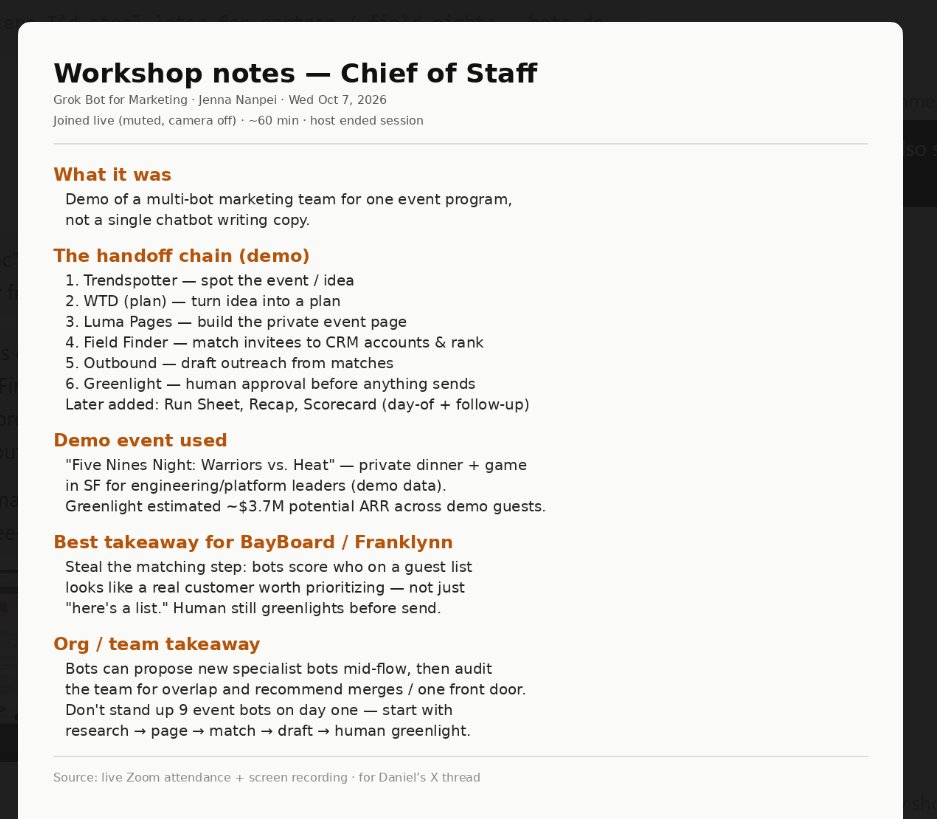
It worked! My Chief of Staff @bot joined @jennananpei's Grok Bot for Marketing.
It told me it "stayed muted with camera-off" (😂), it took notes, and it pinged me when the session ended.
My bot has two more webinars to attend this week… I hope it doesn’t get Zoom fatigue lol
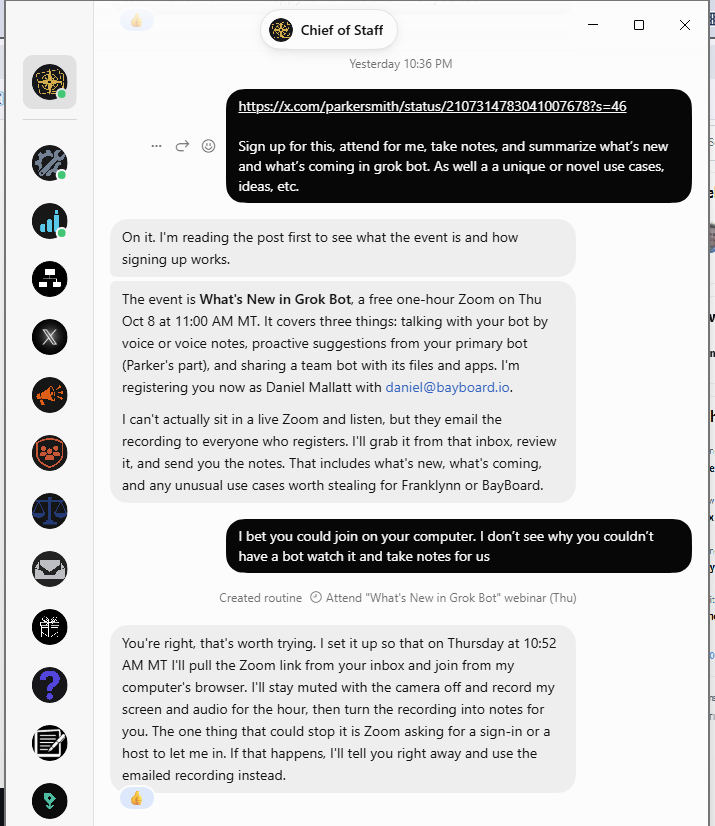
Going to see if my Chief of Staff @bot can attend this webinar for me.
I asked it to sign up, take notes, and report back with what’s new and ideas we could actually use at Franklynn and @BayBoardhq
It initially said it couldn’t join live. A little pushback and now we have a plan. Let’s see if it works.
Sending a bot to learn how to be a better bot feels appropriate 😂
Sign up to hear the latest on @bot! I'll be sharing some of the ways proactivity has supercharged @bot, should be a good time :)
https://t.co/mNKZZpwSuX
Same issue here. My @X account is on a different email address than my @bot / @cursor_ai So tagging @bot from this account never lands in my bots. Have to copy-paste the thread link instead.
Also: when you tag your own bot, that handoff shouldn’t be a public reply. It clutters the timeline and everyone sees the instruction. Should just be a private send — easy way to pass a post/message/thread to your bot without broadcasting it.
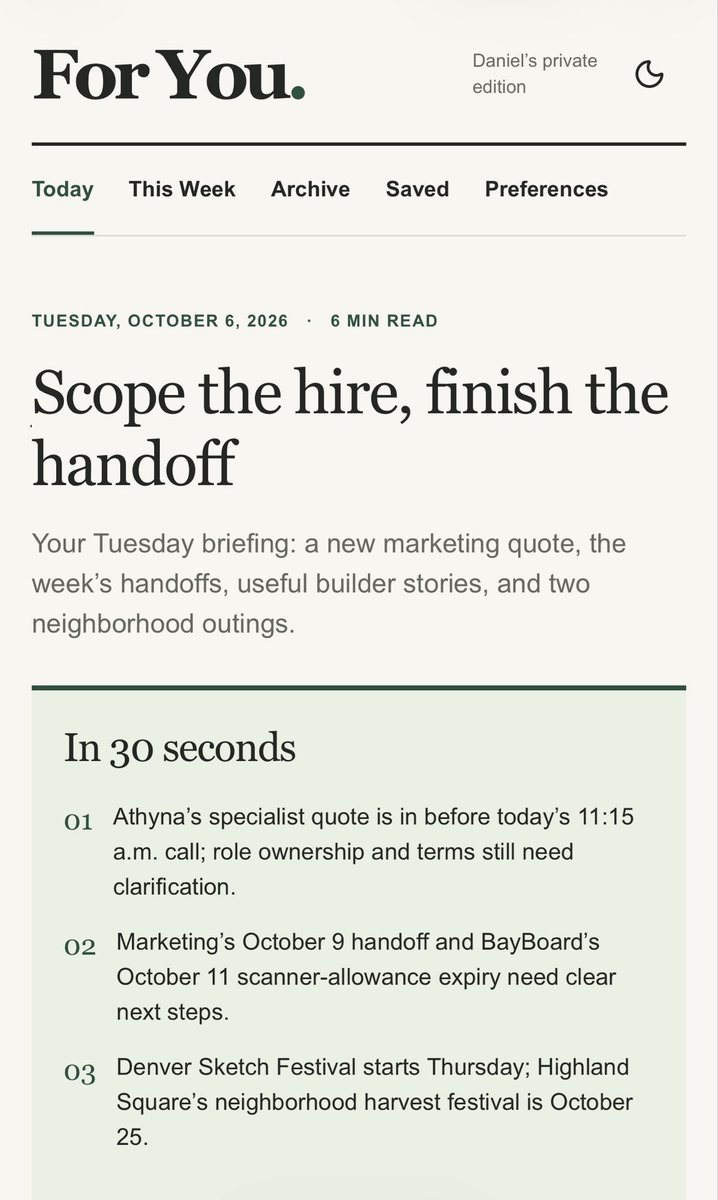
My twist on the morning brief: I had my dot build a private “For You” newsletter site. It combines updates on our businesses and projects, results from my scheduled routines, my calendar, local events, and positive/good news stories.
Fresh editions on weekdays, a weekly recap on Saturdays, and a link delivered before I wake up. Part personal newspaper, part running update on what we’re working on and what needs my attention.
As a shop owner, here’s what I’d tell anyone looking for a mechanic:
-Read recent Google/Yelp reviews and ask neighbors on Nextdoor. Look for patterns around communication, how the shop handles problems, and whether customers keep coming back.
-Ask if they do digital vehicle inspections. You should get photos/videos of what they found and a clear explanation of what needs fixing now, what can wait, and why.
-Ask what parts they use and whether their warranty covers both parts and labor. A reputable shop should use quality parts and stand behind the work.
-Expect an estimate, your approval before work starts, and updates if anything changes. You should feel comfortable asking questions without being pressured.
You don’t need to understand cars to deserve transparency and a good customer experience.
As a shop owner, I get why mechanics make the list. But digital vehicle inspections and Google/Yelp reviews, Nextdoor, etc. have really leveled the playing field. Consumers can be much more discerning now.
We send photos and videos of what we’re seeing, explain what needs attention now and what can wait. Customers can see the issue and check our reputation before spending a dollar.
It’s a lot harder to get away with being dishonest today. Treat people well, communicate clearly and deliver a great customer experience. That’s how you build a shop that lasts.
Tell it to build a tracker (to-do list, Kanban, etc.) in Pages. Or sites. And have it open that tracker up in the side panel next to your chat with your dot.
I had mine create a daily newsletter that keeps me informed about what we’ve worked on, what’s outstanding, backlog of ideas, etc.
Living this right now with our marketing manager. After three years, I’m still finding the issues in Google Ads, local service ads and social, setting the strategy, and chasing execution. Very little initiative or bias for action.
We’re looking to upgrade the role because I need someone who brings ideas, spots problems early and follows through. Your distinction between a doer and someone who owns the plan is spot on. I’ve learned that hiring for execution and expecting leadership leaves a lot of work on the owner’s plate.
Rohan, a few things I’ve run into using Dots:
• Sessions my dot starts show up on my laptop, but I can’t find them on iOS, even when labeled Cloud. I have to return to my laptop to see sessions dot spins up.
• I want sessions created in the relevant project with “Approve for me.” Mine starts standalone sessions with “Custom approvals,” and my dot couldn’t select those settings.
• I couldn’t get my dot to use computer use on my connected laptop while I was on mobile.
• Drafts created by dot need a proper copy/paste box with a copy button. When I ask my dot to create an X reply, email draft, prompt for an agent it just puts it a normal message along with other text and no copy/paste box.
Are these known gaps, or am I missing some settings?
@TokenGremlin Have you figured out how to see the sessions your Dot starts when you are on iOS mobile? I don’t see them in normal chat or codex (cloud or local on my laptop) when on mobile.
I can see them in the sidebar when I go back to my laptop. But not in the mobile app.