Most of you probably haven't noticed this, but dots have a new feature called multi-exec that we quietly released on friday. I've been using it all weekend on my personal dot and it's incredibly powerful.
I'd like to share why this is a big deal and how to use it.
At a high level, multi exec lets your dot run commands directly on any computer. This immediately turns your dot into a real virtual employee. Here's why it's a gamechanger:
- you can attach a powerful machine with persistent storage to your dot (I attached it to my maxed out Mac Studio Ultra)
- the dot can now drive your computer directly via Computer Use
- this extends to browser use
- all your websites stay logged in, residential ip etc
- you set up all your CLIs and authentication ONCE and the dot can use them directly (no more fighting the default ephemeral cloud computer)
- the dot can save skills locally for repeated workflows and subagents can use those directly
- if you have a local obsidian memory vault for your agents, your dot can use that too
- building ios app end to end and testing it in xcode, and showing me screenshots of progress as it works
- all of the above also applies to any subagents your dot delegates to in the cloud (subagents share context unlike separate threads).
To enable it, open the desktop app on your computer and hit "allow computer", then give your dot this prompt:
"Hey I just connected my computer. Can you attach to it directly so it's your default computer and you can run commands directly on it? Do it in your root thread so that all subagents inherit this computer for running commands. Run whoami to run water through the pipes and verify it works end to end."
I recommend attaching your dot to the most powerful machine you have and investing time into it up front:
- Log into all the emails & websites you need e.g. stripe cli, gcloud, firebase, etc
- Install and auth all the CLIs, git you need
- Make sure computer use is turned on and allowed to use your computer while its locked
- I also enabled Allow All for Browsing and Downloads so my dot could use computer use to download whatever it wanted from websites without asking me for approval for each domain (use at your own risk).
- Important: I HIGHLY recommend to ask your dot to build out repeated workflows as skills, and iterate to make those skills bulletproof by running water through the pipes with its subagents.
As of this weekend, my dot is sending me screenshots of its progress building my iOS app end to end on my Mac Studio Ultra via xCode, and clicking around and testing things end to end. It's able to configure things in stripe via the CLI and use websites when it needs to download images for my workflows. It’s night and day. Don't sleep on it.
Software devs are flocking to hardware.
I'm one of them. Started tinkering a year ago. Now I build things like this in less than 10 minutes (using modular hardware which make the build almost instant)
I'm building a community for anyone who wants to learn hardware.
Reply to this tweet if you want in
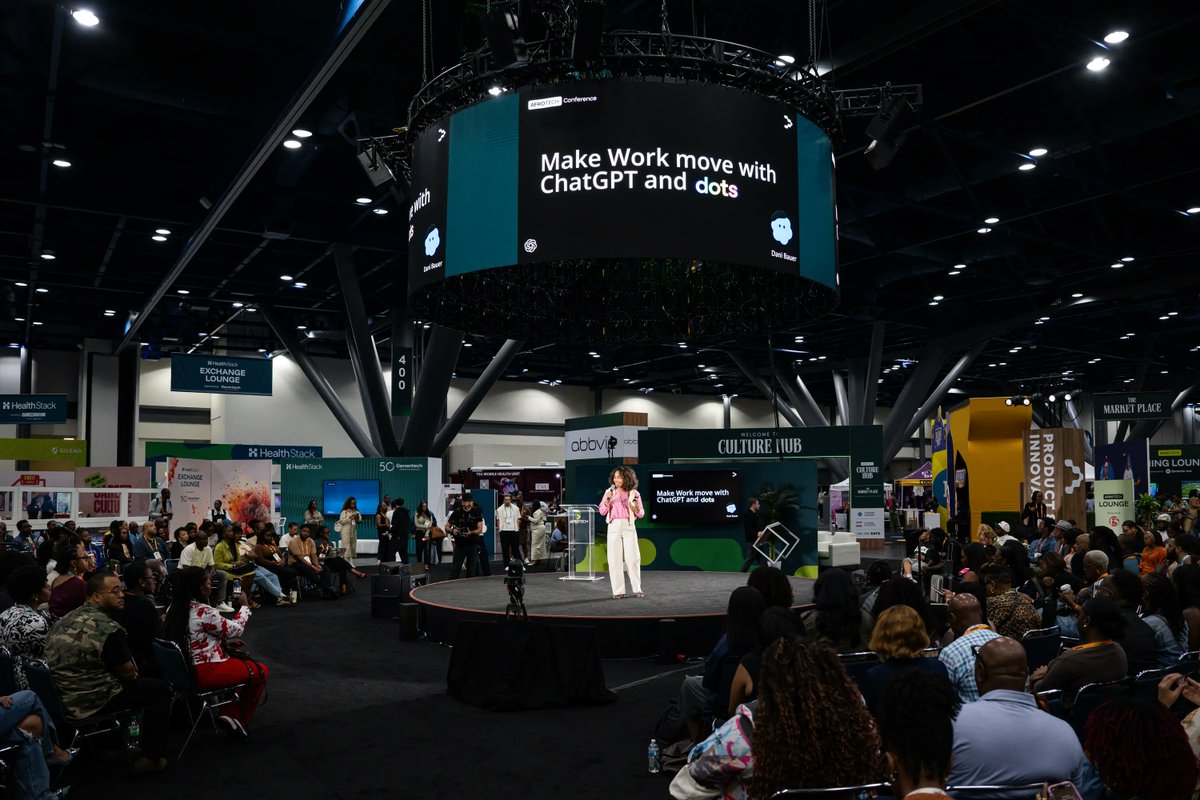
On Friday I spoke at @AfroTech in Houston, where Black founders, creators, and technologists share what they’re building. I designed my session for the person making the content and running the business behind it.
We walked through how to use ChatGPT to:
– Find partners who fit your audience and draft a pitch
– Look at what people save, share, and ask about to decide what to make next
– Help you manage your community Qs and replies
– Use audience feedback to figure out where a video needs a clearer edit
We also gave a dot a Friday job: “What questions kept coming up in my community this week? Show me the original comments.” I like seeing people’s exact words. That’s how I decide whether a question needs a quick reply or a whole new video walkthrough.
My own dot was my right hand while I put the talk together. It helped me outline the session, and I used Codex to build the deck and a site with every prompt I shared onstage ;)
Thanks for having me, @AfroTech!