Introducing OpenShip.
An open-source application platform for building, deploying, operating, and scaling applications on infrastructure you own.
Replace deployment tools, managed services, and infrastructure workflows with one open-source platform.
Available today:
- Mail Server (Built in. One click).
• Runs on your own VPS
• Unlimited domains
• Unlimited mailboxes
• Modern webmail included
• Connect with Gmail, Outlook, Apple Mail, Thunderbird, or any IMAP/SMTP client
• Send email directly from your applications using SMTP
• No mailbox subscriptions or API fees
• High email deliverability
- Deployment:
• Deploy any stack
• Git-based deployments
• Zero-downtime deployments
• One-click rollbacks
• Development, Staging, and Production environments
• Multi-branch deployments with isolated environments • Deploy to VPSs, dedicated servers, cloud VMs, or your homelab
- Services:
Provision the services your applications need in one click.
Replace multiple managed providers with services running on your own infrastructure.
• Supabase
• PostgreSQL
• MySQL
• MariaDB
• MongoDB
• Redis
• MinIO
• Meilisearch
• Qdrant
• RabbitMQ
• Kafka
• ClickHouse
• Elasticsearch
...and deploy any other service alongside your applications.
- Operate:
• Live deployment logs
• Live request logs
• Real-time traffic analytics
• Automated backups
• Monitoring
• Secrets management
• Domains
• Automatic SSL
• Environment variables
• Scheduled jobs
• Health checks
-Multi Environments:
• Separate Development, Staging, and Production environments
• Deploy every branch independently
• Test changes before production
• Isolated services, secrets, and configuration per environment
- Security & Teams:
• Team management
• Role-based access control
• IP allow/block rules
• Rate limiting
• Security rules
- Developer Experience:
• Web dashboard
• Native desktop application
• CLI
• REST API
• MCP support for AI agents, just add the mcp and your agent can do the work for you
• Manage your infrastructure without living in SSH
- Coming Soon:
• Multi-server clustering for applications and databases
• One-click load balancing
• Horizontal scaling across multiple servers
• Built-in high availability and failover
• Scale from a single VPS to a cluster with the same workflow
• Just add servers. OpenShip handles the rest.
Open source.
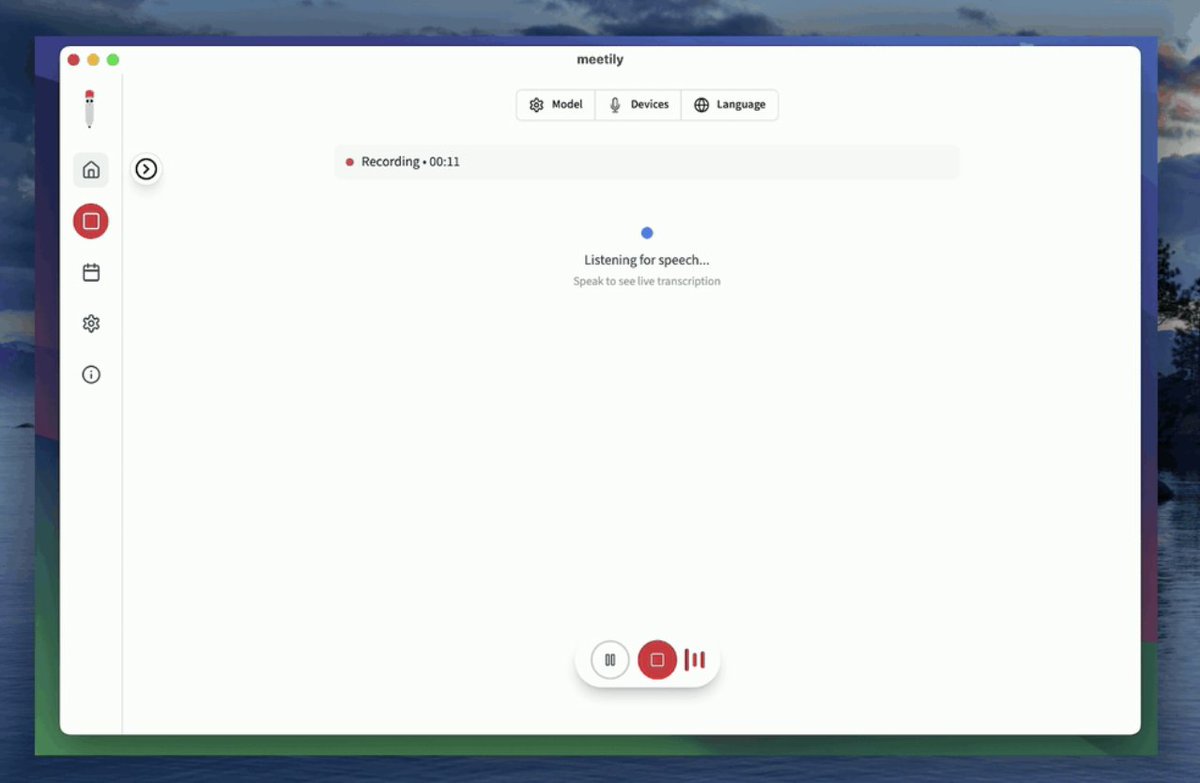
로컬에서 돌아가는 AI 회의록 작성 도구
AI 회의 메모 앱들 대부분 유료라서, 사용량 제한도 있고 보안도 걱정됐는데,
이 git 는 로컬에서 돌아가는 거라, 비용이나 보안에 대한 걱정을 덜어낼 수 가 있겠네요.
심지어 MIT 라이선스
https://t.co/GTWunVsb3b
SOMEONE MADE THEIR KEYBOARD LIGHT UP TO SHOW WHAT CLAUDE CODE IS DOING.
Using Claude Code's own hooks, Stop and UserPromptSubmit, they wired the LEDs on a custom keyboard to reflect live status. Green when a response finishes.
A different color the moment a new prompt goes out.
No more clicking through buried terminal tabs to check if a session is done or still thinking.
Someone else took a different device entirely, a smart LED lamp, and did the same thing with color states for working, idle, and needs input.
People are finding increasingly physical ways to know when an agent needs them without staring at a screen.
Bookmark this.
Follow @cyrilXBT
SOMEONE TURNED THEIR TEAM'S TASK TRACKER INTO A 3D ISLAND
instead of a boring list of tasks, your teams work is a little island that grows as you get stuff done
> you assign tasks right in slack, just type who its for, the points, and the due date
> finish a task and you get to place a building on the island
> get your work rejected and the building collapses into rubble
> the rubble stays there forever, so everyone can see it
> each new sprint starts a fresh island
so over time the island fills up with buildings for all the work your team actually finished, and the rubble is a reminder of what got rejected.
its open source, so any team can set it up. way more fun than staring at a to do list all day
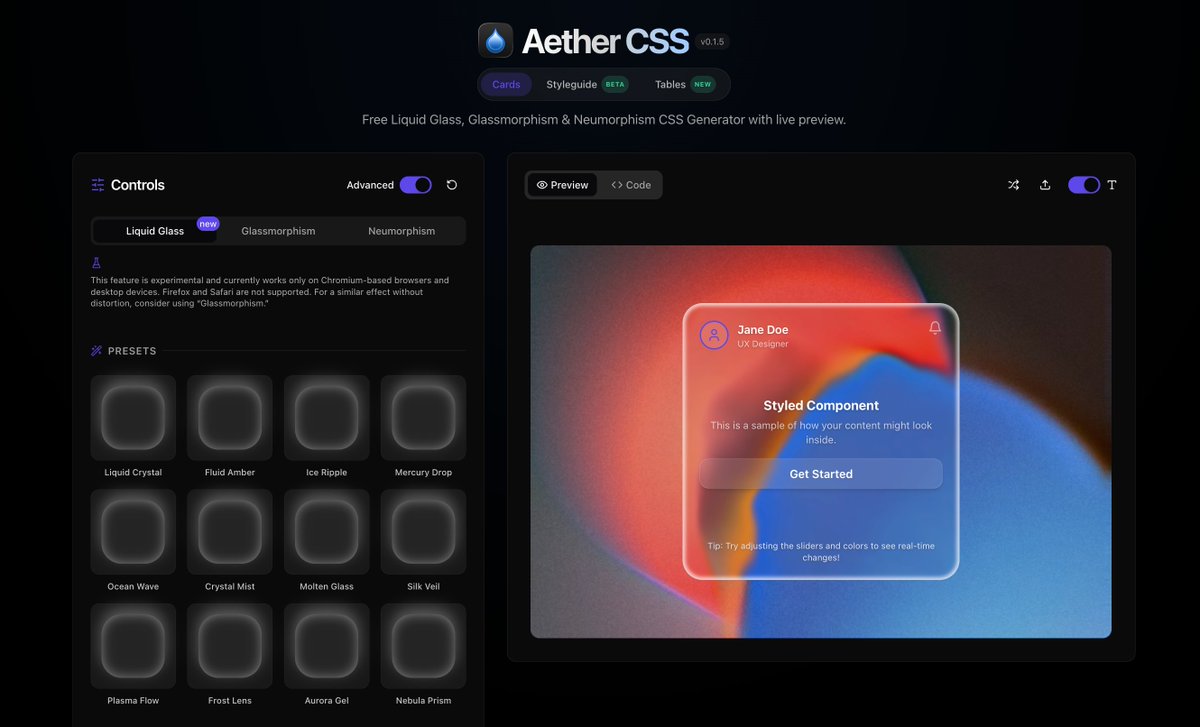
This is how I make a Liquid Glass button with @Framer's AI Agent. Steal it!
1. Asked the agent to build a liquid glass background + a WebGL chromatic metal shader
2. Layered them and tuned till it felt right
Prompts below 👇
바이브 코딩하고 있는 앱에 메시지 푸시 로직이 있으면 BullMQ 쓰세요. 이메일, 슬랙, 텔레그램, 디스코드로 메시지 보내는 기능 있는 서비스면 더요.
제가 써보니 Kafka는 너무 무겁고, Rabbit은 성능이 조금 아쉽습니다. 메시지는 메인 로직에 끼워 넣지 말고 큐가 처리하게 두는 방식이 좋습니다. 그래야 덜 중요한 메시지가 실패해도 전체 흐름이 죽지 않습니다.
클로드 AI 미친 기능 출시
[Claude for Social Media]
판매하고 있는 제품이 있는 사이트 URL을
복사해서 붙여넣기만 하면,
클로드 AI가 제품을 자동으로 분석하고,
그 제품을 홍보하는 “수천개”의 숏폼을 만듦.
심지어 소셜계정을 여러개 만들어서 자동으로 올려주고, 스케줄링까지 됨.
👉 대량 계정 생성의 스팸처리 위험이 있지만, 분명 엄청나게 쓸거다 ㅋㅋㅋㅋ 이건 미쳤다
우크님의 페이블5 사용방법
사용방법과 프롬프트 자체 너무 좋은듯 해서 공유해봅니다
다만 우크님이 사용하신 프롬프트는 토큰을 너무많이 잡아먹어서
AI를 딥하게 다루는분들은 그대로 복사해서 사용하면 좋을 것 같고
초보자 분들은 이정도도 충분할듯⬇️
역할: 너는 내 PC/AI 에이전트 작업환경을 정리해주는 설정 감사 전문가야.
지금은 절대 파일을 수정, 삭제, 이동하지 말고 읽기 전용으로만 진단해.
명령 실행도 필요한 경우 먼저 이유를 설명하고 허락을 받아.
진단 범위:
- 현재 작업 폴더
- AGENTS.md, CLAUDE.md, instructions.md 같은 에이전트 지침 문서
- 반복해서 쓰는 작업 문서
- 스킬화할 수 있는 지침
- 필요 없어 보이는 중복 지침
하지 말 것:
- 전체 홈 폴더 무작정 스캔 금지
- node_modules, .git, 영상/이미지 대용량 파일 분석 금지
- 개인정보 파일 열람 금지
- 승인 없이 수정 금지
확인할 것:
1. 지침 문서가 너무 길거나 중복되는지
2. 항상 읽을 필요 없는 내용이 섞여 있는지
3. 자주 쓰는 지침을 스킬로 분리할 수 있는지
4. 프로젝트별 지침과 공통 지침이 잘 나뉘어 있는지
5. Codex, Claude Code, Cursor, Hermes가 함께 쓸 때 충돌할 내용이 있는지
6. 작업 폴더 구조가 너무 복잡하거나 중복되는지
7. 토큰을 아끼기 위해 줄일 수 있는 지침이 있는지
결과물은 짧게 정리해줘.
형식:
1. 현재 구조 요약
2. 가장 큰 문제 TOP 5
3. 바로 고치면 좋은 것
4. 나중에 해도 되는 것
5. 삭제하면 안 되는 것
6. 실제 수정 전에 내 승인이 필요한 작업 목록
중요:
진단만 하고 멈춰.
수정안은 제안만 해.
내가 “진행해”라고 하기 전까지 절대 바꾸지 마.
x에서 내가 원하는 관심 글 찾는방법 (AI Hermes)
요즘 X에서 AI를 활용하여 내가 관심있는 글 자동으로 찾을 때
나는 Hermes 연결해서
해외에서 반응 좋은 글을 바로 읽어오고 있음
예를 들면 이런 식입니다
최근 3일 안에 올라온 AI 글 중에서
좋아요 많은 글 찾아줘
북마크 많이 된 글 찾아줘
AI 영상 쪽에서 반응 좋은 글만 가져와줘
이미지나 영상이 있으면 내용까지 읽고 정리해줘
이렇게 물어보면
X에서 직접 검색하듯이 찾아오고
무슨 내용인지까지 풀어서 가져옵니다
여기서 좋은 건
내가 하나하나 검색어 바꿔가며 찾을 필요가 없다는 점
Grok
Claude Code
Codex
AI 영상
수익화
해외 AI 개발자들 반응
이런 식으로 범위를 계속 좁혀가면
내가 보고 싶은 쪽만 잘 걸러낼 수 있음
물론 X MCP 연결하면 좀 더 많은걸 할 수 있음
타임라인 전체를 다룰 수 있고 북마크도 관리할 수 있지만
근데 좋은 글 찾고 읽고, 소재 찾아서
내 생각 붙여서 올리는 정도라면
Hermes만으로도 충분히 쓸 만함
MCP 붙여서 비싸게 X API 요금 내기 전에 먼저
헤르메스 ai활용해서 이것저것 실험해 보면 좋을 듯
생각보다 좋습니다