🔥 Today, we're releasing our biggest update for Detail Duo on iOS yet – Combining the simplicity of a camera app with the power of a video editor.
https://t.co/ly8X1gwPD7
After a series of big releases for Detail on iOS, we refreshed our homepage.
Check out how we make video simple 👉 https://t.co/FNsTy84SdO
Made in @framer – designed by @waller_texas and @just_avalley
Know any big-hearted doers whose work deserves more attention? ❤️
I want to design them a studio. ✨
I want to amplify good people doing meaningful work for the world and create a studio-makeover video series. 🌱
Please tag anyone you know!
Ideally in Austin TX but love to meet anyone w a good story! 🗺️
Thanks fam 🙏🤗
@arminxshah We've tested with up to 6-7 video sources. The limitation is mostly getting high quality, reliable USB hubs. More tips here: https://t.co/yrP6dVY6oT
@mikeverbruggen You can use the camera extension directly on the YouTube streaming page. Just select Detail as your camera.
We used to have a very basic option to add a stream in the app, but this will give you better quality and connection.
💡 If you're recording in a cluttered room or don't have time to perfect your composition, use Detail Duo's green screen. having control over your background opens up a world of creative possibilities. It's an easy way to make your videos look great.
We're taking the power of a video editor and putting it directly into your camera app. Editing is not an afterthought — it becomes part of the creative process.
Detail Duo automatically saves your final shot as well as the clean footage from each camera so you can remix the video in other apps like Instagram or TikTok.
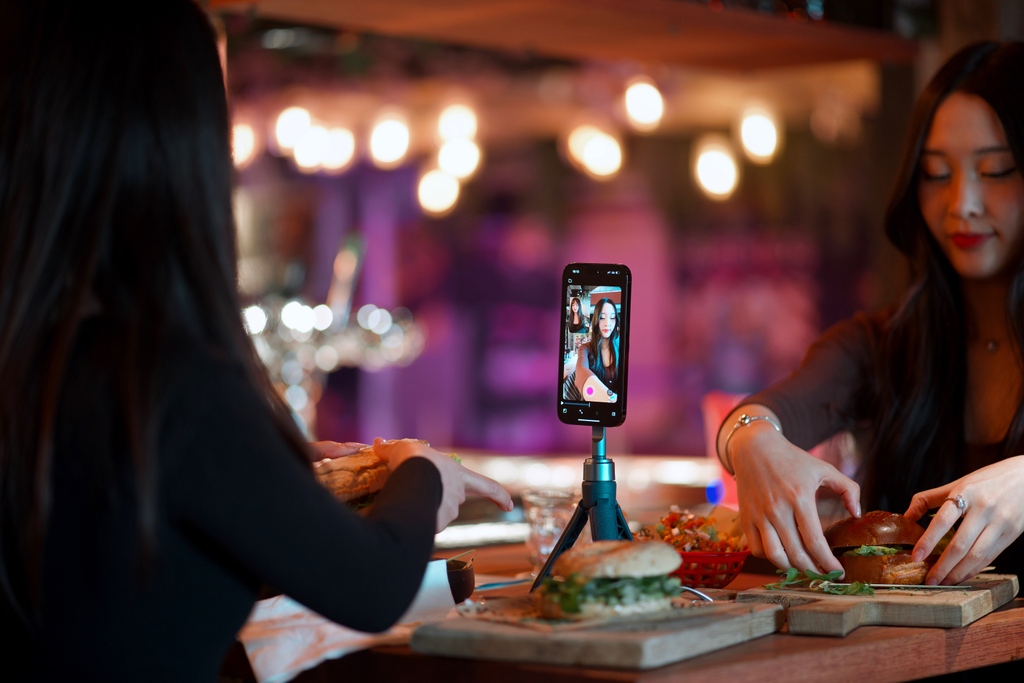
Amsterdamsdiary: “We believe that showcasing both of our faces in our content adds a distinctive personal touch that our followers appreciate. By incorporating our personalities into our videos and posts, we're able to create a more intimate connection with our audience.”
Gone are the days when creating green screen style videos meant expensive equipment and complicated software. With Detail Duo, you can remove backgrounds from your video while recording, directly from your iPhone, without needing a physical green screen or complex editing skills.