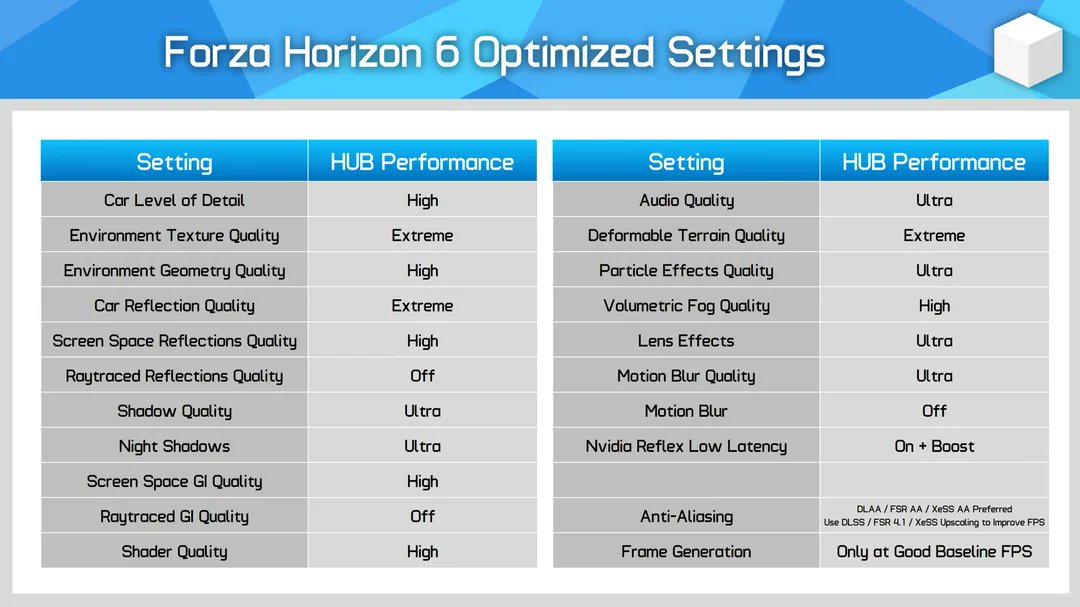
Proton-CachyOS 11.0-20260702 is out:
- Native PipeWire audio is now on by default
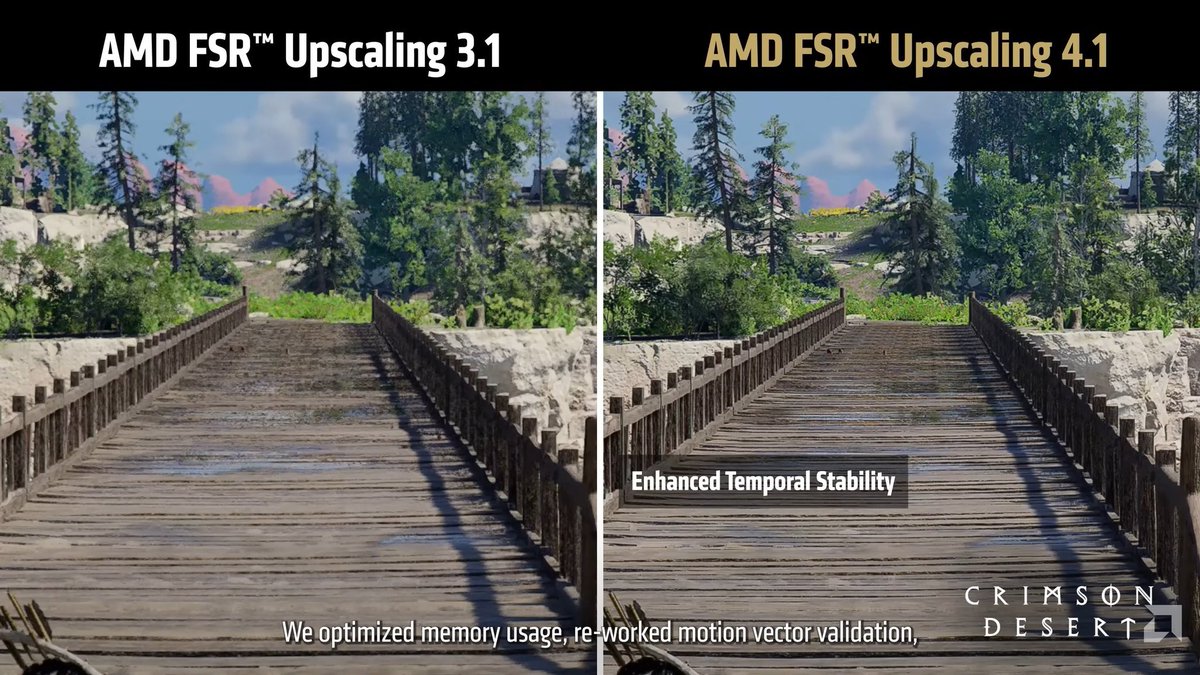
- FSR 4.1.1 setup is more automatic
- The needed AMD DLL now copies itself
- Most users no longer need the old manual FSR 4 command
- New FSR 4 and Multi Frame Generation controls were added
- DualSense and game-specific fixes are included
Testes do Hardware Unboxed com o NVIDIA App: NVIDIA App instalado não afeta performance. Overlay também não. Gravação tem impacto mínimo; apenas alguns filtros opcionais, como o Sharpen+, podem reduzir até 10% do desempenho.
So NVIDIA is forcing everyone onto the new NVIDIA App with the latest driver updates...
If you haven’t disabled "Game filters and Photo mode", your overlay is actively eating your FPS in the background. Turn it off if you actually care about performance.
🚨 NVIDIA USERS 🚨
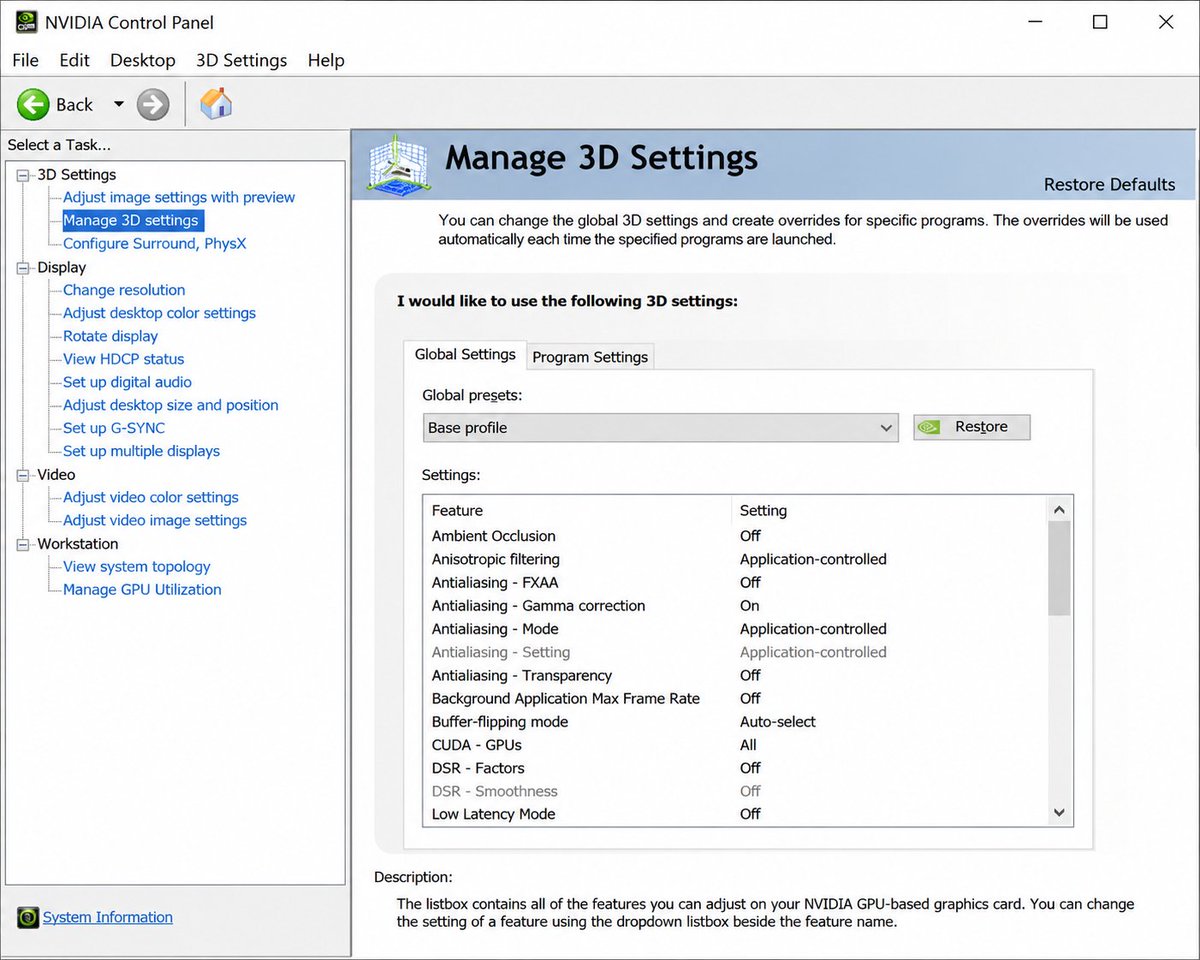
You NEED to Change this Control Panel Setting
Open the Control Panel and in Manage 3D Settings under Global Settings, Scroll until you find "Power Management Mode" and set this to Prefer Maximum Performance for the best FPS possible in-game 🙌⬇️
NVIDIA has officially retired the GeForce Control Panel after 20 years, ending one of the longest-running software tools in PC gaming.
The company is moving users to the newer NVIDIA App, which combines driver updates, game optimization, DLSS and RTX settings, performance tools, overlays, and display settings into one application.
The old Control Panel will still work for now but is now considered a legacy app and will no longer receive major updates for GeForce users.
For many gamers it has been a familiar part of the Windows experience since the early 2000s.
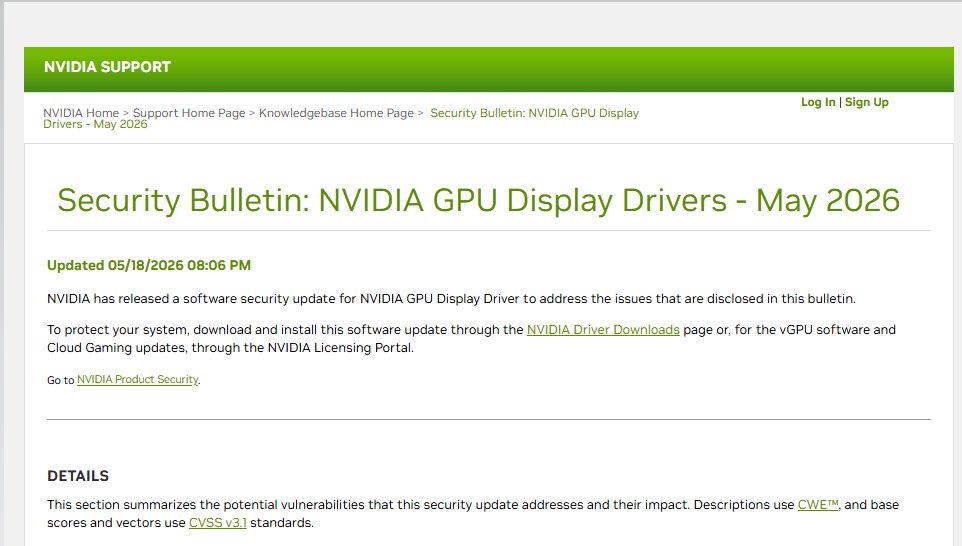
NVIDIA patched multiple HIGH severity GPU driver vulnerabilities affecting Windows, Linux and cloud gaming stacks.
Some bugs could allow:
- Privilege escalation
- Code execution
- Memory corruption
- Denial of service
Make sure to update your drivers ASAP.
Microsoft Advanced Shader Delivery now supports more AMD GPUs!
Enabled with AMD Software: Adrenalin Edition 26.5.2:
🎮 AMD RDNA 3, 3.5, & 4 GPUs.
⚡ Reduce shader stutter & load times by up to 95%.
Learn how to add ASD to your game via AgilitySDK 👇
https://t.co/D3TKMcMgTW
تقنية FSR 4.1 على بطاقات RX 7000 Series تستخدم نسخة مختلفة عن الموجودة على بطاقات RX 9000 Series، حيث تعتمد نسخة FSR 4.1 الخاصة بـ RX7000 على معالجة بيانات بصيغة INT8 بدلًا من FP8 المستخدمة على RX9000.
ويعود السبب إلى اختلاف قدرات مسرعات الذكاء الاصطناعي بين معماريتي RDNA 3 وRDNA 4، إذ تم تعديل نموذج FSR 4.1 ليتناسب مع الجيل السابق عبر استخدام INT8، ما يجعلها نسخة معدلة ومخففة من النموذج الأساسي بدلًا من النسخة الكاملة المستخدمة على RX9000.
نسخة FP8 على بطاقات RX9000 تقدم دقة أعلى في معالجة البيانات، ما ينعكس على جودة الصورة النهائية واستقرار التفاصيل وتقليل التشوهات البصرية بشكل أفضل. أما نسخة INT8 فتقدم جودة أقل نسبيًا بسبب تقليل دقة العمليات الحسابية لتناسب العتاد الأقدم، مع وجود بعض التضحيات في جودة الصورة والأداء مقارنة بالنسخة الأصلية، و لكنها لاتزال افضل بفارق عن FSR 3.
كما أن تشغيل FSR 4.1 يضيف تكلفة أداء مقارنة بـ FSR 3، حيث قد يصل الفارق إلى نحو 12% في بعض الحالات نتيجة الاعتماد على نموذج ذكاء اصطناعي أكثر تعقيدًا ومعالجة إضافية للصورة.
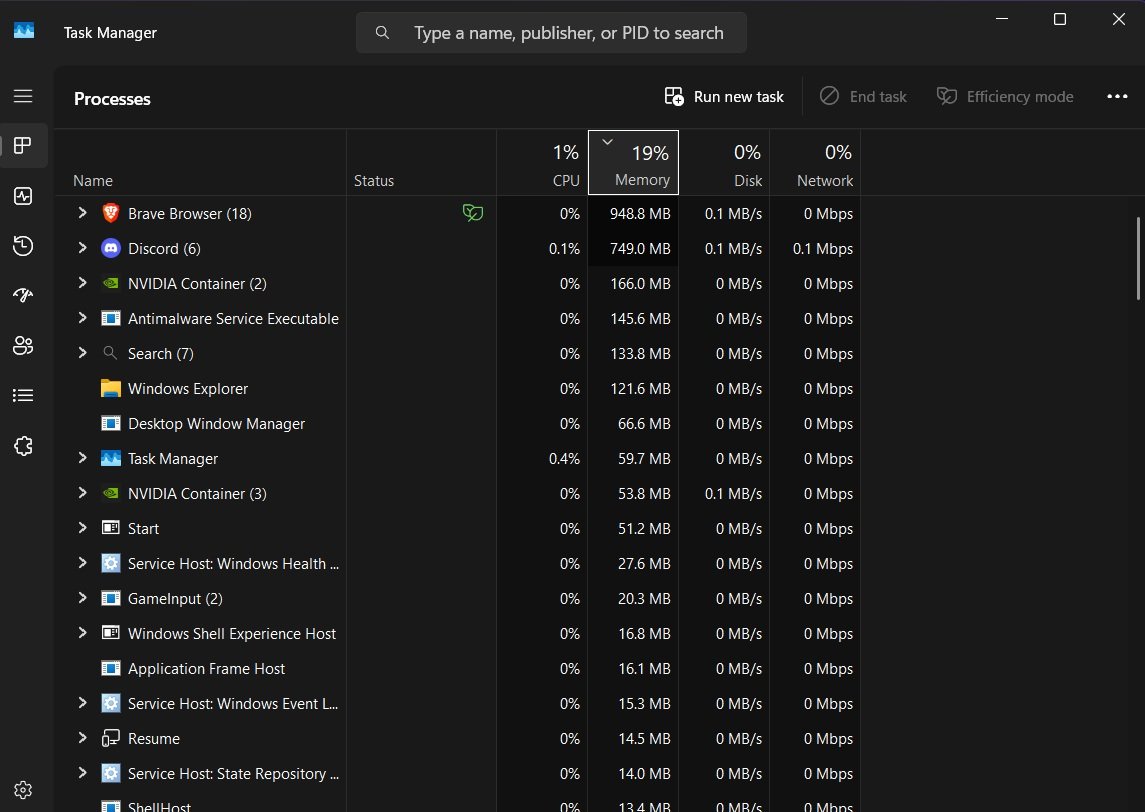
🚨 More apps open = less FPS.
Browsers, launchers, Discord, RGB software, overlays and random background apps can eat RAM, CPU and GPU resources while you game.
1. Uninstall apps you don’t use
2. Close background apps before launching games
3. Check Task Manager for anything wasting resources Free performance.
Instant FPS boost. 🎮⚡
🚨 NEW Windows Low Latency Mode?
You can enable it using ViVeTool GUI:
1. Update Windows
2. Install ViVeTool GUI
3. Go to Enable/Disable
4. Enter Feature ID: 61391826
5. Click Enable
6. Reboot your PC
This makes Windows temporarily push the CPU harder for short bursts when you launch apps, open menus or trigger high priority actions. It boosts CPU frequency for around 1–3 seconds, helping Windows feel faster and more responsive rather than waiting for the CPU to slowly ramp up.
The difference is CRAZY
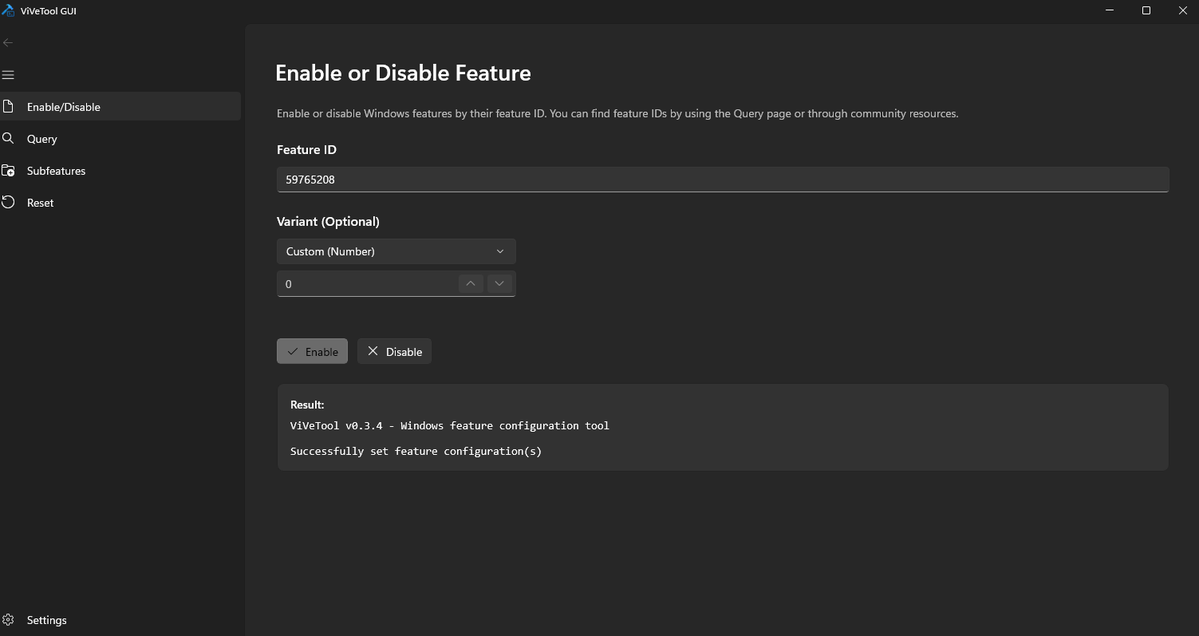
🚨 New Windows 11 FPS Boost Setting? 🚨
Enable Xbox Game Mode for a cleaner gaming setup and potentially better FPS/stability 👇
1. Update Windows
2. Open Microsoft Store
3. Install ViVeTool GUI
4. Enter feature code: 59765208
5. Apply + reboot
6. Go to Settings → Gaming → Enable Xbox Mode
7. Open the Xbox app — Xbox Mode should appear top right
This new mode is designed to give Windows a more console-like gaming experience, this also sleeps a lot of background processes boosting fps
Try it and test your FPS before/after 👀
Windows 11’i 1 Dakikada Hızlandır
Bu videoda CTT Debloat aracıyla Windows 11’de gereksiz servisleri ve uygulamaları kaldırarak sistemi nasıl hızlandırabileceğinizi kısaca gösteriyoruz.
#Windows11#Debloat#PC#Performans#Tech#Shorts#Techolay
*** ÖNEMLİ ***
Sevgili Arkadaşlar:
Aboneliklerinizi yenilerken, Telefon üzerinden değil, Web üzerinden yenileyin ( yani x nokta com adresinden yenileyin).
Telefondan abonelik yapanlara göre çok çok daha ucuza abone olabiliyorsunuz.
Bunun nedeni: telefondan yapılan aboneliklerden artan şekilde Apple, Stripe ve diğer ödeme sistemlerinin Twitter ile beraber kat ve kat para alması.
Extra para ödemeyin. O ödeyeceğiniz miktarı da portföyünüze yatırın.