Voyager 1 is 24 billion kilometers from Earth.
It communicates with us using a 23-watt transmitter.
Less than a refrigerator light bulb.
The signal takes 22 hours to reach us, traveling at the speed of light.
By the time it arrives, it's 20 billion times weaker than the power of a digital watch battery.
NASA's Deep Space Network picks it up using 70-meter dish antennas cooled to near absolute zero to reduce electronic noise.
The engineering required to hear a 23-watt signal from 24 billion km away is arguably more impressive than the spacecraft itself.
Launched 1977.
Still transmitting.
Still being heard.
We built something that works perfectly, 47 years later, in conditions no one has ever tested in.
That's what engineering for the long term looks like.
This has quietly been a miracle month in medicine.
In the last 5 weeks we’ve got news on:
- retatrutide, the triple agonist GLP-1 from Lilly, basically melting fat and body-wide inflammation at record levels
- RevMed’s new pancreatic cancer drug showing unprecedented abilities to extend life
- small trial of a one-and-done PCSK9 gene editing therapy for slashing LDL cholesterol
- Mayo’s AI-assisted radiology showing vastly improved cancer detection
- this new therapy for metastatic solid tumors
This stuff is at varying levels of evidence. Retatrutide is ~100% on its way, other stuff needs more clinical trial data. But put it together and we’re maybe on the verge of majorly reducing the mortality of heart disease and cancer, the two leading causes of death in America.
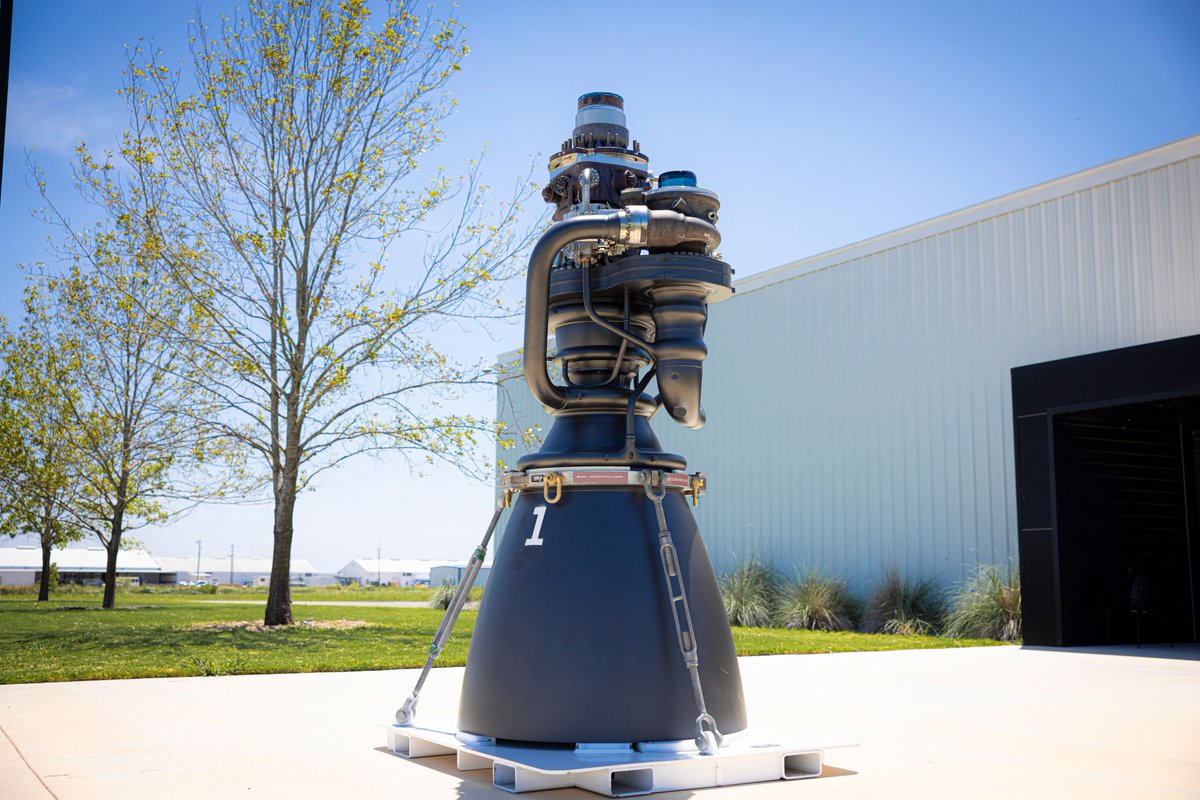
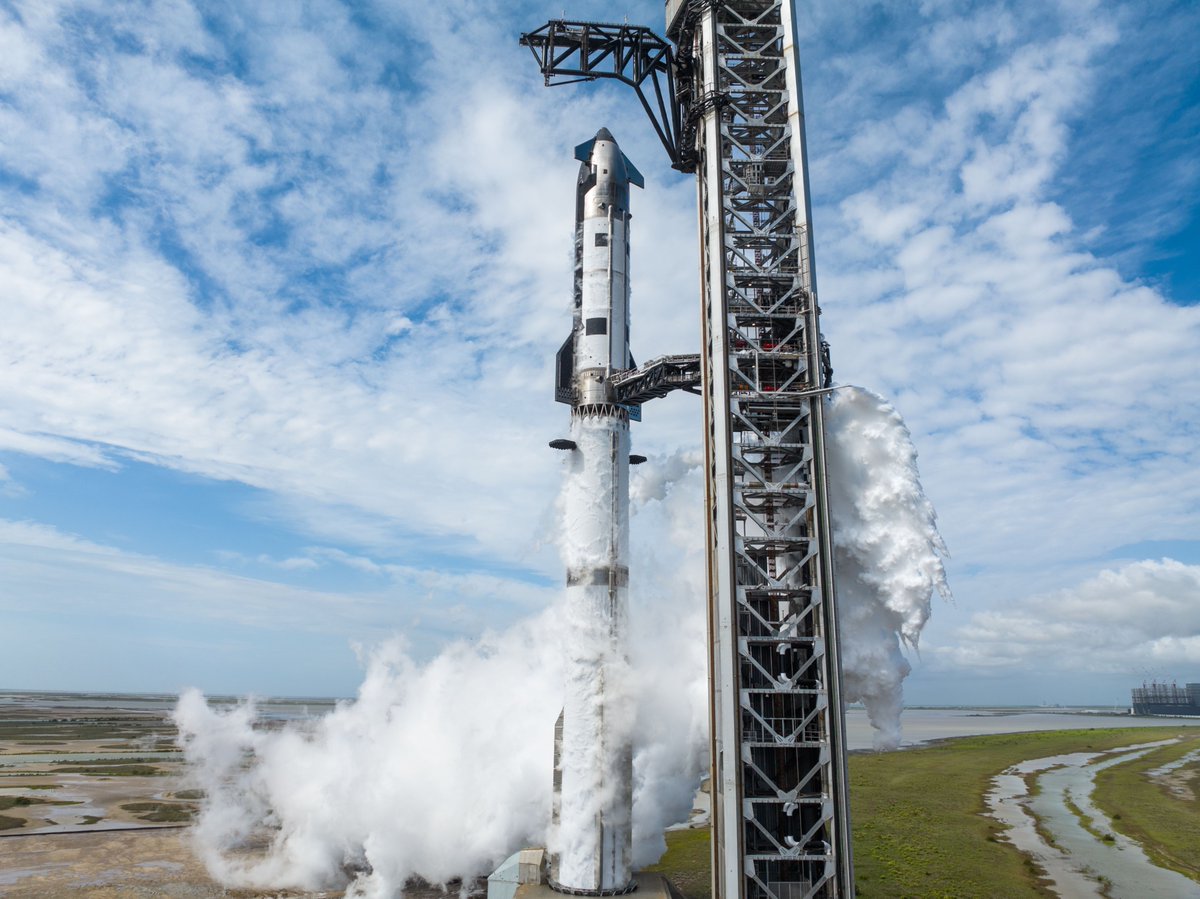
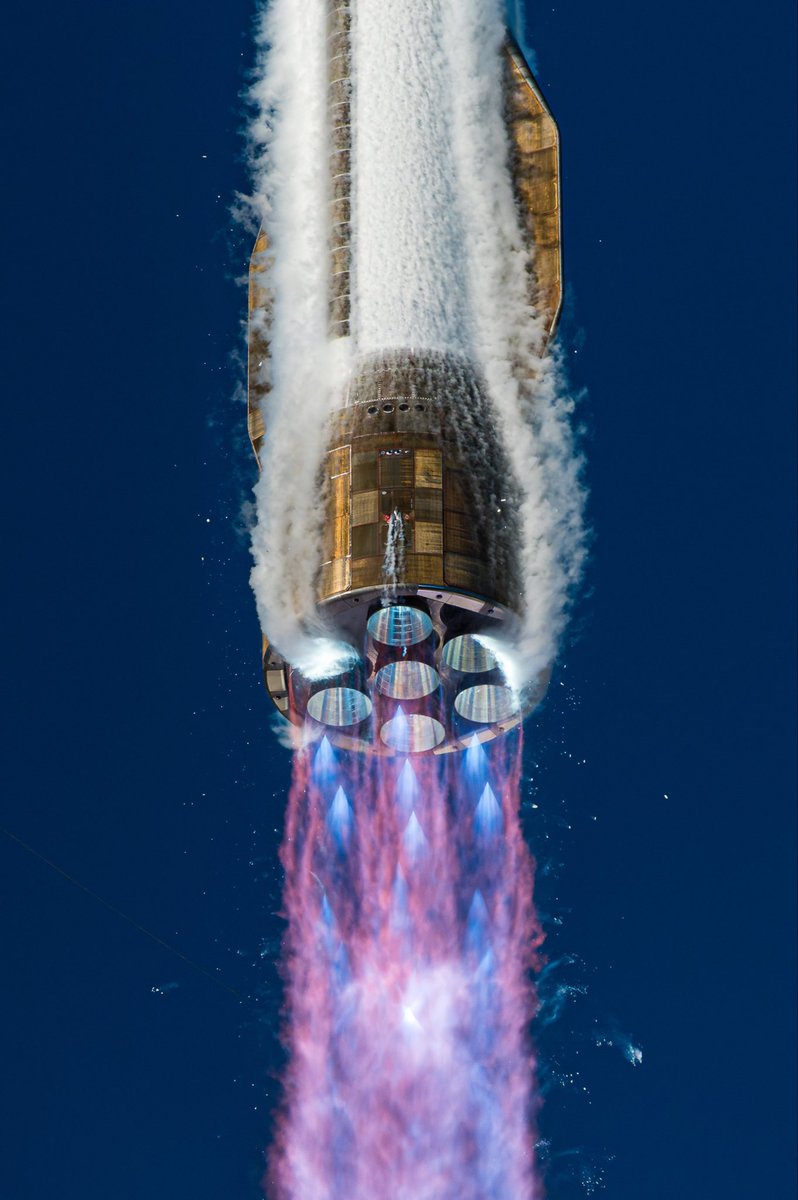
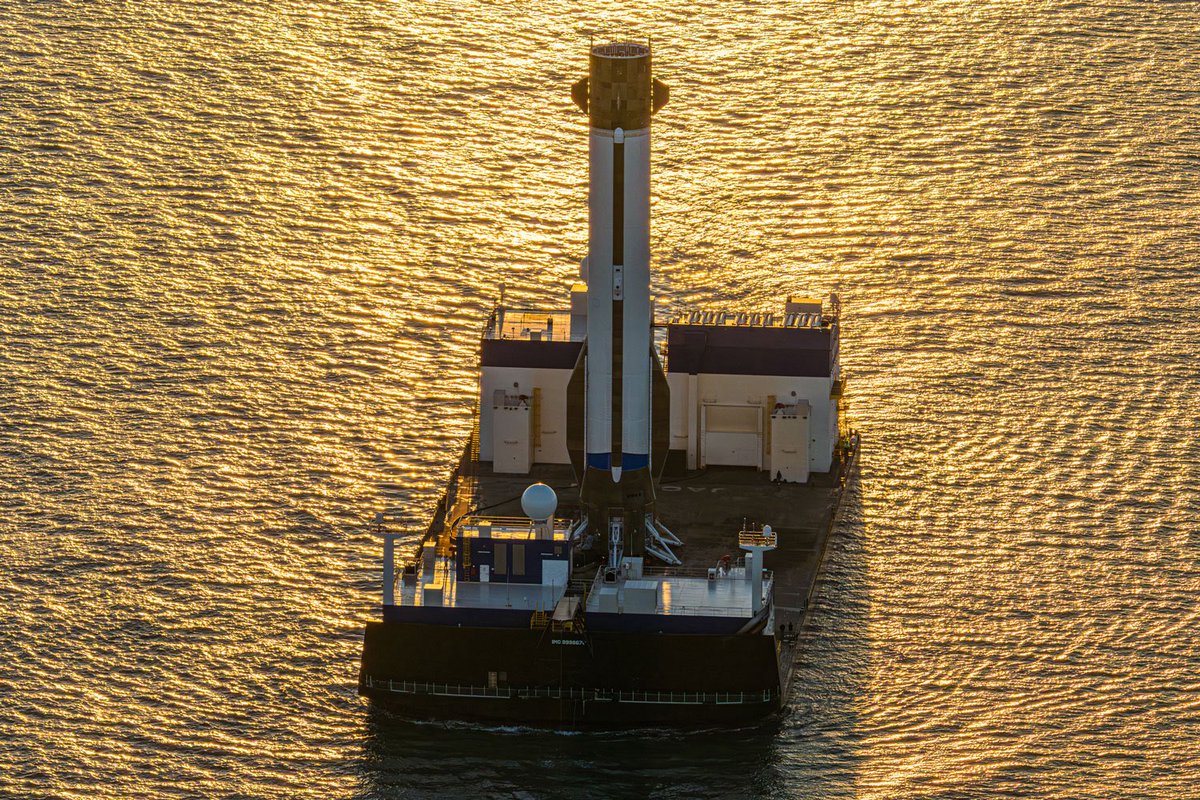
SpaceX has just released a massive new list of changes in Starship V3, which is now scheduled to launch on May 19th:
Super Heavy V3 Changes
Grid Fin Redesign:
• Reduced from 4 fins to 3
• Each fin is now: 50% larger, stronger, repositioned for better catching/lifting
• Lowered on booster to reduce heat exposure during hot staging
• Fin hardware moved inside fuel tank for protection
Integrated Hot Stage:
• Removes the old disposable interstage shield
• Booster dome now directly exposed to upper-stage engine ignition
• Tank pressure + steel shielding protect structure
• Interstage actuators retract after separation for protection
New Fuel Transfer System:
• Massive redesign of fuel transfer tube
• Roughly the size of a Falcon 9 first stage
• Allows: simultaneous startup of all 33 Raptors, faster and more reliable flip maneuvers
Engine Bay / Thermal Protection Changes:
• Engine shrouds removed entirely
• New shielding added between engines
• Propulsion + avionics more tightly integrated
• CO₂ fire suppression system removed
• Simpler and lighter aft section
Propellant Loading Improvements:
• Moved from 1 quick disconnect to 2 separate systems
• Adds redundancy
• Reduces complexity of pad interfaces
Starship V3 Changes
Completely Redesigned Propulsion System:
• Clean-sheet redesign
• Supports: new Raptor startup method, larger propellant volume and improved reaction control system
• Reduces trapped/leaked propellant risk
Aft Section Simplification:
• Fluid + electrical systems rerouted
• Engine shrouds deleted
• Large aft cavity removed
Flap Actuation Upgrade:
• Changed from: 2 actuators per flap to 1 actuator with 3 motors
• Improves:, redundancy, mass efficiency, cost
Faster Starlink Deployment:
• Upgraded PEZ dispenser
• Faster satellite deployment speeds
Long-Duration Spaceflight Capability:
• New systems added for: long orbital coasts, orbital refueling, cryogenic fluid management, vacuum, insulated header systems and high-voltage cryogenic recirculation
Ship-to-Ship Docking + Refueling:
• Added 4 docking drogues
• Added propellant transfer connections
• Directly supports in-space refueling architecture
Avionics Upgrades
Massive Electrical System Upgrade:
• ~60 custom avionics units
• Batteries/inverters/high-voltage systems integrated together
• ~9 MW peak power capability
Better Navigation + Redundancy:
• New multi-sensor navigation system
• Designed for precision autonomous flight
Propellant Monitoring in Space:
• New RF sensors measure propellant levels in microgravity
• Important for orbital refueling missions
Camera + Connectivity Upgrades:
• ~50 onboard camera views
• 480 Mbps Starlink connectivity onboard
• Low-latency redundant communications
Raptor 3 Engine Changes
Higher Thrust:
• Sea-level Raptors:
• Increased from:
230 tf → 250 tf
507k lbf → 551k lbf
Vacuum Raptors:
Increased from:
258 tf → 275 tf
568k lbf → 606k lbf
Lower Mass:
• Sea-level engine mass reduced: 1630 kg → 1525 kg
Simpler Design:
• Sensors/controllers integrated into engine body
• Removes need for engine shrouds
• New ignition system for all variants
• Huge Vehicle-Level Weight Savings
• ~1 ton saved per engine across vehicle systems
Launch Pad 2 Upgrades (Starbase)
Faster Propellant Loading:
• Larger propellant farm
• More pumps
• Faster fueling operations
Chopstick Improvements:
• Shorter arms for faster movement
• Switched from hydraulic → electromechanical actuators
• Better reliability + redundancy
Stronger Quick Disconnect Arm:
• Reinforced and redesigned
• Swings farther away during launch
Launch Mount Redesign:
• Better load handling
• Improved launch protection
• Improved throwback reliability
New Flame Diverter System:
• Bidirectional flame diverter
• Designed to eliminate ablation/refurbishment after launch
Hardened Propellant Systems:
• Methane and oxygen systems separated
• Valves/filters moved into protected bunker
• Improves safety and reliability
SpaceX: "Together, these new elements are designed to enable a step-change in Starship capabilities and aim to unlock the vehicle’s core functions, including full and rapid reuse, in-space propellant transfer, deployment of Starlink satellites and orbital data centers, and the ability to send people and cargo to the Moon and Mars."
This is going to be an epic flight! 🚀
The SR71 factory floor looks like a rebel base in Star Wars. This does not look like it was first designed in 1959. The SR-71 was 50 years ahead of time🔥😯💎
Introducing Claude Opus 4.7, our most capable Opus model yet.
It handles long-running tasks with more rigor, follows instructions more precisely, and verifies its own outputs before reporting back.
You can hand off your hardest work with less supervision.
Peter Steinberger, creator of OpenClaw, on why AI agents still produce "slop" without human taste in the loop:
"You can create code and run all night and then you have like the ultimate slop because what those agents don't really do yet is have taste."
Peter is direct: raw capability without direction still produces mediocre output.
"They are spiky smart and they're really good at things, but if you don't navigate them well, if you don't have a vision of what you're going to build, it's still going to be slop. If you don't ask the right questions, it's still going to be slop."
Great AI-assisted work is defined by the human guiding it.
@steipete describes his own creative process when starting a new project:
"When I start a project, I have like this very rough idea what it could be. And as I play with it and feel it, my vision gets more clear. I try out things, some things don't work, and I evolve my idea into what it will become."
Most people skip this part entirely, front-loading everything into a single prompt and wondering why the result feels hollow.
"My next prompt depends on what I see and feel and think about the current state of the project."
Each step informs the next. The work itself is the feedback loop.
"But if you try to put everything into a spec up front, you miss this kind of human-machine loop. And then I don't know how something good can come out without having feelings in the loop — almost like taste."
The agentic trap is what happens when you remove yourself from the process too early.
We have reached an era where some people have not touched a steering wheel and have simply let their cars drive them around for a whole year, whereas others do not know this is possible at all.
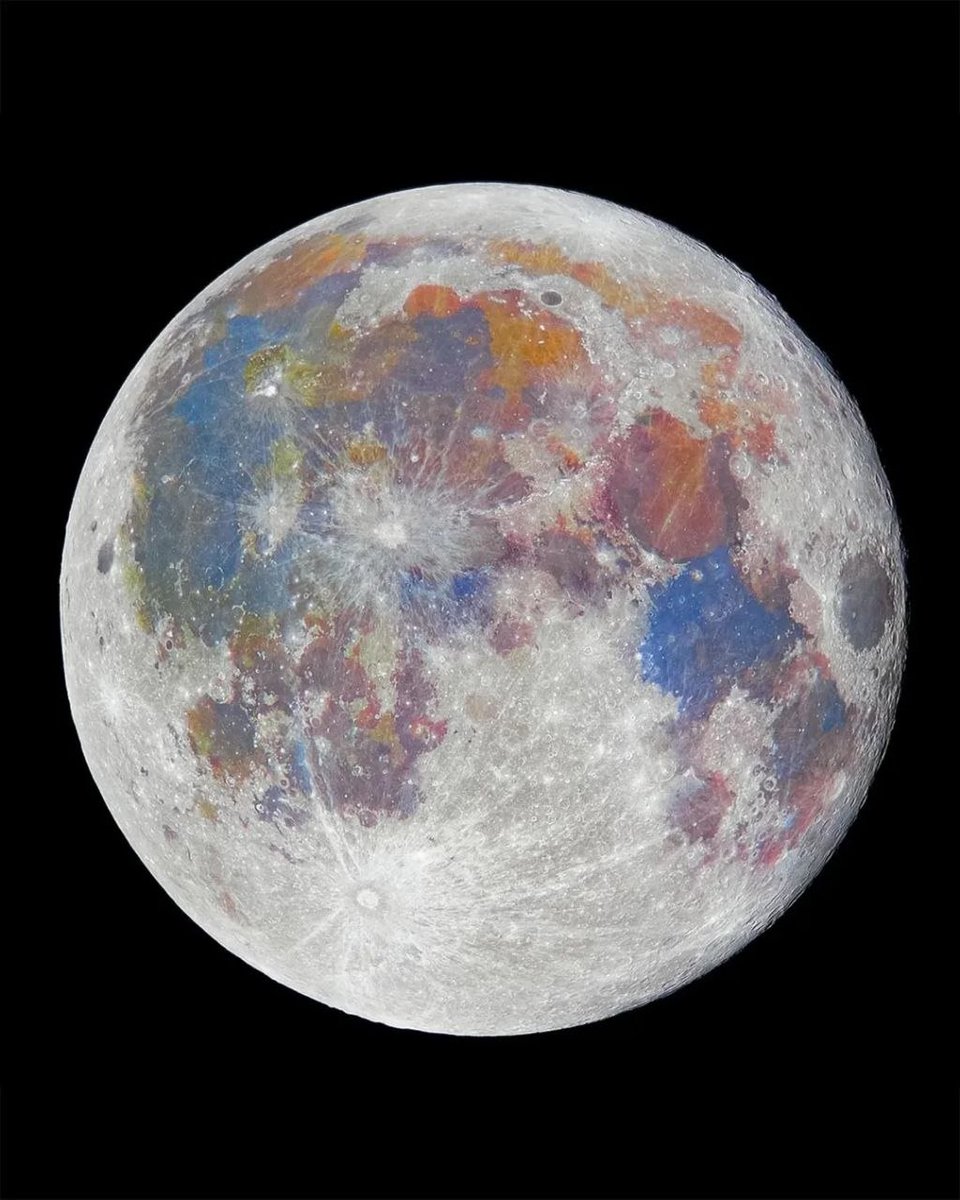
Your eyes can only see the moon in gray. It's actually covered in color, blues and oranges and pinks, all from different metals sitting in the rock. You just need a camera and some patience to pull them out.
These photos are called "mineral moons." A photographer points a telescope at the moon, takes hundreds or thousands of pictures, stacks them on top of each other to clean up the image, then slowly turns up the color intensity in editing software. The colors that show up were always there. Too faint for your eyes to catch on their own.
Each color is a different metal. The blue areas have a lot of titanium in them. The orange and brown zones have more iron. The pinkish-red patches around the edges are the oldest parts of the moon's crust, full of aluminum and calcium.
That deep blue region on the left side is called the Sea of Tranquility. Apollo 11 landed right there in July 1969. When Armstrong and Aldrin brought back 47 pounds of rock from that blue titanium zone, scientists cracked the samples open and found three minerals that had never been seen on Earth before. They named one "armalcolite" after the three astronauts (Arm-Al-Col: Armstrong, Aldrin, Collins). They named another "tranquillityite" after the landing site itself. For 40 years, tranquillityite was known as "the moon's own mineral" because nobody could find it here. Then in 2011, a geologist in Western Australia spotted a speck of it inside a billion-year-old rock.
Andrew McCarthy, a photographer in Sacramento, once stacked 150,000 separate pictures of the moon to build one color map. Each splash of blue or orange in these images is a real metal deposit on a surface that's been getting hit by space rocks for 3.5 billion years. The moon was never gray. We just couldn't see it.
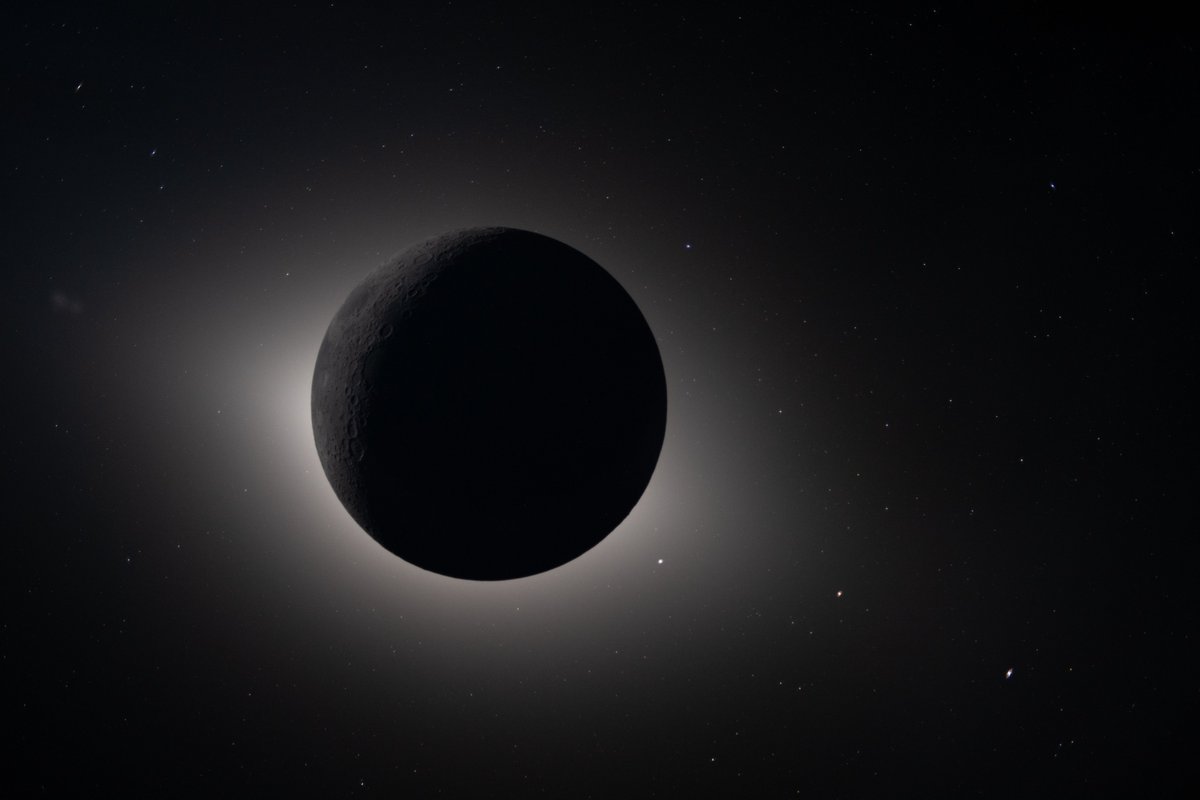
Ok last one: the rarest solar eclipse of all time. Only 4 people have seen this with their naked eyes. The sun is fully behind the moon. The only faint light hitting the near side is reflecting off of earth, 250,000 miles away. And the stars and galaxies in the background, sheesh
Nikon Z9
f/2.0
2 second exposure
ISO 1600
@NASA: https://t.co/twBqbUEDs2
Google’s Gemma 4 E2B running on-device on iPhone 17 Pro
Gemma 4 is built from the same research as Gemini 3, has image understanding capabilities and can reason if needed
Running at ~40tk/s with MLX optimized for Apple Silicon
LLM Knowledge Bases
Something I'm finding very useful recently: using LLMs to build personal knowledge bases for various topics of research interest. In this way, a large fraction of my recent token throughput is going less into manipulating code, and more into manipulating knowledge (stored as markdown and images). The latest LLMs are quite good at it. So:
Data ingest:
I index source documents (articles, papers, repos, datasets, images, etc.) into a raw/ directory, then I use an LLM to incrementally "compile" a wiki, which is just a collection of .md files in a directory structure. The wiki includes summaries of all the data in raw/, backlinks, and then it categorizes data into concepts, writes articles for them, and links them all. To convert web articles into .md files I like to use the Obsidian Web Clipper extension, and then I also use a hotkey to download all the related images to local so that my LLM can easily reference them.
IDE:
I use Obsidian as the IDE "frontend" where I can view the raw data, the the compiled wiki, and the derived visualizations. Important to note that the LLM writes and maintains all of the data of the wiki, I rarely touch it directly. I've played with a few Obsidian plugins to render and view data in other ways (e.g. Marp for slides).
Q&A:
Where things get interesting is that once your wiki is big enough (e.g. mine on some recent research is ~100 articles and ~400K words), you can ask your LLM agent all kinds of complex questions against the wiki, and it will go off, research the answers, etc. I thought I had to reach for fancy RAG, but the LLM has been pretty good about auto-maintaining index files and brief summaries of all the documents and it reads all the important related data fairly easily at this ~small scale.
Output:
Instead of getting answers in text/terminal, I like to have it render markdown files for me, or slide shows (Marp format), or matplotlib images, all of which I then view again in Obsidian. You can imagine many other visual output formats depending on the query. Often, I end up "filing" the outputs back into the wiki to enhance it for further queries. So my own explorations and queries always "add up" in the knowledge base.
Linting:
I've run some LLM "health checks" over the wiki to e.g. find inconsistent data, impute missing data (with web searchers), find interesting connections for new article candidates, etc., to incrementally clean up the wiki and enhance its overall data integrity. The LLMs are quite good at suggesting further questions to ask and look into.
Extra tools:
I find myself developing additional tools to process the data, e.g. I vibe coded a small and naive search engine over the wiki, which I both use directly (in a web ui), but more often I want to hand it off to an LLM via CLI as a tool for larger queries.
Further explorations:
As the repo grows, the natural desire is to also think about synthetic data generation + finetuning to have your LLM "know" the data in its weights instead of just context windows.
TLDR: raw data from a given number of sources is collected, then compiled by an LLM into a .md wiki, then operated on by various CLIs by the LLM to do Q&A and to incrementally enhance the wiki, and all of it viewable in Obsidian. You rarely ever write or edit the wiki manually, it's the domain of the LLM. I think there is room here for an incredible new product instead of a hacky collection of scripts.
We see our home planet as a whole, lit up in spectacular blues and browns. A green aurora even lights up the atmosphere. That's us, together, watching as our astronauts make their journey to the Moon.