# automating software engineering
In my mind, automating software engineering will look similar to automating driving. E.g. in self-driving the progression of increasing autonomy and higher abstraction looks something like:
1. first the human performs all driving actions manually
2. then the AI helps keep the lane
3. then it slows for the car ahead
4. then it also does lane changes and takes forks
5. then it also stops at signs/lights and takes turns
6. eventually you take a feature complete solution and grind on the quality until you achieve full self-driving.
There is a progression of the AI doing more and the human doing less, but still providing oversight. In Software engineering, the progression is shaping up similar:
1. first the human writes the code manually
2. then GitHub Copilot autocompletes a few lines
3. then ChatGPT writes chunks of code
4. then you move to larger and larger code diffs (e.g. Cursor copilot++ style, nice demo here https://t.co/u8ueY0mGxZ)
5....
Devin is an impressive demo of what perhaps follows next: coordinating a number of tools that a developer needs to string together to write code: a Terminal, a Browser, a Code editor, etc., and human oversight that moves to increasingly higher level of abstraction.
There is a lot of work not just on the AI part but also the UI/UX part. How does a human provide oversight? What are they looking at? How do they nudge the AI down a different path? How do they debug what went wrong? It is very likely that we will have to change up the code editor, substantially.
In any case, software engineering is on track to change substantially. And it will look a lot more like supervising the automation, while pitching in high-level commands, ideas or progression strategies, in English.
Good luck to the team!
Naval for kids. 2 years ago my nephew and I had conversation on important ideas from @naval
Turned his ideas suitable for a 11 year old conversation. Back then he forbade me sharing the project on any social media. He changed his mind last week, sharing this now.
@demtzu This looks amazing, thank you for building it! Hope to get invite soon..
I feel the pain so much I was building something similar a while back. But quickly found it is *hard* to get the capturing and UX right.
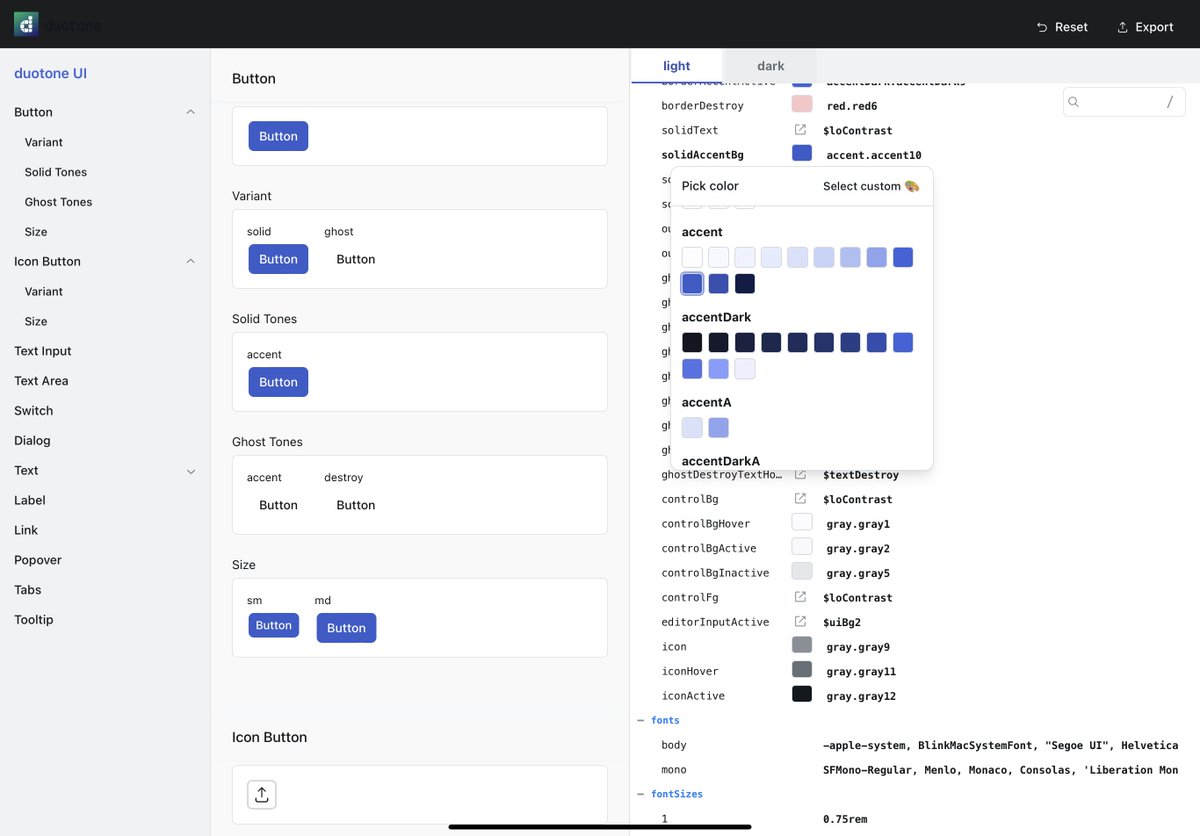
I’ve been hacking on duotone —an open-source design theme editor. It helps style UI components quickly and see changes live.
Alpha version is out there for anyone to try out
Demo: https://t.co/IOZVHlIT0q
GH: https://t.co/6PYPK72q9u
“Unless I’m launching an experiment that fails completely every month, I’m not pushing things hard enough.”
What a great framework by @jakobgreenfeld !
I should also start failing publicly instead of giving up on projects quietly.
https://t.co/kNUWgOt9Tb
@Toplynehq has the best introduction video I've seen in a while.
It's fun and engaging but shows what the tool does clearly at the same time.
https://t.co/kL8LzYgd8S
“There is always more to do than you can do, and you can do only one thing at a time. The key is to feel as good about what you’re not doing as about what you are doing.” —David Allen
Hofstadter's Law: It always takes longer than you expect, even when you take into account Hofstadter's Law
— the truest thing for all software making 😅
I'm switching to @obsdmd for all my notes, links, and ideas.
Owning all your data + iCloud sync is the best way to go for such important content.
It just needs a bit of tinkering with plugins and themes, but rewards with great UX after ✨
This is a great idea. Generate videos with React.
Would be awesome to start in a drag&drop video editor. And then just add some code for dynamic data or custom transitions!
🎥 Announcing Remotion - a framework for making videos in React!
The video below was written entirely in React, here is the source code! https://t.co/gOgI6X1ITA
📒 Docs: https://t.co/sBJB1rcCNB
⚛️ Github: https://t.co/A8SiAAZ3PI
💻 Quickstart: yarn create video
Tesler’s Law: Making things easier for the user means making it more difficult for designers or engineers. This is one of the core reasons why it’s so hard to build simple and useful products. https://t.co/ZIIHlXzg7D
To learn how to design machine learning systems, I find it really helpful to read case studies to see how great teams deal with different deployment requirements and constraints. Here are some of my favorite case studies.