@mattbdevaney You need to install the app in the host environment from PPAC. After you've configured your environments and deployment stages in the app and assign security roles, you should see the pipeline option. It's in the left menu when you open a solution.
@mattbdevaney Yes, managed environments can't be enabled in developer environments, but you don't have to do that to try Power Pipelines out, as Managed Environments requirement is not enforced before Pipelines are GA. I have successfully set it up using only Developer environments.
Can't create an Azure AD app registration yet still want to read admin processes related data from the Power BI API? Try this method in Power Automate: https://t.co/CBYqaur1hD #PowerBI
@rikumus@msftsecresponse Hi Riku, tried to DM you but looks like I can't. Can you share more info about this phishing attempt and maybe an example e-mail users received? Also, did you hear anything back from MS?
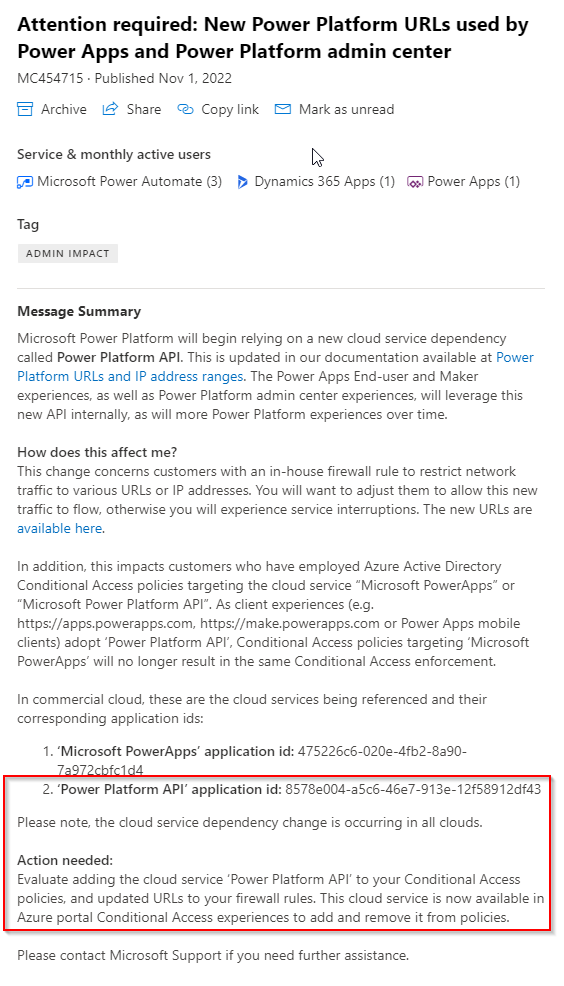
Interesting message in the Message Center if you're using Conditional Access policies for #PowerPlatform. Can anyone see the new Power Platform API app in Azure though? I can't.
@jukkan That's a good change - finally environment admins have some control in terms of who apps can be shared with. MS could work a bit on better communication though ;)
@365CornerDavid It's not new, has been around in the classic interface for quite some time. Can be useful if you want to sync environment permissions with Teams membership - easier for the business. But in most scenarios I'd use security groups.
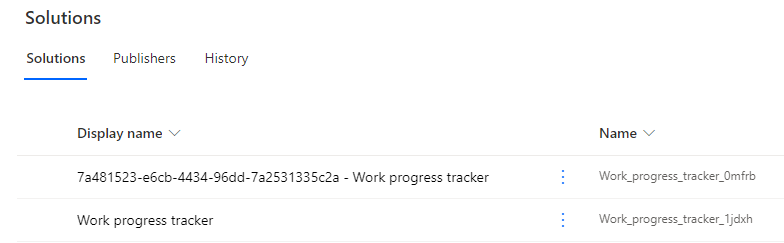
@jukkan@RajYRaman The flow is created automatically in the default environment, within a new solution. So we'll eventually end up with clutter :) Also, the naming seems a bit random so far.
@jukkan@RajYRaman I agree with clutter, but also I am not sure about the benefit from having these canvas apps in the default solution. Also, it's already impelmented for Flows differently. Try creating a new MS List and select 'Work progress tracker'. Prompts you to create a reminder flow (1/2)