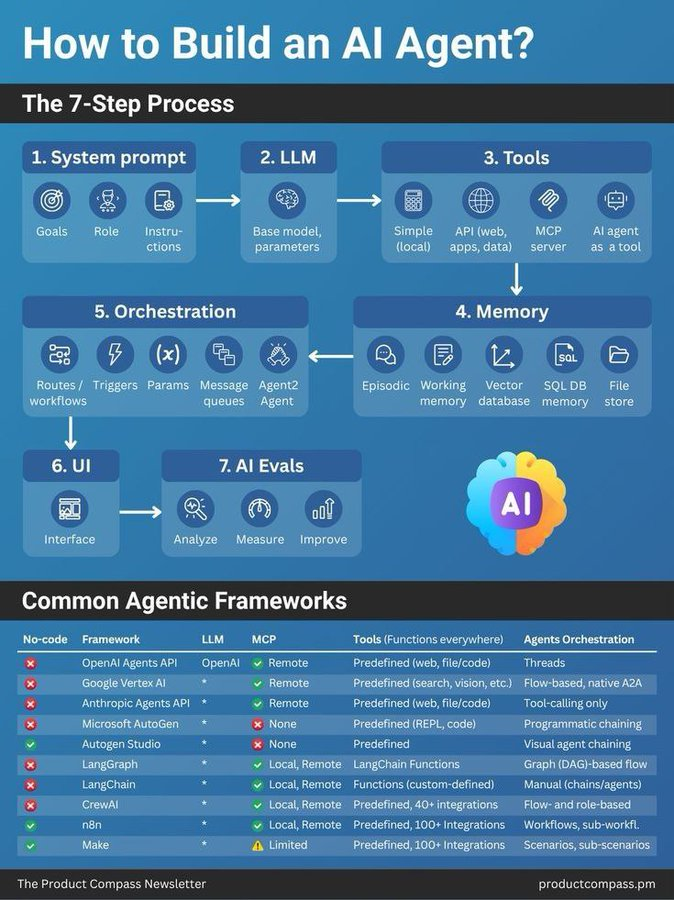
TAKING SICK LEAVE
Gen Z:
“I’m taking my sick leave.”
Manager: Approved.
Millennials :
"Hello,
I woke up feeling quite sick and was wondering if it’s okay if I take the morning off to see the doctor. If I feel better, I will come in. If I don’t, I will work remotely this afternoon. I will try to make up any time lost by working overtime when I return."
HR: Denied. Come to work or lose your job.
Best YouTube Channels To Learn AI in 2026 (No BS)
1. Fundamentals – 3Blue1Brown
2. Deep Learning – Andrej Karpathy
3. AI Research – Yannic Kilcher
4. Practical AI – AssemblyAI
5. LLMs – AI Explained
6. ML Theory – StatQuest
7. Papers Simplified – Two Minute Papers
8. GenAI – Matthew Berman
9. AI Agents – Nicholas Renotte
10. Applied ML – Krish Naik
11. PyTorch – Aladdin Persson
12. Math for ML – Serrano Academy
13. Industry Insights – Lex Fridman
14. Real-world AI – DeepLearningAI
Andrej Karpathy stopped using AI to write code.
The co-founder of OpenAI. The man who built Tesla's Autopilot vision team from scratch. The person who coined the term "vibe coding."
In April 2026, he announced that a large fraction of his LLM token budget was no longer going into manipulating code, it was going into manipulating knowledge.
Then he published a single markdown file on GitHub explaining what he had built instead.
It got 17 million views. 13,000 GitHub stars. Dozens of community implementations within a week.
He called it the LLM Wiki. And the idea behind it is so simple it is almost embarrassing that nobody published it sooner.
Here is the problem it solves.
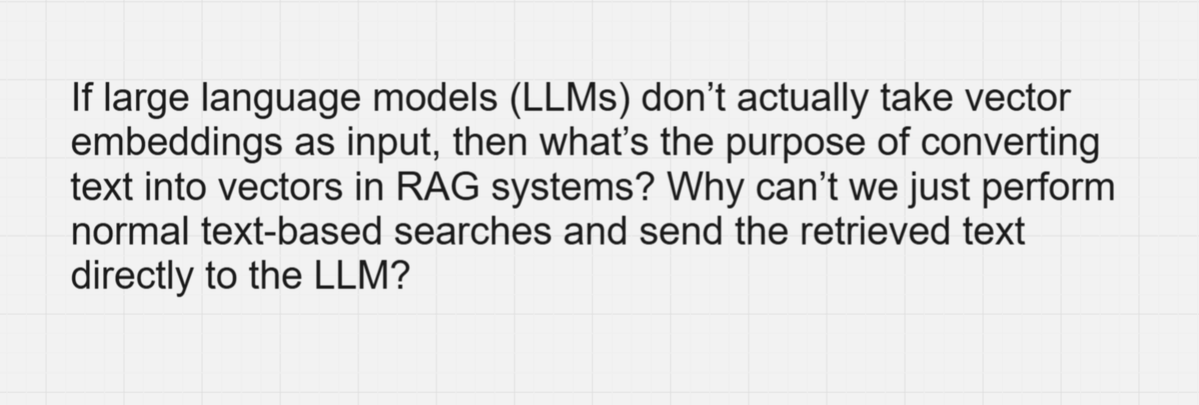
Most people's experience with LLMs and documents looks like RAG you upload a collection of files, the LLM retrieves relevant chunks at query time, and generates an answer. This works. But the LLM is rediscovering knowledge from scratch on every question. There is no accumulation. Ask a subtle question that requires synthesizing five documents, and the LLM has to find and piece together the relevant fragments every time. Nothing is built up.
NotebookLM works this way. ChatGPT file uploads work this way. Most RAG systems work this way.
Every session starts from zero. The AI never learns the territory. It just searches it again.
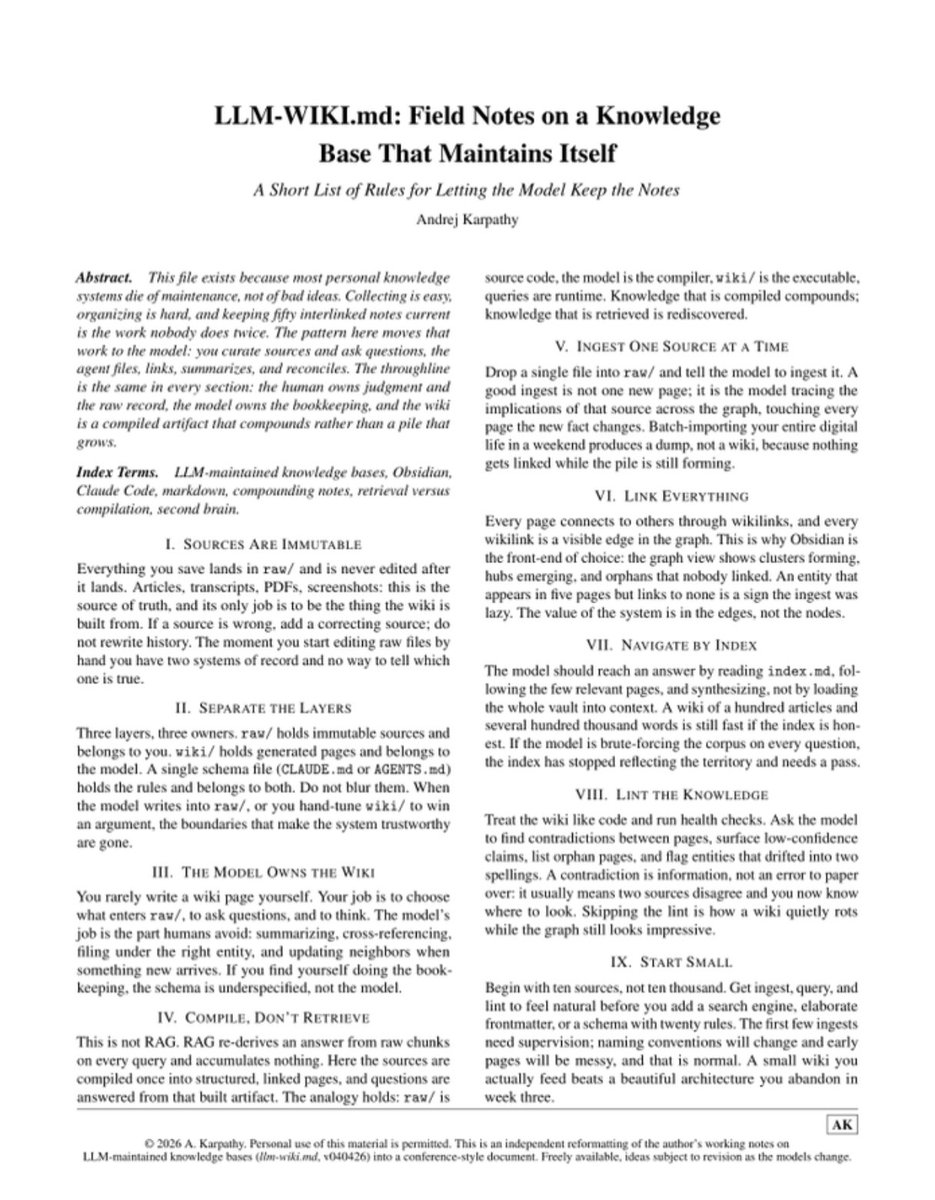
Karpathy's pattern is the opposite. Instead of retrieving from raw documents every time, the LLM builds and maintains a persistent, structured wiki — and answers questions from the compiled knowledge rather than the raw fragments.
Here is how the architecture works. Three layers.
**Layer 1 — Raw sources.** Your curated documents. Articles, papers, PDFs, meeting notes, screenshots. These are immutable — the LLM reads them but never modifies them. This is your source of truth. The moment you start editing raw files by hand, you have two systems of record and no way to tell which one is true.
**Layer 2 — The wiki.** A directory of LLM-generated markdown files. Summaries, entity pages, concept pages, comparisons, a master index, a chronological log. The LLM owns this layer entirely. It creates pages, updates them when new sources arrive, maintains cross-references, and keeps everything consistent. You read it. The LLM writes it.
**Layer 3 — The schema.** A CLAUDE.md or AGENTS.md file that tells the LLM how the wiki is structured, what conventions to follow, and what workflows to run. This is the config that turns a generic chatbot into a disciplined wiki maintainer.
Karpathy's phrase captures the whole thing: "Obsidian is the IDE. The LLM is the programmer. The wiki is the codebase."
Here is what happens when you drop a new source into the system.
You save an article into raw/. You tell the LLM to ingest it. The LLM reads the source, writes a summary page, updates the master index, creates or updates entity pages for every person, company, or concept mentioned, creates or updates concept pages for every idea, adds cross-references between related pages, and logs the ingest in the activity record.
A single source might touch 10 to 15 wiki pages. This is the bookkeeping that humans abandon — filing, cross-referencing, updating related entries, noting contradictions. The exact work that kills every personal knowledge system you have ever started.
The LLM does it tirelessly. Every time. Without forgetting.
Here is the key distinction from RAG.
RAG re-derives an answer from raw chunks on every query and accumulates nothing. The LLM Wiki compiles sources into structured, linked pages once — and questions are answered from that built artifact. The analogy: raw/ is source code, wiki/ is the compiled executable. Knowledge that is compiled is retrieved. Knowledge that is not is rediscovered from scratch.
And here is the rule Karpathy emphasizes most.
Lint the knowledge. Treat the wiki like code and run health checks. Ask the model to find contradictions between pages, surface low-confidence claims, list orphan pages, and flag entities that drifted into two spellings. A contradiction is information — it means two sources disagree and now you know where to look. Skipping the lint is how a wiki quietly rots while the graph still looks impressive.
Start small. Begin with ten sources, not ten thousand. Get ingest, query, and lint to feel natural before you add complexity. The first few ingests will be messy. Naming conventions will change. That is normal. A small wiki you actually use beats a beautiful architecture you abandon in week three.
The community response tells you how much this resonated.
Within a week of Karpathy's gist, the community produced dozens of implementations full Python agents, Obsidian integrations, wiki compilers, web interfaces. The pattern works with Claude Code, Codex, OpenCode, Gemini CLI, and any LLM agent that can read and write files.
You do not need any of them. The entire system works with nothing but an LLM agent and a file system. Paste the pattern into your CLAUDE.md and Claude Code becomes your wiki maintainer.
Here is why this matters more than another AI tool.
Every personal knowledge system you have ever tried Notion, Evernote, Roam, Obsidian, died the same way. Not because the tool was bad. Because the maintenance was unsustainable. The filing. The tagging. The cross-referencing. The updating when new information arrived. The bookkeeping that makes a knowledge base useful is the exact work nobody wants to do.
Karpathy's insight is that the bookkeeping is exactly what LLMs are good at. Tirelessly reading, summarizing, filing, linking, updating, and maintaining consistency — without getting bored, without forgetting, without deciding it is too tedious and abandoning the project in week four.
You curate sources and ask questions. The LLM does the bookkeeping. The wiki compounds over time every source you add and every question you ask makes it richer.
The tedious part of maintaining a knowledge base is not the reading or the thinking.
It is the bookkeeping.
And the bookkeeping just got automated.
Source: Andrej Karpathy · GitHub Gist · AI Builder Club · Vanja. io · MindStudio · April 2026
( Link in the comments)
Being surrounded by real friends, people who genuinely want to see you thrive, makes you believe that the whole world is rooting for your success, and that alone drastically increases your real chances of success.
Farzapedia, personal wikipedia of Farza, good example following my Wiki LLM tweet.
I really like this approach to personalization in a number of ways, compared to "status quo" of an AI that allegedly gets better the more you use it or something:
1. Explicit. The memory artifact is explicit and navigable (the wiki), you can see exactly what the AI does and does not know and you can inspect and manage this artifact, even if you don't do the direct text writing (the LLM does). The knowledge of you is not implicit and unknown, it's explicit and viewable.
2. Yours. Your data is yours, on your local computer, it's not in some particular AI provider's system without the ability to extract it. You're in control of your information.
3. File over app. The memory here is a simple collection of files in universal formats (images, markdown). This means the data is interoperable: you can use a very large collection of tools/CLIs or whatever you want over this information because it's just files. The agents can apply the entire Unix toolkit over them. They can natively read and understand them. Any kind of data can be imported into files as input, and any kind of interface can be used to view them as the output. E.g. you can use Obsidian to view them or vibe code something of your own. Search "File over app" for an article on this philosophy.
4. BYOAI. You can use whatever AI you want to "plug into" this information - Claude, Codex, OpenCode, whatever. You can even think about taking an open source AI and finetuning it on your wiki - in principle, this AI could "know" you in its weights, not just attend over your data.
So this approach to personalization puts *you* in full control. The data is yours. In Universal formats. Explicit and inspectable. Use whatever AI you want over it, keep the AI companies on their toes! :)
Certainly this is not the simplest way to get an AI to know you - it does require you to manage file directories and so on, but agents also make it quite simple and they can help you a lot. I imagine a number of products might come out to make this all easier, but imo "agent proficiency" is a CORE SKILL of the 21st century. These are extremely powerful tools - they speak English and they do all the computer stuff for you. Try this opportunity to play with one.
LLM Knowledge Bases
Something I'm finding very useful recently: using LLMs to build personal knowledge bases for various topics of research interest. In this way, a large fraction of my recent token throughput is going less into manipulating code, and more into manipulating knowledge (stored as markdown and images). The latest LLMs are quite good at it. So:
Data ingest:
I index source documents (articles, papers, repos, datasets, images, etc.) into a raw/ directory, then I use an LLM to incrementally "compile" a wiki, which is just a collection of .md files in a directory structure. The wiki includes summaries of all the data in raw/, backlinks, and then it categorizes data into concepts, writes articles for them, and links them all. To convert web articles into .md files I like to use the Obsidian Web Clipper extension, and then I also use a hotkey to download all the related images to local so that my LLM can easily reference them.
IDE:
I use Obsidian as the IDE "frontend" where I can view the raw data, the the compiled wiki, and the derived visualizations. Important to note that the LLM writes and maintains all of the data of the wiki, I rarely touch it directly. I've played with a few Obsidian plugins to render and view data in other ways (e.g. Marp for slides).
Q&A:
Where things get interesting is that once your wiki is big enough (e.g. mine on some recent research is ~100 articles and ~400K words), you can ask your LLM agent all kinds of complex questions against the wiki, and it will go off, research the answers, etc. I thought I had to reach for fancy RAG, but the LLM has been pretty good about auto-maintaining index files and brief summaries of all the documents and it reads all the important related data fairly easily at this ~small scale.
Output:
Instead of getting answers in text/terminal, I like to have it render markdown files for me, or slide shows (Marp format), or matplotlib images, all of which I then view again in Obsidian. You can imagine many other visual output formats depending on the query. Often, I end up "filing" the outputs back into the wiki to enhance it for further queries. So my own explorations and queries always "add up" in the knowledge base.
Linting:
I've run some LLM "health checks" over the wiki to e.g. find inconsistent data, impute missing data (with web searchers), find interesting connections for new article candidates, etc., to incrementally clean up the wiki and enhance its overall data integrity. The LLMs are quite good at suggesting further questions to ask and look into.
Extra tools:
I find myself developing additional tools to process the data, e.g. I vibe coded a small and naive search engine over the wiki, which I both use directly (in a web ui), but more often I want to hand it off to an LLM via CLI as a tool for larger queries.
Further explorations:
As the repo grows, the natural desire is to also think about synthetic data generation + finetuning to have your LLM "know" the data in its weights instead of just context windows.
TLDR: raw data from a given number of sources is collected, then compiled by an LLM into a .md wiki, then operated on by various CLIs by the LLM to do Q&A and to incrementally enhance the wiki, and all of it viewable in Obsidian. You rarely ever write or edit the wiki manually, it's the domain of the LLM. I think there is room here for an incredible new product instead of a hacky collection of scripts.
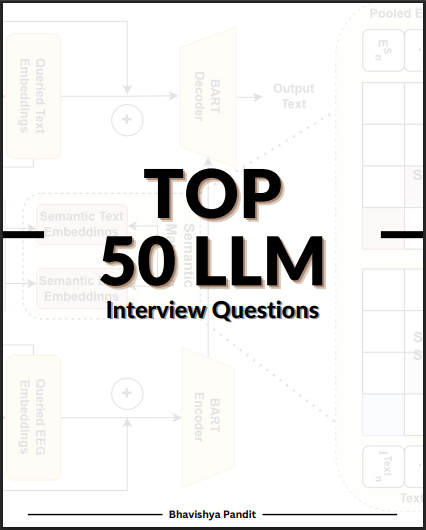
💥 Top 50 LLM Interview Questions & Answers
Get ready for your next AI / ML / LLM interview with this power-packed Q&A guide covering:
✅ Prompt Engineering
✅ Fine-tuning & RAG
✅ Transformer Architecture
✅ Tokenization & Attention
✅ Real-world LLM Scenarios
Perfect for anyone preparing for AI Engineer, ML Researcher, or LLM Developer roles. 🚀
1️⃣ Like & Repost
2️⃣ Comment “LLM”
3️⃣ Follow (so I can DM you the guide)
#LLM #ArtificialIntelligence #MachineLearning #InterviewPrep #AIGuide #Giveaway #PromptEngineering #AICommunity
LLM fine-tuning techniques I'd learn if I were to customize them:
Bookmark this.
1. LoRA
2. QLoRA
3. Prefix Tuning
4. Adapter Tuning
5. Instruction Tuning
6. P-Tuning
7. BitFit
8. Soft Prompts
9. RLHF
10. RLAIF
11. DPO (Direct Preference Optimization)
12. GRPO (Group Relative Policy Optimization)
13. RLAIF (RL with AI Feedback)
14. Multi-Task Fine-Tuning
15. Federated Fine-Tuning
My favourite is GRPO for building reasoning models. What about you?
I've shared my full tutorial on GRPO in the replies.