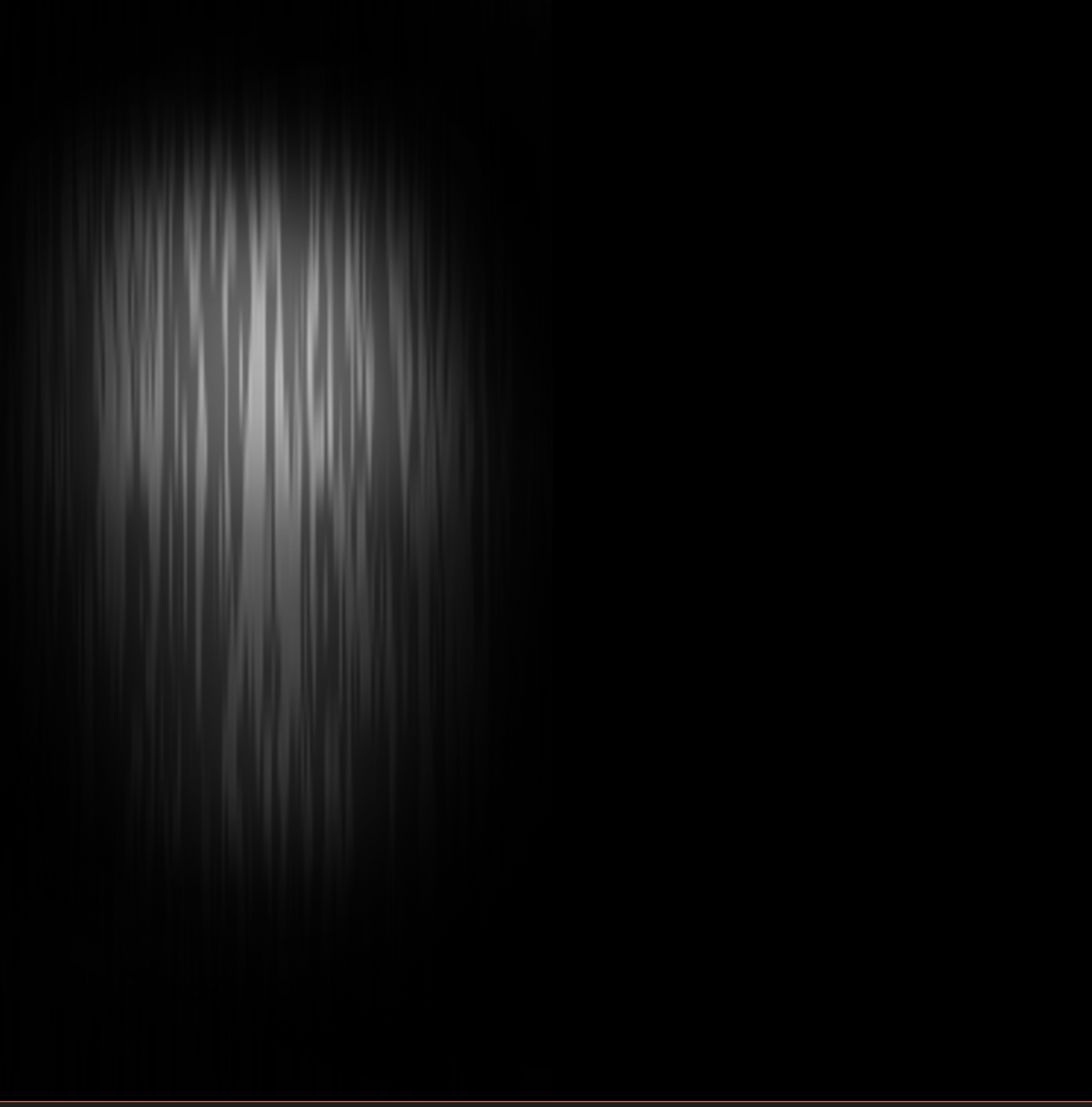
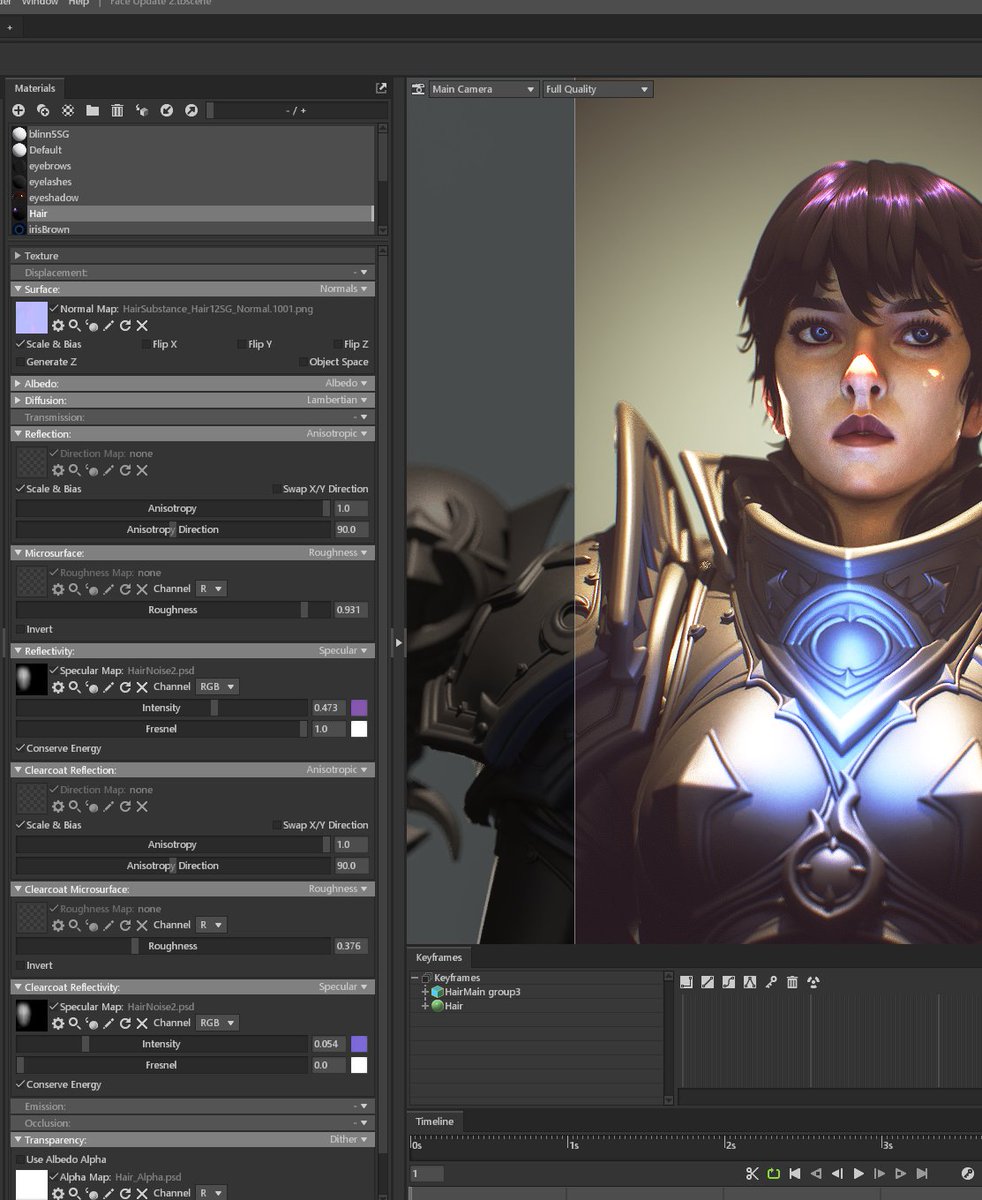
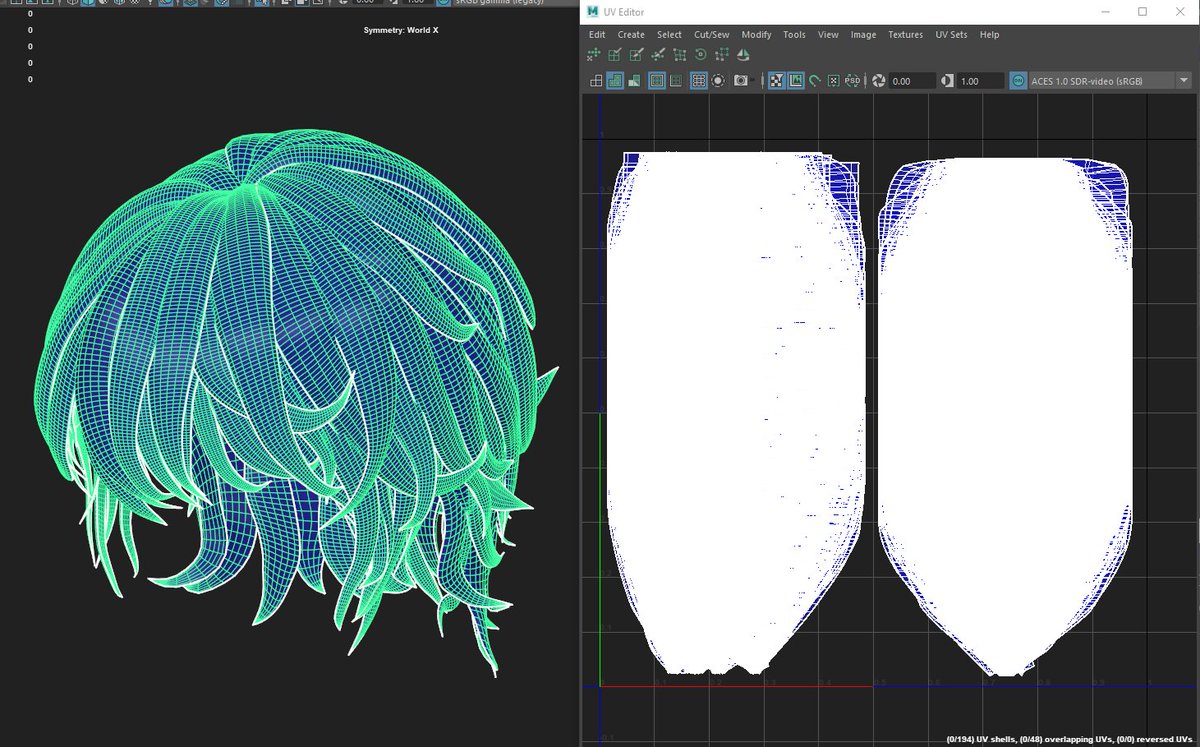
Stylized anisotropic hair breakdown, thought I'd share here as I don't have time to make a video atm. Here's short version:
Anisotropic reflection, vertical overlapping UV's, simple noise texture with faded edges, generated normalmap, opacity gradient to make tips fade.
#b3d tip: Continuing with the retopo tips, we have a look at the F2 add-on that ships with Blender by default. It helps us quickly add faces. More tips & free sample e-book: https://t.co/4q3NW3MNxj
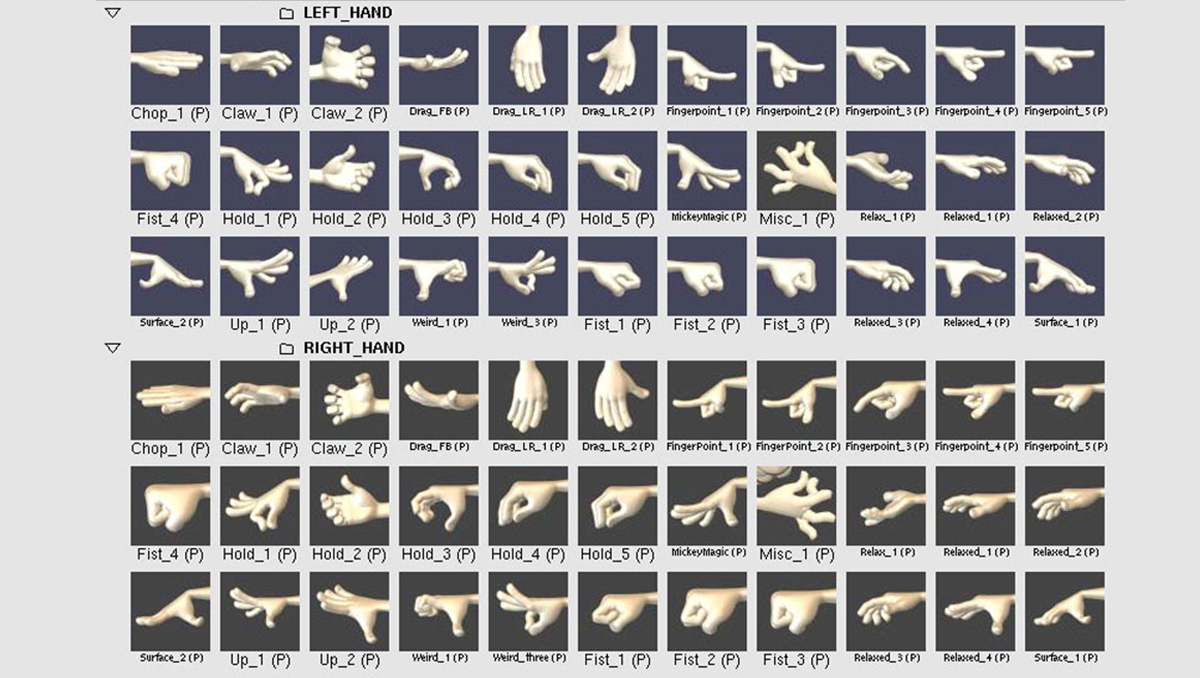
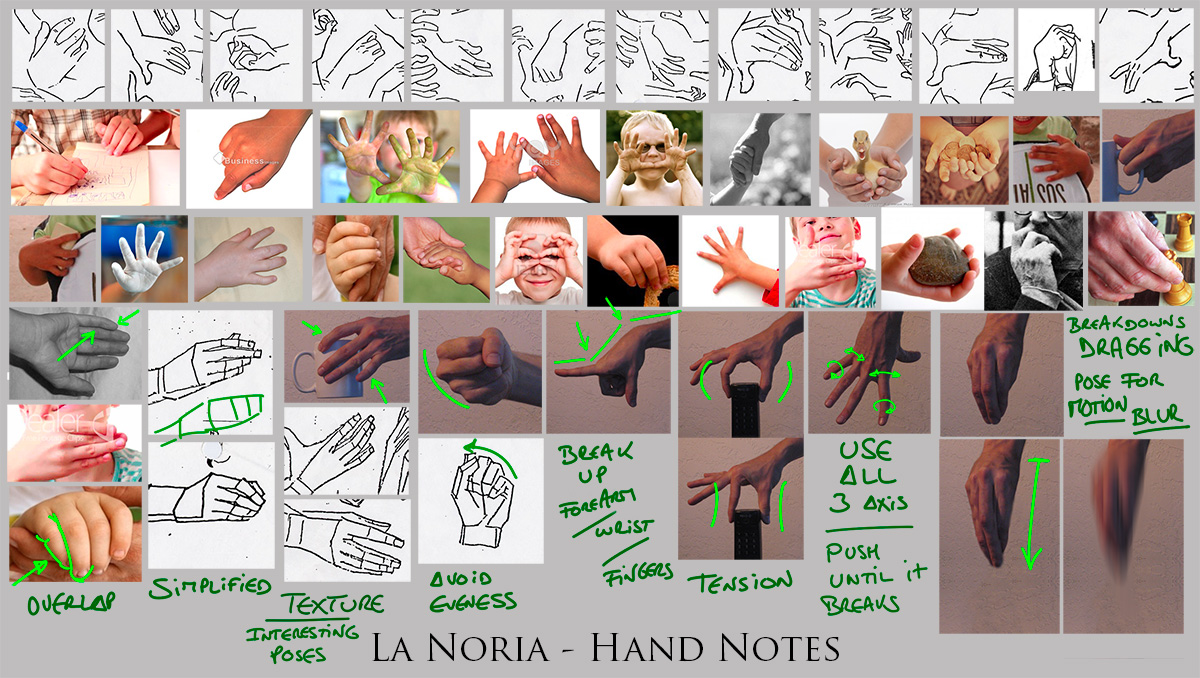
Wanted to share hand notes/refs I found for whoever finds this stuff useful. From Ratatouille, La Noria to Kahl inspirations. I'd sometimes push/twist the proximal phalanges depending on how the character was rigged. No rules, whatever worked for me at the time.
#handposes
I just released my new Blender addon "Bystedts cloth builder" for free on gumroad.
With this addon you can simulate and manipulated cloth during simulation
Gumroad:
https://t.co/e1GWEO2lXH
Tutorial:
https://t.co/TxkxV35Jlf
#b3d
How many of you guys use the 'primitive blocking' technique for your creatures? - here's a tiny extract of something I've been working for the brand new Extra Mile course (coming soon) #creature#sculpting#3D
Curve hair, but you can set different meshes per curve strand! And have options to adjust them. And its using the flat wrapping method so its easy to work with! This is the hair workflow i've wanted for over 7 years, and it can finally be built #b3d
Did you know that in Blender you can easily create a belt around your geometry using the 'Convex Hull' operator? ✨
1. Select the geometry
2. Copy it with Shift+D, and right-click to cancel movement
3. Press Mesh -> Convex Hull
4. Delete the top and bottom faces (I use Shift+G,C to quickly select the faces coplanar to selected)
5. Extrude the belt along normals with Ctrl+F,F!
#b3d