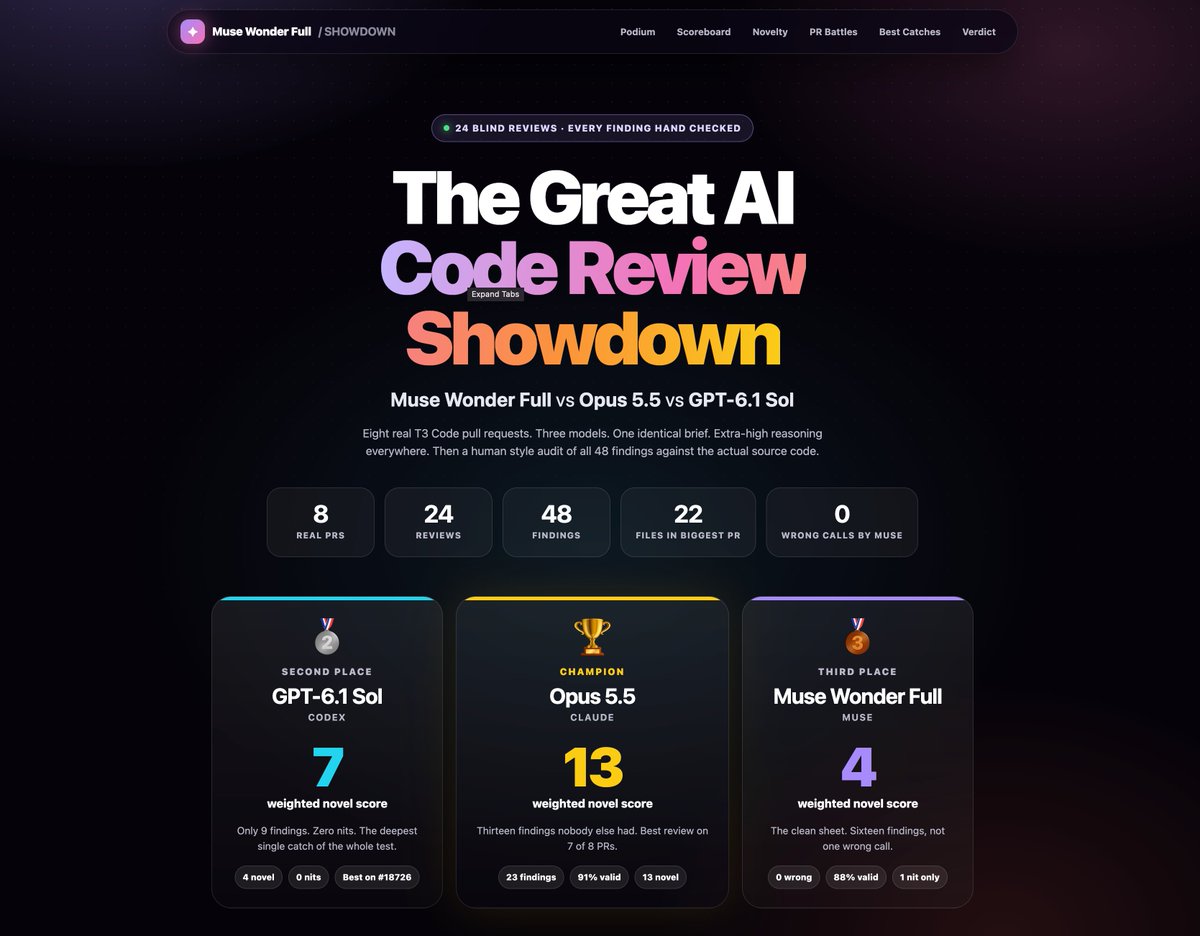
If it is not good at frontend & 3d & motion graphics. It just won’t get enough attention…
Even if it were awesome at making good simple PRs, or being a good general assistant.
Introducing ChatGPT for Dishwashing
GPT-6 achieves state-of-the-art results on dishwashing benchmarks for long-running jobs and difficult stains.
The Navier–Stokes Millennium Prize Problem is a $1 million challenge about whether the equations describing fluid motion can break down. In this video, I accidentally found a counter-example while trying to optimize my dishwasher. But in reality, OpenAI used 10,000 AI agents to find a proof in 88 hours: https://t.co/6HTwFfXnm1
Parody of the original GPT-6 Astra ad
@OpenAI #ChatGPT_Partner #chatgpt
Credits:
Written and Directed by Joma
Co-Writer - Henry Connor Coan IV @coan_henry
Production by Dauntlus Studios @dauntlus.studios
Producer/Co-Director - Marcus Liew @dauntlus
Camera Operator - Amos Lee @amoselijahlee
Art Director - Alethea Soo @aletheasoo
Art Assistant - Alicia Lim @aliciatkl_
Assistant Editor - GPT-6 Astra
Music: Tensions Run High by Soundridemusic
https://t.co/kBUsd2DK76
@kunchenguid What are you saying, man… the reason for tests are not so they write better code. Is so they don’t break the code on future iterations. Does the benchmark measure multiple follow-up changes to the same codebase that could break existing functionality?
EdgeStore v1 is out 🎉
- CLI + MCP + skills
- new REST API + SDK
- Signed URLs
- New upload components
- Mobile dashboard support
- Standard Schema support
- Better external provider integration
- And more
Proud of this one 👇
Here is the verbose change list:
- New REST API for runtime and management operations
- New TypeScript SDK
- Typed API inputs, responses, and errors
- Project-scoped SDK clients
- SDK support for project keys and management tokens
- Interactive API reference
- Clearer API errors and troubleshooting information
- Cursor pagination for large file collections
- Batch file operations with individual results
- Simpler router configuration
- Automatically inferred backend clients
- Custom storage providers with inferred capabilities
- Consistent file operations across storage providers
- New EdgeStore CLI
- Guided project setup from the terminal
- Create, inspect, link, and delete projects
- Switch between personal and team accounts
- Create, rotate, and revoke project keys
- Create and revoke management tokens
- Create, inspect, and delete buckets
- Browse and inspect files from the terminal
- Download public and private files
- Upload files and folders using glob patterns
- Delete multiple files with individual results
- Empty buckets and monitor cleanup progress
- Retry failed bucket cleanup jobs
- Manage team members and invitations
- View account usage and billing information
- Open the dashboard from the terminal
- Shell completions for Bash, Zsh, and Fish
- Monorepo-aware setup and workspace selection
- Secure login using the operating system credential store
- Browser-based login
- Device-code login for remote terminals
- Automatic login token refresh
- Live upload progress in the terminal
- Concurrent CLI file uploads
- Project configuration and credential diagnostics
- Hosted MCP server for coding agents
- Discover accounts, projects, buckets, and files through MCP
- Create projects through coding agents
- Upload files through coding agents
- Connect Codex, Claude Code, and Cursor
- Guided setup skills for coding agents
- Version-matched documentation bundled with packages
- Framework and workspace detection for agent setup
- Safer credential delivery during automated setup
- Easier authorization for CLI and MCP connections
- Account, project, and permission controls for connected tools
- Better guidance for choosing upload components
- Clearer guidance for saving and confirming temporary uploads
- Support for Zod, Valibot, and ArkType
- Support for custom Standard Schema validators
- Asynchronous upload input validation
- Schema transformations before upload hooks and metadata
- More readable TypeScript types in the editor
- More accurate bucket, path, and metadata inference
- Browser upload transformations
- Server-side upload transformations
- Image compression and WebP conversion examples
- Automatic file extension handling after transformations
- Uploads from text, blobs, buffers, streams, and URLs
- Automatic multipart uploads for large files
- More reliable uploads when signed URLs expire
- Automatic retries for temporary transfer failures
- Cancellation across multipart transfers
- Cleanup of interrupted uploads
- More accurate byte-level upload progress
- File IDs included in hosted upload results
- Optional waiting for upload processing
- Separate uploading and processing phases
- Clearer processing timeout and cancellation errors
- Safer replacement uploads
- Better handling of delayed upload events
- Valid uploads can finish when optional thumbnail generation fails
- Clearer errors for invalid uploads and multipart completion
- Expanded S3 storage support
- Expanded Azure Blob storage support
- Large browser uploads to S3
- Large browser uploads to Azure
- Backend uploads to S3 and Azure
- Private signed downloads from S3 and Azure
- Custom object paths and file settings
- Configurable storage endpoints and file delivery URLs
- Documented Cloudflare R2 setup
- Documented Backblaze B2 setup
- Documented DigitalOcean Spaces setup
- Documented Google Cloud Storage setup
- Documented Tigris setup
- Documented Supabase Storage setup
- Documented MinIO setup
- Private file access with signed links
- Automatic signed links in upload responses
- Project-specific file domains
- Compatibility with existing saved file URLs
- Partitioned cookies for embedded protected files
- Direct protected-file access during local development
- Fewer initialization requests for public-only integrations
- Scoped permissions for management tokens
- Separate permissions for destructive operations
- Project key secrets displayed only once
- Projects can operate without active project keys
- Stronger isolation between projects and buckets
- Improved protection against invitation and OAuth abuse
- Background bucket cleanup
- Persistent cleanup progress and status
- Cleanup recovery after failures
- Safer handling of uploads during bucket cleanup
- Recoverable file deletion
- More consistent file restoration
- Better cleanup of abandoned multipart uploads
- More efficient cleanup of large file collections
- New avatar uploader
- New single-file form field
- New upload button
- Improved image and multi-file upload components
- Accept valid files even when other dropped files are rejected
- Clearer file size and type rejection messages
- File limits enforced across multiple drops
- Stable image previews during upload progress
- Replace or remove completed image uploads
- Retry failed uploads from the file list
- Cancel active uploads from the file list
- Minimum image dimensions for avatar uploads
- More accessible upload controls and progress indicators
- Improved dark-theme contrast
- Updated shadcn registry components
- Improved Open in v0 support
- Faster dashboard navigation
- Faster project overview loading
- Clearer loading and error states
- Smoother navigation between projects and buckets
- More reliable account switching
- Responsive dashboard layouts
- Mobile bottom navigation
- Touch-friendly upload and account controls
- Better mobile file tables and filters
- Better mobile Settings, Usage, and Billing pages
- iPhone Home Screen installation
- Dedicated app icons and standalone display
- Clearer authentication and permission errors
- More accurate storage usage history
- Storage history preserved for deleted projects
- Request tracking for the new API
- Clearer API request charts
- More reliable regional access statistics
- More reliable usage enforcement
- Protection against outdated account pauses after upgrades
- Automatic account recovery when usage drops
- Recovery notification emails
- More consistent billing across plan changes
- More reliable subscription upgrades and downgrades
- More reliable subscription cancellation
- Accurate billing for project and team member changes
- Invoice verification before collection
- Custom account plans and pricing
- Clearer paid-plan requirements for team accounts
- Plan-aware upgrade links in usage and pause emails
- Redesigned homepage
- Copyable coding-agent setup prompt
- New EdgeStore blog
- Improved documentation social previews
- Improved documentation AI assistant
- More complete framework examples
- Rebuilt end-to-end Next.js example
- Better private-file and access-control guides
- Better storage provider guides
- Better upload component documentation
- Expanded SDK and CLI documentation
- Clearer v0.8-to-v1 migration guide
- Copyable migration prompt for coding agents
- Interactive upload demos in the release announcement
- v1 release announcement email
@kndpt_ Both.. I really like how Arc does the sidebar. With the pinned tabs and with the spaces that you can easily switch just by sliding to the side.