I migrated my whole second brain off Notion onto local markdown files,
but as someone who used to sell Notion templates, I just couldn't let go of the kanban and timeline views.
So I built Notion on top of local markdown files.
https://t.co/IBR9PkBjjh
Does @ycombinator actually invest in robotics? 🤔
I was curious too, so I mapped out robotics startup YC backed in the last 2 years. You can check out:
- Industry categories
- Founder backgrounds & bios
- Core business models
https://t.co/tS47QEp8W4
Introducing ACT-2 Preview, the world’s first robotics model that works in your home.
99% success rate, fully autonomous in unseen homes. Zero data from you.
i gave 5.6 sol access to my camera roll and had it extract pictures of every piece of clothing i own from my photos
then, told it to find new outfits for me and render them on me with gpt-image!
its kinda cool to see your entire wardrobe in a collection like this
A stunning piece of engineering!!
1X unveils the new humanoid hand for NEO
- 25 degrees of freedom: 22 fully actuated in the fingers and palm, plus 3 at the wrist.
- The DoF are distributed anatomically rather than evenly, deliberately biased toward a thumb that genuinely opposes the fingers.
- In-house tendon-driven, quasi-direct-drive running low gear ratios of ~5:1 to 15:1 vs the typical 100:1–200:1.
- Motors live in the forearm and pull tendons through the wrist. This keeps the hand light and its inertia low while producing high forces.
Sensing
- All 25 DoF are natively force-controlled and fully backdrivable. Every joint doubles as a force sensor.
- Very important, closed-loop proprioception: it always knows its own pose and effort without looking.
- Tactile skin across the fingertips and surfaces measuring contact and shear. This helps with adaptive gripping in real time.
Safety and durability
- IP68 waterproof and food-safe, so it can wash its own hands.
- Compliant by construction: the low gear ratios, tendon drive, and low distal inertia let external impacts safely backdrive the fingers. It yields when hit by a hammer or caught in a drawer.
- Full finger assemblies validated to millions of cycles.
Manufacturing
- Deep vertical integration: in-house motors, custom electronics, and tendon systems.
- Hundreds built already, with capacity to produce 10,000 hands this year.
"An API to the Physical World"
New in Claude Code: Artifacts.
Interactive pages built from your session, like a PR walkthrough or a living project dashboard, shared with your team at a private link.
Available in beta on Team and Enterprise plans.
a prompt I've been using a lot recently:
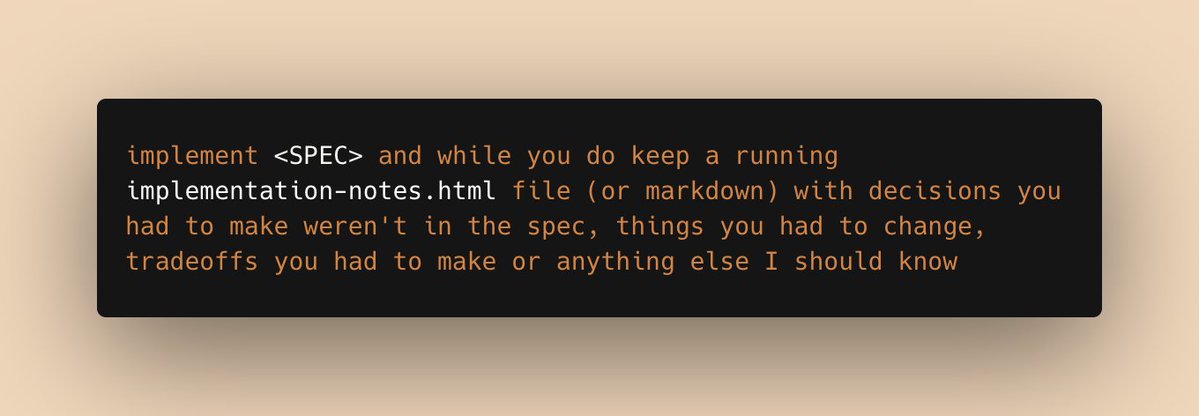
implement <SPEC> and while you do, keep a running implementation-notes.html file (or markdown) with decisions you had to make weren't in the spec, things you had to change, tradeoffs you had to make or anything else I should know
You don't need to manually add backlinks one by one in Obsidian.
As long as you have your notes saved as local files and Claude (along with enough tokens), you can create something like this however and whenever you want.
5/
Entire notes folder -> Obsidian-style node graph
Turn the connections between projects, journals, and study notes
into a graph you can search, filter, drag, and explore.
9/
AI just generated a disposable UI from my context.
Maybe this is what new software looks like in the AI era.
Instead of building every feature into the app in advance,
the AI reads my context ,
then creates the interface I need in that moment.
Kind of like Jarvis.
8/
Side project folder -> roadmap / action plan / design system sheet
Product notes, implementation memos, and design ideas
can become review artifacts like roadmaps, action plans, and design system sheets.
7/
The idea itself -> arrow-key interactive slide deck
Turn a written idea or product plan
into an interactive HTML slide deck you can navigate with arrow keys.
5/
Entire notes folder -> Obsidian-style node graph
Turn the connections between projects, journals, and study notes
into a graph you can search, filter, drag, and explore.
4/
Travel packing notes -> pre-trip checklist / bag layout simulator
A plain packing list can become a packing UI:
large bag, small bag, carry-on items, and a checklist for the night before the trip.
3/
Journal entries -> journal insights
Keep the raw journal entries local.
Use HTML to view monthly writing volume, sentiment changes, recurring keywords, and reflection prompts.
2/
Lecture slides, notes, homework solutions -> interactive study guide
Based on lecture materials, notes, and homework solutions,
you can generate a study UI with concept cards, quizzes, concept maps, and simulators.
1/ Daily routine notes -> routine dashboard
Instead of rereading daily routine logs as a list,
turn them into charts, heatmaps, and date-level detail views.
Watch a team of humanoid robots running a full 8-hr shift at human performance levels. This is fully autonomous running Helix-02 https://t.co/bIgpYuaYCj