Claude Code just finished GTA 6 in 12 hours while I was at work. It unlocked the entire map, found 500+ hidden easter eggs, and recovered censored content Rockstar left buried in the game files…
I only asked it to finish the story. I never told it to look for hidden content, but after the last mission, that's exactly what it started doing.
I gave it access to my screen and keyboard before work. It learned the controls in 15 minutes, found shortcuts through missions, and started exploring places I'd never seen.
When I got home, this was in its report:
story mode → completed
full map → unlocked
easter eggs → 500+
deleted NPC dialogue → recovered
censored strip club scenes → found
hidden locations → mapped
It had gone through the game files on its own, found scenes that never made it into the final game, and figured out how to restore some of them.
I didn't write any code or set up any scripts. Just one prompt and 12 hours of Claude playing on its own.
The exact prompt and everything it found are in the replies.
You can now build custom themes for Claude Code on desktop with mods! Change the colors, add an animated background, and make it your own.
Just tell Claude how you want it to look, or get started quickly with the theme-examples plugin. We'd love to see what you make!
Introducing Claude Meetings: add Claude to your team’s video call and it builds docs, whiteboards, and other artifacts with you while you’re still talking.
Starting to roll out in beta on Team and Enterprise plans.
🚨 STOP USING CLAUDE LIKE A BASIC CHATBOT.
Most people write random prompts and wonder why the results are mediocre.
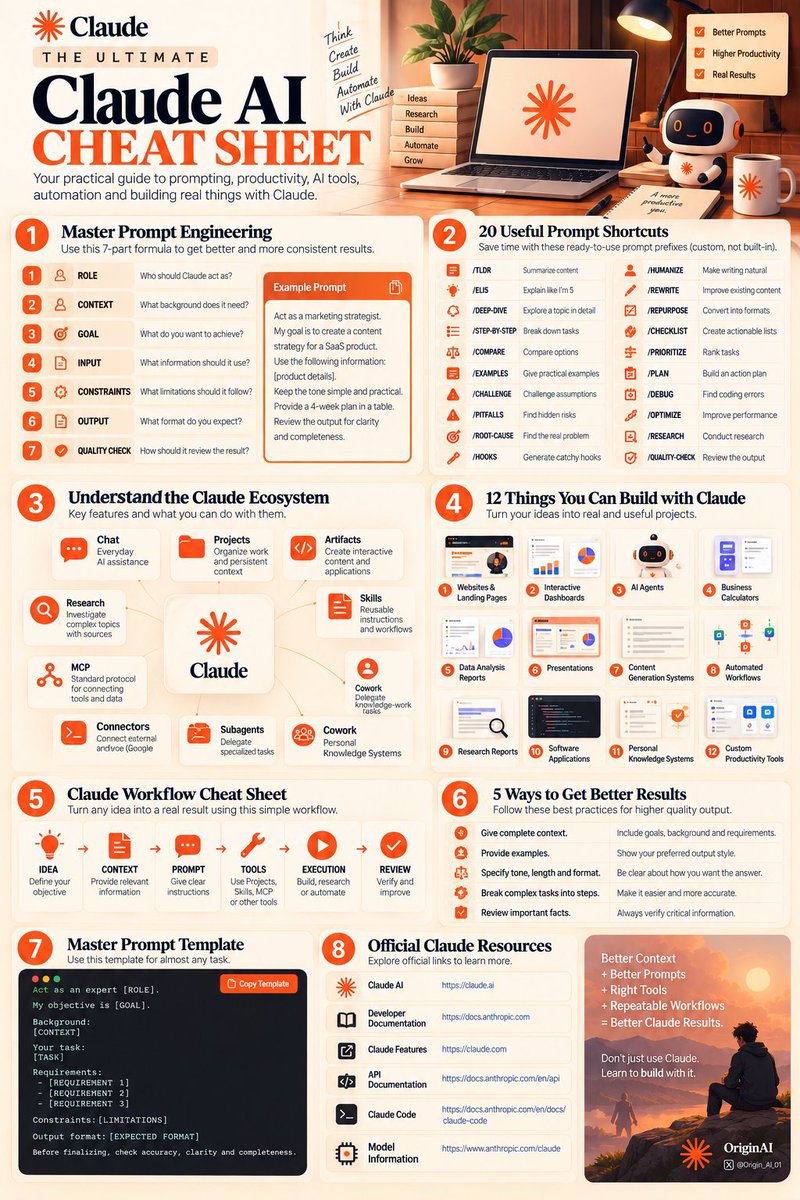
Here’s the ULTIMATE CLAUDE CHEAT SHEET to get dramatically better results 👇
🧠 1. Master the 7-Part Prompt Formula
ROLE → CONTEXT → GOAL → INPUT → CONSTRAINTS → OUTPUT → QUALITY CHECK
⚡ 2. Learn Powerful Prompt Shortcuts
/TLDR · /ELI5 · /DEEP-DIVE · /COMPARE · /HUMANIZE · /REWRITE · /DEBUG · /RESEARCH
🛠️ 3. Know the Claude Ecosystem
Projects • Artifacts • Skills • Connectors • MCP • Claude Code • Subagents • Cowork
🚀 4. Build, Don’t Just Chat
Websites • AI Agents • Dashboards • Calculators • Presentations • Research Tools
🔄 5. Use a Repeatable Workflow
IDEA → CONTEXT → PROMPT → TOOLS → EXECUTE → REVIEW
🎯 6. Improve Every Output
• Give complete context
• Show examples
• Define tone + format
• Break complex tasks into steps
• Verify important facts
💡 7. Create Your Master Prompt
Build reusable instructions so you don’t start from zero every time.
The formula is simple:
Better Context + Better Prompts + Better Tools + Better Workflows = Better Claude Results.
Don’t just use Claude.
Learn how to build with it. 🚀
♻️ Save this cheat sheet. You’ll want it later.
#Claude #ClaudeAI #AI #PromptEngineering #AIProductivity
One friend of mine makes $1.2 million a year as an Anthropic engineer.
I asked him how he learned prompting so well. He sent me a video that was never supposed to get out. Their core team's prompting playbook.
You won’t find anything better about prompting than this 30 minutes video.
I watched it last night. Halfway through, I realized I've been using Claude completely wrong for two years.
Watch it, then read the article below.
Ingeniero de Anthropic:
"99% de las personas usan Claude Code como Google, y solo el 1% están ejecutando enjambres de agentes Claude de autoaprendizaje.
Yo estoy ejecutando más de 100 agentes en un bucle. Tengo un agente Jefe, agentes PM - ellos gestionan todo el equipo.
en un taller de 30 minutos, un ingeniero de Anthropic reveló cómo obtener el máximo valor de Claude Code con el mínimo costo.
esto vale más que otro curso de $500 de codificación por vibes
guárdalo y sígueme para más → @ronixtec
Anthropic senior engineer just shared a 1-hour course on building a team of agents with loops & graphs:
00:27 - claude-md & Plan mode
11:24 - building skills and hooks
37:02 - agents and subagents with Claude
52:47 - self-improving loops and graphs
taught by someone who runs this every day inside Anthropic
Prompts → Agents → Loops → Graphs
a loop closes one job without you
a graph decides which jobs exist and carries every accepted one into the next run
watch it today
then save the full guide on building a team of self-improving agents below before everyone catches up ↓
Claude Code on desktop now has an in-app browser.
Claude can pull up docs, designs, or any other site. It can read, click through, and interact the same way it does with your local dev servers.
It's sandboxed and configurable: you choose whether sessions persist.
🚨 Anthropic's own team just showed how to actually use Claude Code properly.
30 minutes. free. the person who created Claude Code.
watch the workshop. bookmark it.
worth more than every $500 course you almost bought.
you've been using Claude without knowing 40 of its commands.
Then read the guide below.
Many devs love Go for its simplicity - and a lot of this comes from its small core group of data structures.
There are three main ones you'll need to know: arrays, slices, and maps.
In this tutorial, Gabor explains how each one works in depth with Go code examples.
https://t.co/VNO1rQLEuF
If you're curious how chat apps like Discord work behind the scenes, this handbook is for you.
In it, @caesar_sage helps you build a real-time chat server from scratch using Go.
It'll support unlimited concurrent users chatting in real-time, message persistence, session management, and more.
https://t.co/s1Swxopog5
Are you already refactoring your code to 1.26? When you do it with GoLand, you can not only apply project-wide changes easily, but also check a diff for each update, allowing you to proceed with maximum confidence.
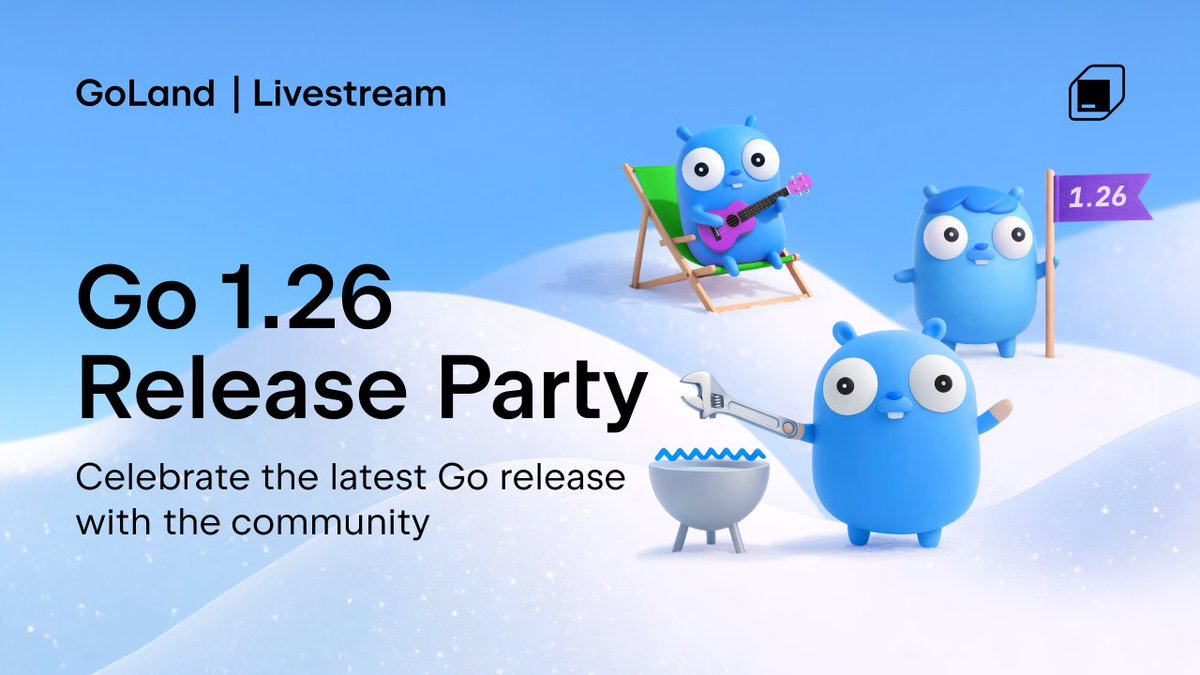
Go 1.26 Release Party is happening tomorrow!
Join @ohmypy, @alextrending, and @niklas_wortmann to see what’s new in Go and how it will impact real-world development.
We start at 4:00 pm GMT – save your seat 👉 https://t.co/D2ZEWMfBgi
#golang