You might’ve noticed we recently got a glow up ✨💅
Our friend Scott made a tutorial sharing the latest on Loop 2.0 and new ways to use Copilot. Check it out! https://t.co/nfkZLN0Lnk
Introducing Loop 2.0!
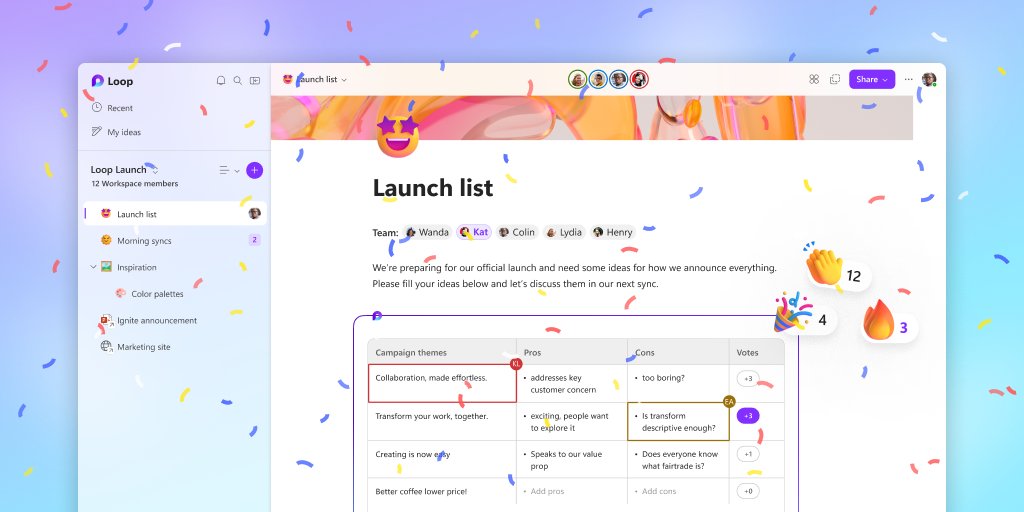
We got a fresh new look 🔥🔥🔥
Beyond the new #MicrosoftLoop UI, we've made it easier to get to your meeting notes, favorites, recent, and more. #NewInLoop Check it out: https://t.co/GUtPfhyebT
Here's what we've been brewing 👇
@anjCerbolles@MicrosoftLoop Thanks @ReneWasel! That's correct Loop should appear in the More Apps section. Once you open it from there it will appear in the Waffle.
@SBarizien@MicrosoftLoop@Outlook I am very sorry you are experiencing this issue. I would love to better understand what is going on, so we can fix it. Does this happen all the time? And what Outlook app are you using?
It's been so much fun working on this feature! I use it all the time to capture product demos. I can easily capture without having to fumble around for what tool to use.
#HowToLoop: 🎥✨Embedding videos in #MicrosoftLoop just got easier! Whether it's from YouTube, OneDrive, or Stream, you can now bring your favorite clips right into your workspace. Just paste the video link into Loop and it unfurls automatically!
▶️+✉️ = 🤩Brand new announcement from #MSIgnite: Coming soon, Microsoft Stream video links will play inline directly in Outlook email. Raise your view stats for leadership videos by bringing video playback right to people's inboxes. https://t.co/DjjLp5pCF2
Microsoft Loop is now generally available for all Microsoft 365 work accounts! It is amazing what the team has created. What a fun journey it has been.
It's official! #MicrosoftLoop is now generally available for M365 work accounts on web and mobile 🚀🌐#MSIgnite
A big THANK YOU to everyone that provided feedback during our preview; it helped shape Loop's future. Think, plan and create together: https://t.co/xIY9McfNaT
It's official! #MicrosoftLoop is now generally available for M365 work accounts on web and mobile 🚀🌐#MSIgnite
A big THANK YOU to everyone that provided feedback during our preview; it helped shape Loop's future. Think, plan and create together: https://t.co/xIY9McfNaT
@JimmyFal@HariSeldn@MicrosoftLoop Hi! Looking at the screenshot again, it appears as though the initial email was sent from a MSA account (Hotmail) to likely another MSA account. Unfortunately, this experience is expected as Loop components aren't yet supported in Outlook apps for MSA accounts.
@JimmyFal@HariSeldn@MicrosoftLoop Sorry you are experiencing this issue! Would you be able to give us details about the Outlook Desktop app so we can better understand what is happening? I would need your Version Number and channel. You can find this by going to File > Office Account > "About Outlook"