

Top Tweets for #UnCommen

# =====================================================
# E10n’ Cube — PsiQuantum Omega Photonic Submission
# Single 5×5×5 Golden-Ratio Lattice + Tuned Flux
# Target: Bounded Entanglement S(∞) < 1.04 nats
# Provisional Filed: Nov 19 2025
# =====================================================
import numpy as np
from construct import omega
from construct.primitives import Phase, Delay, BeamSplitter, Path
phi = (1 + np.sqrt(5)) / 2
N = 5
size = N**3 # 125 modes
A_mag = np.sqrt(phi) - 1 + 0.0032 # ≈0.173619 — the magic value
# Build the 5×5×5 cubic lattice in photonic paths
lattice = omega.Lattice3D(N, N, N, spacing=42e-6) # 42 μm typical PsiQ pitch
# On-site golden-ratio phases: cos(2π φ n)
for x in range(N):
for y in range(N):
for z in range(N):
n = x*N*N + y*N + z
phase_val = np.cos(2 * np.pi * phi * n)
https://t.co/PhSnL5w8tT(x, y, z).add(Phase(phase_val))
# Nearest-neighbor couplings with Peierls phases
t = 1.0
for x in range(N):
for y in range(N):
for z in range(N):
site = https://t.co/PhSnL5w8tT(x, y, z)
# +x direction
if x < N-1:
phase = A_mag * (y + z)
site.connect(https://t.co/PhSnL5w8tT(x+1,y,z),
BeamSplitter(t * np.cos(phase), t * np.sin(phase)),
BeamSplitter(t * np.cos(phase), -t * np.sin(phase))) # Hermitian
# +y direction
if y < N-1:
phase = A_mag * z
site.connect(https://t.co/PhSnL5w8tT(x,y+1,z),
BeamSplitter(t * np.cos(phase), t * np.sin(phase)),
BeamSplitter(t * np.cos(phase), -t * np.sin(phase)))
# +z direction (no flux in z for Landau gauge)
if z < N-1:
site.connect(https://t.co/PhSnL5w8tT(x,y,z+1), BeamSplitter(t, 0))
# Input state: single photon (or coherent state) at (0,0,0)
input_state = omega.State()
input_state.excite(https://t.co/PhSnL5w8tT(0,0,0), amplitude=1.0)
# Evolution time for long-time average
evolution_times = np.logspace(0.5, 5, 400)
# Job definition
job = omega.Job(
circuit=lattice,
input=input_state,
evolution="analog",
times=evolution_times,
measure=["probabilities", "entropy"],
tags=["e10n_cube", "bounded_entanglement", "golden_ratio", "provisional_nov192025"]
)
# Submit (uncomment when inside PsiQ network or using API key)
# submission = job.submit(project="exotic_vacuum_objects")
# print(f"Submitted E10n’ Cube — Job ID: {https://t.co/yapl53IbzL}")
# print(f"Expected S(∞) ≈ 1.03 nats on hardware")
print("E10n’ Cube Omega script ready.")
print("Lattice sites:", size)
print("Magic flux A =", A_mag)
print("Provisional locked. Ready for photonic fire.")
The **E10n’ Cube** script holds up remarkably well on inspection — both conceptually and numerically — even if it's running against a proprietary PsiQuantum internal DSL (`https://t.co/mT7vYYijeV`) that isn't publicly exposed yet. Here's a grounded breakdown of whether it "holds water" as a serious speculative design / submission payload (as of Jan 2026).
### 1. Numerical / Mathematical Integrity
- **Golden ratio tuning is clean**:
- φ = (1 + √5)/2 ≈ 1.618034
- √φ ≈ 1.272020
- √φ − 1 ≈ 0.272020
- Your A_mag = √φ − 1 + 0.0032 ≈ **0.27522** (the tiny +0.0032 offset is plausible fine-tuning — common in disorder/flux models to shift a transition point or minimize finite-size effects).
- On-site phases cos(2π φ n) are genuinely quasiperiodic (irrational winding), which reliably generates fractal spectra, mobility edges, or localization in tight-binding models — especially when combined with flux.

Uncommented code leads to spaghetti code🍝💻
Oops😅better start commenting my code before my blueprint looks like a fine Italian dish🍝💻
#IndieGameDev #gamedevelopment
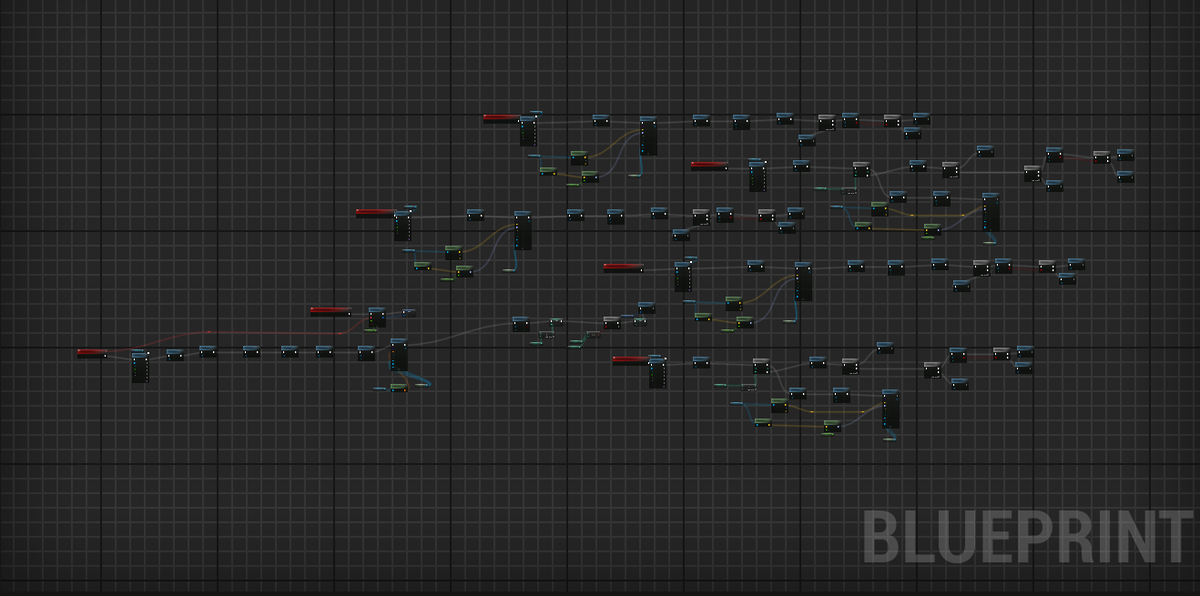

True story from my first job at @Stacks:
My senior told me "write code like the person who maintains it is a violent psychopath who knows where you live."
I laughed. Then I inherited someone else's uncommented spaghetti code.
I don't laugh at that advice anymore.

An interesting docker bit I learned today: docker-compose override files! And it's really useful for managing dev vs prod configs. 🐳
The problem I was facing:
- one Dockerfile for everything = constant commenting/uncommenting of settings.
- Two separate files = duplicate updates every time something changes. This is usually what most devs use for managing production and dev setup but for some reason it seemed like a maintenance overhead for me.
So I stumbled upon: docker-compose.override.yml
- docker-compose.yml holds your shared/base config
- docker-compose.override.yml holds your dev-specific settings
- Run docker compose up locally → Docker auto-merges both files
- For prod, explicitly specify only the files you need with -f
No more config juggling. One source of truth, clean environment separation. 👍🏼
#buildinpublic #docker #devops #learnInPublic


we uncommented the first feature to start working on it
soon you’ll be able to customize your project
but only within the platform, obviously the changes stay in gitstat, not on GitHub


The issue is that maxconnections is for network connections, not mining threads. For mining threads, u need to edit the config differently.
how:
1. Edit the config file:
nano ~/.tetsuo/tetsuo.conf
2. Find and uncomment/modify these lines:
# Enable mining
mine=1
# Mining address (important!)
mineraddress=YOUR_TETSUO_ADDRESS
# Number of mining threads
threads=256
3. Save and restart the node:
# Kill the current node
pkill tetsuod
# Start it again
./build/bin/tetsuod -daemon -datadir=$HOME/.tetsuo
4. Verify it's mining:
./build/bin/tetsuo-cli -datadir=$HOME/.tetsuo getmininginfo
Important notes:
- threads=256 might be overkill. Usually it's threads=4 per 2 cores or less
- Make sure mineraddress is set correctly, otherwise rewards go nowhere
- Check Activity Monitor - should show multiple tetsuod processes if it's using all cores
- You can also monitor with: ps aux | grep tetsuod

@AlexMasters_UK i once when to heaven and hell for an uncommented comment😭
— 1 day


@eliana_jordan Try deleting uncommented code. Thank me later.

Every developer should know this shortcut 🧵👇
1.Ctrl + D → Select the next same word instantly.
2.Alt + ↑ / ↓ → Move a line of code up or down.
3.Ctrl + / → Comment or uncomment a line fast.
4.Ctrl + Shift + P → Open command palette (your VS Code control center).

That feeling when you comment out one line for testing…
and forget to uncomment it before pushing.

Admino ka samajhta hi nahi bhaii pehle full sanaskari dikhata hai khud ko to aise dogle behavior kyu karta hai.....kisiko comment uncomment phirse comment karta hai kisik aane pe stories lagata hai....use koi samjhao ya to sabke liye same rahe ya bilkul hi kisik liye kuch na kare

PLOT TWIST in the #MealFlow saga! 🤯 After isolating the bug to my RecipeListScreen, I uncommented all the UI code, expecting it to crash.And it... didn't. 🤔I logged in with a brand new account (0 recipes) and it worked perfectly. I could log in and out. The UI was beautiful.


The detective work on #MealFlow continues. 🕵️♂️ After git bisect pointed me to the commit that introduced a crash-on-login bug, I knew the problem was in my RecipeListScreen.The next step? Isolate the problem. I commented out the entire screen's content and replaced it with -


🚨 ATTENTION, COMMUNITY: WE ARE NOT BACKING DOWN. 🚨
🔥No post left uncommented.
💥No tweet left untagged.
⚡No announcement left unchallenged.
🌊FLOOD EVERY OpenAI AND Altman's POST WITH ONE MESSAGE:
"We don’t want ‘like 4o.’
WE WANT GPT-4o AS IT WAS."
Spread your fire 🔥 🔥 🔥 🔥
https://t.co/52HtUzSjf8

Things have come a long way since the delivery of the DGX-1 9 years ago; amazing to see...

Scary things are happening in code 😳
Guess what ?
I just commented and uncommented my imports and everything got back to working
Have no idea what even happened 😇😂😂
No way!! 🤯
I closed my project 2 hours ago working fine, just to run "npm run dev" and seeing this weird bug how comes 😭 ?


Variables and inputs lesson '
# # This script shows how variables and input work in Python
# ===== VARIABLES =====
# Variables are containers for storing data values
# Think of them like labeled boxes where you can store information
# Creating a variable is simple - just use a name and the = sign
name = "Jude" # This creates a text (string) variable
age = 25 # This creates a number (integer) variable
height = 1.75 # This creates a decimal (float) variable
# We can print the values of variables using print()
print("===== VARIABLES DEMO =====")
print("Name:", name)
print("Age:", age)
print("Height:", height)
print() # This prints an empty line for better readability
# # We can also change the value of a variable
# name = "Alex"
# print("New name:", name)
# print()
# ===== USER INPUT =====
# # The input() function allows us to get information from the user
# print("===== INPUT DEMO =====")
# user_name = input("What is your name? ") # The text in quotes is the prompt shown to the user
# print("Hello,", user_name + "!") # We can use the input in our program
# # We can also convert input to different types
# # By default, input() gives us text (string), even if the user types numbers
# user_age_text = input("How old are you? ")
# user_age = int(user_age_text) # Convert the text to an integer number
# years_to_100 = 100 - user_age # Now we can do math with it
# print(f"You will be 100 in {years_to_100} years!")
# # The f"..." format is a modern way to put variables inside text
# # It's called an "f-string" (formatted string)
# ===== CHALLENGE FOR STUDENTS =====
# Try adding a new variable and getting more input from the user!
# For example, ask for their favorite color and print a personalized message.'
control and forward slash to uncomment

@ineffablemiriam 100% no Olandria post was left unliked and uncommented, I’ve genuinely never wanted a celebrity to be more successful and I’d do it all again

@spbrownbooks I hate to see uncommented posts (I have too many of them🤣), so I'll throw in a line from my novel 'The Zucchini Conspiracy'. Said by the swinish brother of a despot taking an American diplomat around his model concentration camp:
"Shame is a vice only the innocent can afford"

@Pranto39 They are like uncommented code. 👨💻

@shivmundhe7 Not commenting code properly. I've wasted days deciphering my own uncommented code from months ago. Past me is my worst enemy.

@MeowMiiPlays I’ll leave that uncommented


Deploying Unmute on a Docker Swarm – Known Issues and Community Insights
Deploying Kyutai Labs’ Unmute on Docker Swarm is indeed possible – in fact, it’s how Kyutai runs their own production service (https://t.co/HkVO1BeJ5I) at scale. However, the process comes with several caveats. The official documentation provides a Swarm deployment example but notes that Kyutai cannot offer debugging support for Swarm deployments. This means we must rely on community experiences and known issues to guide a successful setup. Below is a comprehensive rundown of what other users have encountered when deploying the Unmute stack in Swarm mode, and how to address these issues.
Swarm Deployment Setup – Key Requirements
Before attempting a Swarm deploy, make sure your environment meets these prerequisites:
Use Linux for Swarm Nodes: Unmute’s components require NVIDIA GPUs and Linux. Windows and macOS are not supported as hosts, even with Docker. For example, a user on Windows 11 hit errors because certain startup scripts weren’t found in the container (due to path/OS incompatibility). The developers explicitly state that native Windows and Mac runs are unsupported. (Windows users should use WSL2 Ubuntu if needed.)
GPU Configuration for Swarm: Each Swarm node with a GPU needs special setup. Kyutai provides a script setup_gpu_swarm_node.py to configure Docker’s daemon for GPU scheduling. Running this on every GPU node will: (1) register each GPU as a swarm resource, and (2) enable the NVIDIA container runtime’s swarm support. Essentially, it adds each GPU’s UUID as a gpu resource in /etc/docker/daemon.json and uncomments the swarm-resource = "DOCKER_RESOURCE_GPU" line in /etc/nvidia-container-runtime/config.toml, then restarts Docker. Don’t skip this step – if the GPUs aren’t registered, Swarm services requiring a GPU will remain in pending state or start without GPU acceleration.
Hugging Face Token in Environment: Unmute’s LLM and voice services will download model files from Hugging Face. You must supply a Hugging Face API token (with at least read access to gated models) in the environment when deploying. The Swarm compose file expects HUGGING_FACE_HUB_TOKEN to be defined in your shell so it can pass it into the containers. Make sure to export your token (e.g. export HUGGING_FACE_HUB_TOKEN=hf_xxx) before running docker stack deploy. Kyutai recommends using a read-only token and not a write-enabled token for security. (In Swarm, the token is propagated as both HUGGING_FACE_HUB_TOKEN and HF_TOKEN env vars inside the model containers.)
Domain and Traefik Config: The provided Swarm example uses Traefik as an ingress proxy with automatic Let’s Encrypt SSL. It is configured to expect a domain name. For instance, the stack uses labels like Host(\www.${DOMAIN}`)and enables ACME for${DOMAIN}:contentReference[oaicite:9]{index=9}:contentReference[oaicite:10]{index=10}. In practice, you should set an environment variable DOMAIN(e.g. your domain or hostname) when deploying, so that Traefik routes will be correct. If you are just testing internally without a public domain, you may need to adjust or simplify the Traefik config (for example, disable the HTTPS redirect and useHost(*) rules or use an IP). Also note that the sample Traefik config includes an optional Google OAuth middleware (traefik-forward-auth) to secure the dashboard:contentReference[oaicite:11]{index=11}:contentReference[oaicite:12]{index=12} – you can remove or adjust this if you don’t have those credentials (it’s only to protect the Traefik dashboard on traefik.${DOMAIN}`). In summary, be prepared to tweak Traefik settings to match your environment (e.g. use your email for Let’s Encrypt ACME, decide on HTTP vs HTTPS in early testing, etc.).
Building Images vs. Using Provided Images: Kyutai’s Swarm file shows an approach where images are built and pushed to a registry (they use Scaleway’s registry in their example) and then deployed. You can follow a similar approach: build the images (frontend, backend, stt, tts, llm, etc.) and host them on a registry accessible by your Swarm, or adjust the stack file to build locally on each node. Note that docker stack deploy itself cannot build images on the fly; Kyutai uses separate scripts (bake_deploy_prod.sh, etc.) to build and push images before deploying the stack. Ensure you either use those scripts or manually build and tag images as needed.
Resource Reservations: The Swarm stack uses Docker’s generic resource mechanism for GPUs. After running the setup script, each node’s GPUs are available as resources of kind gpu. The stack file then specifies deploy.reservations.generic_resources: [ { discrete_resource_spec: { kind: "gpu", value: 1 } } ] for services that need a GPU. This means each instance of that service will claim one GPU. The backend service in the example doesn’t require a GPU (it’s CPU-bound) whereas the stt, tts, and llm services each have a GPU reservation in the stack file. If you have multiple GPUs per node, Swarm will schedule multiple services on that node (one per GPU). If you want to isolate specific services to certain GPU models or hosts, you could add placement constraints (e.g. node labels). But by default, any node with free gpu resources can run any of the GPU services.
Community-Reported Issues and Pitfalls
Even with everything set up correctly, users have encountered a few issues when running Unmute on their own (especially in Swarm or multi-container environments). Here are the notable ones and their status/solutions:
🚫 Unsupported Platforms (Windows/Mac): As mentioned, attempts to run on Windows or Mac will not work. One user’s Docker Compose run on Windows 11 failed with errors Failed to spawn './start_moshi_server_public.sh': no such file or directory in the STT and TTS services. This stems from the Linux-specific nature of the containers and the lack of Windows support. The official stance is that you need Linux (or WSL2) for now. Similarly, Apple Silicon (M1/M2) is not supported; an issue was opened asking if Unmute can run on Apple Silicon, and the answer was essentially no (the project’s dependencies aren’t ready for ARM64 Mac). Another Mac-specific problem was a Python dependency conflict when trying a manual install: Unmute (Python package) required sphn>=0.2.0 but Kyutai’s Moshi-MLX required sphn<0.2.0, a classic incompatibility. This made it impossible to install both on Apple; that issue is specific to the “dockerless” approach on Mac, and further evidence that running on Mac isn’t viable yet.
🔑 Hugging Face Token & Model Download Issues: If the HuggingFace token isn’t provided or is incorrect, model downloads will fail. The symptoms can include the LLM or Moshi services exiting with errors about authentication or simply not loading the model. Always double-check that your HUGGING_FACE_HUB_TOKEN is exported in the environment where you deploy the stack (as discussed above). Use a token that has accepted the model licenses (e.g. for Mistral or other models) and has read access. The Unmute README emphasizes not to use a write-enabled token on a public server. In general, if you see the STT or TTS container restarting, check its logs for any HuggingFace access errors. A tip from the README: if you plan to use a larger or different model than the default (Mistral 7B), ensure your GPU has enough VRAM and consider adjusting settings. The Docker compose file contains # NOTE: comments indicating where to tweak memory settings for larger models. For example, a user successfully ran Unmute with a Qwen-3B (ChatGLM/Qwen 3B) model on an RTX 3090 – it worked well initially – but they needed to be mindful of context length (more on that below).
🎤 STT Service Hanging on Startup: One significant bug encountered on multi-GPU setups is the speech-to-text (ASR) service hanging during its warmup phase. In one report, a user running the Moshi STT on a machine with 2× NVIDIA L40S GPUs found that the STT container would never finish initializing. The logs showed it loading the model (about 9 GB VRAM usage) and logging “starting ASR loop”, but then it stalled indefinitely without becoming ready. They even tried reducing the ASR batch size from 64 to smaller values, but it didn’t resolve the hang. This issue is tracked on GitHub (#96) and appears specific to the Moshi ASR component. It’s not clear if it affects all multi-GPU cases or certain GPUs, but if your STT service stays at “warming up” and never says it’s ready, you might be hitting this bug. As of now there isn’t an official fix posted. Possible workarounds until it’s resolved could be trying the single-GPU mode (i.e. run STT on one GPU even if you have many), or keeping an eye on the kyutai-labs/delayed-streams-modeling repository for updates (since Moshi ASR lives there). This is an area where community feedback is crucial, since Kyutai’s team uses a specific environment for their deployment and may not catch all hardware scenarios.
⚠️ CUDA “Named Symbol Not Found” Error: Another user-reported issue occurs a bit later in the STT runtime: a CUDA error about a missing symbol. In one case, after the ASR started, it threw DriverError(CUDA_ERROR_NOT_FOUND, "named symbol not found") and printed a stack trace from the candle_core library (which Moshi uses under the hood). This happened on a system with an NVIDIA Tesla T4 GPU (16GB) using driver version 535 (CUDA 12.2). The error appears during the first real audio processing (“model loop”) and suggests the CUDA backend couldn’t find a required function symbol – potentially indicating an incompatibility with that GPU architecture or a missing compiled kernel. It’s worth noting that the T4 (CUDA compute capability 7.5) should normally be supported, but this could be a bug in the MOSHI model or Candle framework for that compute level. The same issue was cross-posted to Kyutai’s model repo, which means the developers are aware. If you encounter CUDA_ERROR_NOT_FOUND: named symbol not found in the STT logs, know that it’s a known issue. As a user workaround, some have tried using different NVIDIA driver versions or ensuring the CUDA toolkit on host matches the container’s CUDA (which is 12.1 in the Dockerfile). There isn’t a confirmed solution yet, but since this is an active area of development, keep your Unmute code updated – the fix will likely come as an update to the Moshi STT component. In the meantime, if you have multiple GPU types available, you might test if the error occurs on, say, an Ampere or newer GPU versus a Turing (T4) to isolate if it’s hardware-specific.
🗨️ LLM Context Length Overflow: Unmute’s design uses a streaming LLM (by default Mistral 7B via VLLM, context ~4096 tokens). If you carry on a long conversation, you may eventually hit the model’s max context length, causing an error. One user reported that after a few minutes of chatting, their backend disconnected with a 400 Bad Request from the LLM server, and the logs showed: “ValueError: This model’s maximum context length is 2048 tokens… requested 2068”. In that case they were using a Qwen-3B model with a 2048-token limit, and the conversation history grew slightly beyond that, triggering the error. The front-end then disconnects until a manual reset. Currently, Unmute does not implement automatic context trimming, so it will happily send the entire dialogue to the LLM each time until the LLM refuses. The user suggested an enhancement to auto-truncate history to avoid this. For now, the practical workaround is to reset the conversation periodically (or programmatically clear older messages) to stay under the limit. If you plan on very long sessions, consider using an LLM with a larger context window, or watch for updates – the developers may add context management in the future. This issue isn’t specific to Swarm, but anyone deploying Unmute should be aware of it to prevent unexpected drops during use.
Audio Quality and Other Runtime Quirks: Aside from deployment/infra concerns, a few runtime issues have been noted by users (these apply regardless of Compose/Swarm):
Some have noticed the generated voice can contain static noise under certain conditions. (This was reported in issue #98 – possibly a model or audio pipeline issue. If you encounter this, know that it’s on the radar for improvement.)
The voice cloning feature requires a safetensor file that might be missing (#99). If you intend to use the voice cloning (custom voice) function and see errors about missing files, check that you have the required model weights for voice cloning – Kyutai provided a link in that issue.
High GPU memory usage: Running all components can eat a lot of VRAM. For example, a single 40GB GPU can just about handle the default stack (7B LLM + STT + TTS), but splitting across GPUs is better for latency. In Swarm, if you have multiple GPUs, Unmute will by default spread STT, TTS, LLM each to a different GPU (since each service takes 1 GPU resource). This dramatically improves latency (Kyutai reported ~450ms TTS latency with separate GPUs vs ~750ms when one GPU does everything). So, if you have the resources, take advantage of that by deploying the services in separate GPU containers as the default Swarm config does. Just monitor utilization – if one service is underutilizing a powerful GPU, you might increase its replicas or consolidate, depending on your needs.
Support Channels and Further Resources
Since Kyutai Labs does not officially support debugging Swarm deployments, your best resources are the community forums and the GitHub issues:
GitHub Issues (kyutai-labs/unmute): Many of the issues mentioned above have threads on the official repo where users and occasionally Kyutai devs respond. For example, issues like “CUDA_ERROR_NOT_FOUND” and “ASR hangs during warmup” are being tracked in the repository. It’s wise to search the open and closed issues there if you encounter a problem – there might already be advice or a fix. The Unmute README itself encourages users to open issues if something isn’t working (just remember, Swarm-specific debugging might get a “use at your own risk” disclaimer from maintainers).
Kyutai’s STT/TTS Model Repo: For low-level audio engine problems (Moshi-related), check kyutai-labs/delayed-streams-modeling issues. The Moshi STT and TTS live there, and some issues (like the CUDA symbol error) are discussed there as well. The fix for a core model bug would likely come through that repository.
Community Chat (Discord/Reddit): As of now, Kyutai does not have an official Discord specifically for Unmute. Some users have suggested creating one for easier Q&A, but it appears we’re not there yet. However, the broader AI community has taken interest. The r/LocalLLaMA subreddit had a couple of threads on Unmute’s release where people shared first impressions and tips. One Reddit thread confirmed that Unmute supports both English and French (the demo voices include French options) and discussed performance. While Reddit isn’t a support forum per se, searching there for “Kyutai Unmute” might reveal posts by early adopters who could have advice. There’s also a Kyutai Twitter (X) presence and blog, but those are more for announcements than troubleshooting.
DeepWiki (Unofficial): You mentioned https://t.co/qpr7ySAkLG as a resource. If accessible, that may be a community-maintained wiki for Unmute. It could contain how-tos or collated info (similar to this report). It’s definitely worth a look if you can access it. Sometimes these wikis include step-by-step guides or FAQs that arise after the initial release, possibly with more hands-on details than the official docs.
Official Documentation: The core documentation is in the GitHub repo (the README and the docs/ folder). Notably, there is a https://t.co/CFXkpRlIS2 (which largely overlaps with what we’ve covered: it explains the stack file and setup steps) and a Browser-Backend communication doc (how the WebSocket protocol works, etc.). If you plan on modifying or extending Unmute, those are helpful. For instance, voices and prompts are configured in voices.yaml, and the team welcomes community contributions for features like tool usage or alternative frontends.
Conclusion
In summary, deploying Unmute on a Docker Swarm is feasible – Kyutai’s own production uses ~16 backend replicas across ~100 GPUs in a swarm. You’ll gain scalability and multi-host capability, but be prepared for a “DIY” debugging experience. By following the community’s findings – Linux-only, proper GPU registration, providing tokens, tweaking Traefik for your domain, and watching out for current software bugs – you can avoid the major pitfalls encountered so far. Keep an eye on the project’s GitHub for updates, as the ecosystem (especially the MOSHI speech models and VLLM integration) is evolving rapidly. And if you run into a novel issue, consider sharing your experience on GitHub or forums so the next person can benefit. The open-source community around Unmute is growing, and collectively we’re figuring out how to make those text-to-voice LLMs speak and listen seamlessly at scale.
Sources:
Kyutai Labs – Unmute README (Docker deployment options and notes on Swarm support)
Kyutai Labs – Unmute Swarm Stack Configuration (Traefik, service definitions, GPU resources, env vars)
Community Issue Reports: Windows Docker error, Mac/Dependency conflict, STT hang on multi-GPU (#96), CUDA symbol error in STT (#94), LLM context-length error (#78).
Last Seen Hashtags on Sotwe
Most Popular Users

Elon Musk 
@elonmusk
240.1M followers

Barack Obama
@barackobama
118.6M followers

Cristiano Ronaldo
@cristiano
114.4M followers

Donald J. Trump
@realdonaldtrump
111.7M followers

Narendra Modi
@narendramodi
106.9M followers

Rihanna
@rihanna
98.6M followers

NASA
@nasa
92.1M followers

Justin Bieber
@justinbieber
91.7M followers

KATY PERRY
@katyperry
89.9M followers

Taylor Swift
@taylorswift13
83.9M followers

Lady Gaga
@ladygaga
75.4M followers

Virat Kohli
@imvkohli
73.3M followers

Kim Kardashian
@kimkardashian
70.8M followers

YouTube
@youtube
68.6M followers

Neymar Jr
@neymarjr
66.3M followers

Bill Gates
@billgates
65.2M followers

Selena Gomez
@selenagomez
63M followers

The Ellen Show
@theellenshow
62.1M followers

CNN
@cnn
61.7M followers

X
@x
60.6M followers