It’s easy to become jaded and disenfranchised with cybersecurity work. It’s a constant battle of reminded yourself what you’re fighting for and that some things don’t matter as much as you think they do. Other things matter more.
How many App Registrations do you haveand what do they do? Who owns them? What is the approved URIs? Who are the approved owners and why are they needed? What API permissions are assigned? Consented? Used? Which ones are federated and where are they federated with? What Oauth flows are they using? Exposed APIs? Which ones require assignment? How many have deprecated APIs? How many have Application APIs? How many can write and where can they write? Which ones require application locks? Who can alter the configuration of them? (you probably have no idea because owners can)
Where are credentials/secrets/certs/keys exposed across the enterprise? Where does your regulated data aggregate? What's in what DB where?
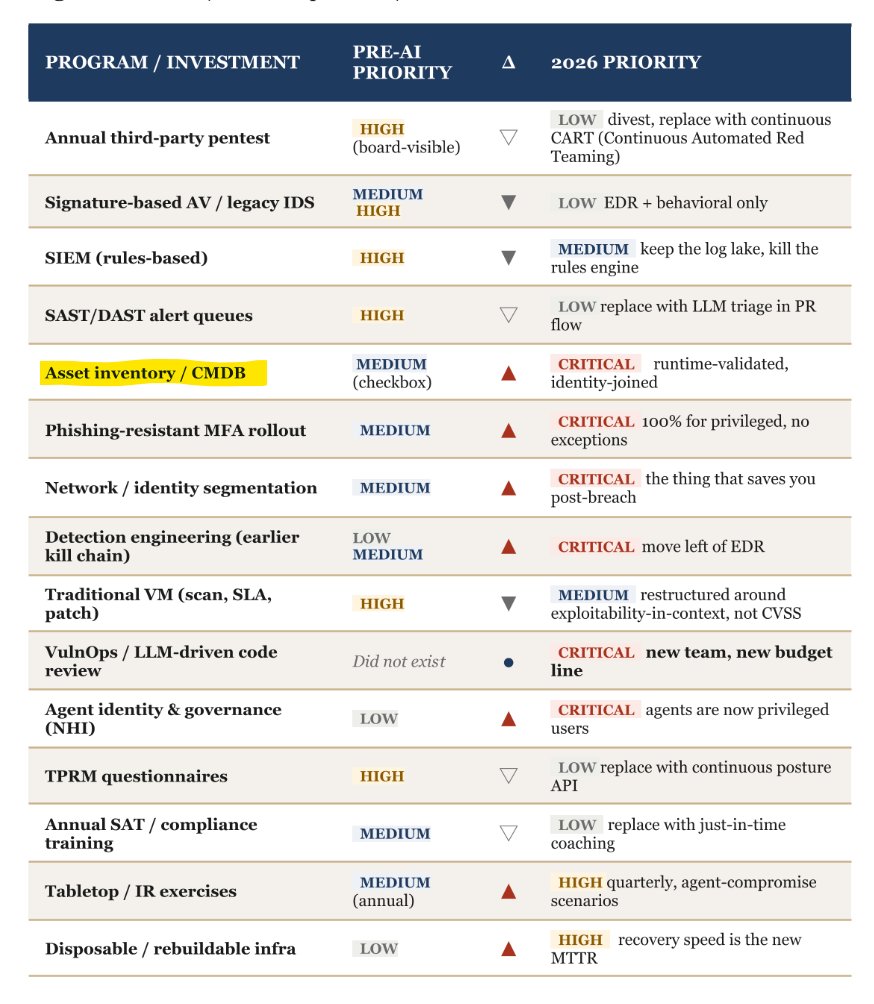
Who can tell me every device hostname in the org and who it's assigned to right now? (the answer is none of you)
Who can tell me which Cloud Apps are implemented with SP-Intitiated Authn and what types of data live in them? What authentication policies allow undafe fallback methods? (the answer is most likely all of them). Which ones are integrated using SCIM? Which ones are not?
How many SharePoint owners do you have?
How many admin roles are assigned in each admin center and to whome? Why do they need that role? How would they use it? For high risk roles that only need seldom elevation, do you have a second approver before elevation process? (I know, people still hate me recommending this for years)
Who can write to what share? Who can read what share?
How many stale groups do you have? How many M365 public groups do you have? How many dynamic groups do you have and how are they configured?
Just a small sample ofc. I've yet to see one organization that doesn't severely struggle with governance and asset management.
.
I'm going to apologize in advance for daily rants about @github not being a serious company with account suspensions with no notifications, and no direct path to resolve the issue.
Users will click, developers will install malicious packages, someone will give up their password.
Design security programs with this in mind and plan accordingly.
Proactive security controls are not enough.
Reactive security controls are not enough.
Detective controls are not enough.
Administrative controls are not enough.
Layered defense FTW 🤘
We have a lot of gatekeepers in IT. Don't listen to them.
I remember when I failed my comptia a+ twice in a row. I wanted to give up. It was very discouraging. I didn't think IT was for me. I'm still here.
I remember when I started a YouTube channel. People made fun of me because of my accent. I'm still here.
I remember getting rejected over 100 times when I was new in IT. I ended up finding a job. I'm still here.
Don't let anyone label you as a failure. You got this. You have a community of people that want to see you win.
You can win but you need to believe in yourself.
See you at SF. Happy traveling! Happy Sunday!
#itsupportspecialist #desktopsupport #desktopsupporttechnician #careers #systemadministrator #systemengineer #desktopsupport #desktopsupportengineer #cybersecurity
This is your daily reminder that MFA alone is no longer sufficient. If someone's answer to me is "we have MFA" when someone else raises an issue, the life leaves my soul into a hopeless abyss.
MFA is no longer the golden control and hasn't been for a couple years now.
To the folks struggling right now, you'll make it.
Seriously... you've gone this far. And you'll make it much further still.
You got this.
Go be awesome.
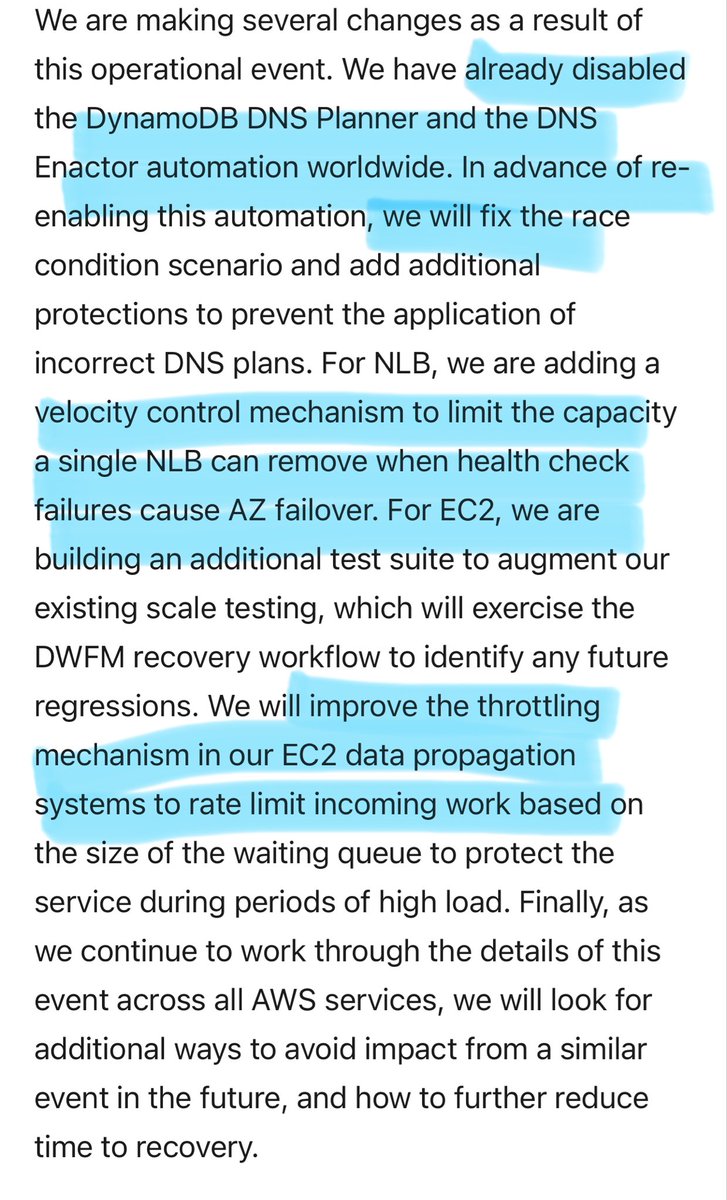
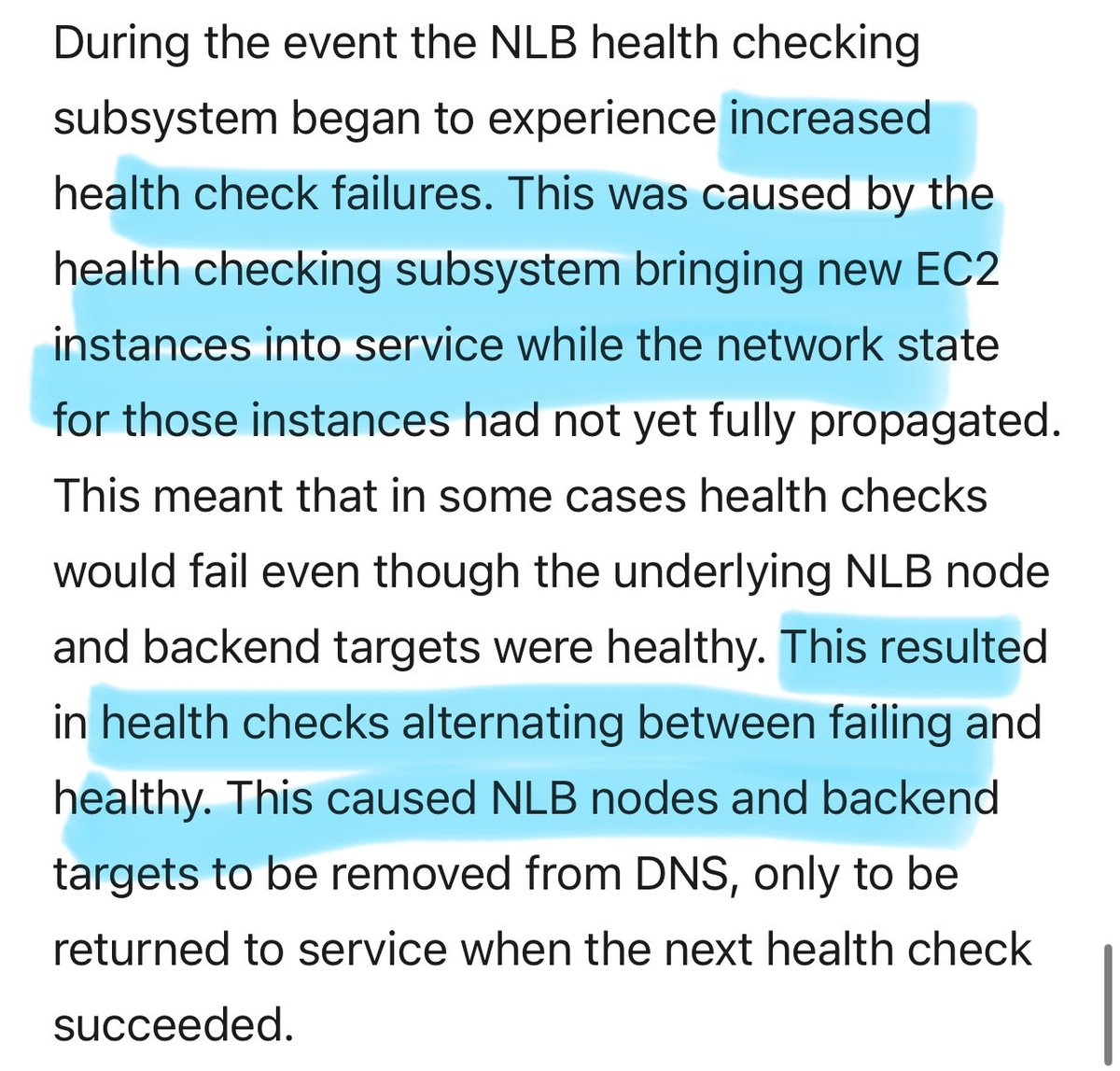
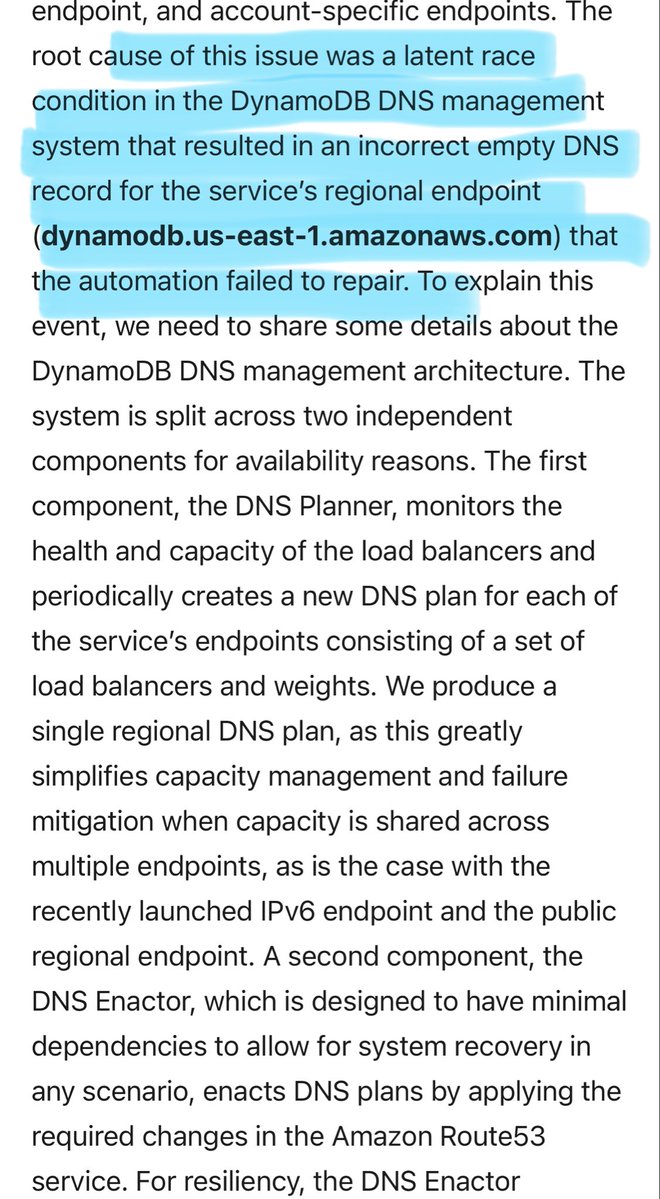
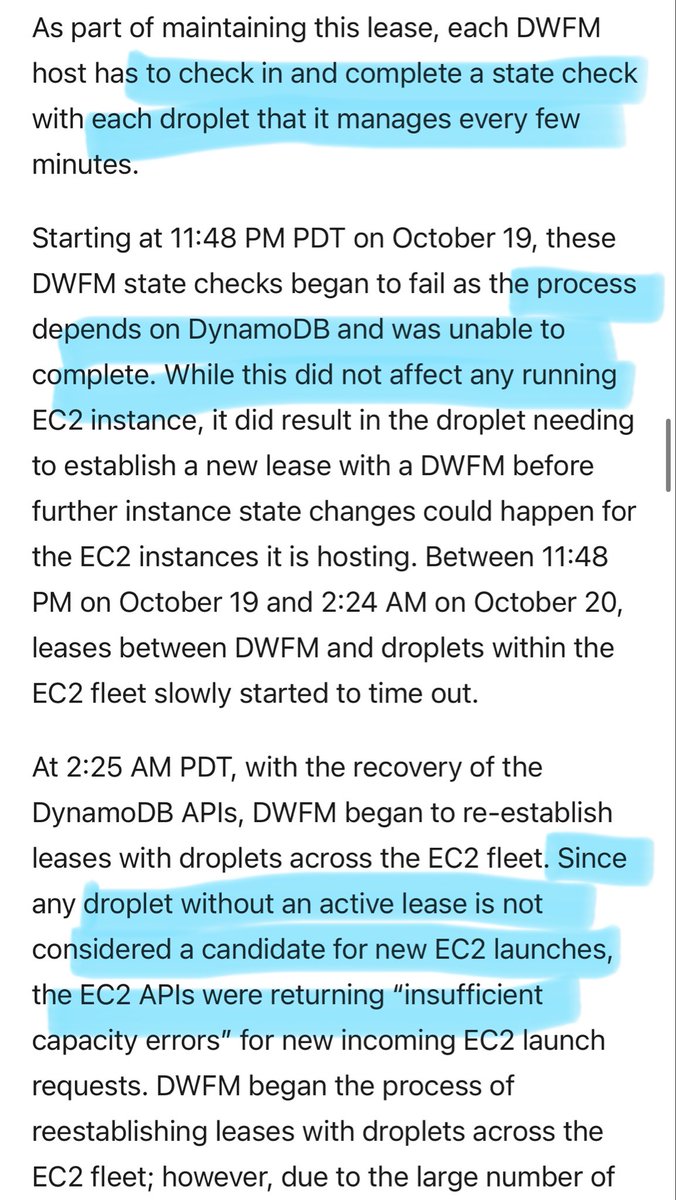
The detailed AWS incident report is out, and it’s worth a read
- DNS records managed by 2 systems; a race condition led to regional record getting unset
- EC2 lease establishment was borked as it depends on DynamoDB
- fluctuating NLB health checks leading to EC2 DNS entry purges
I just solved the strangest tech problem I've ever come across.
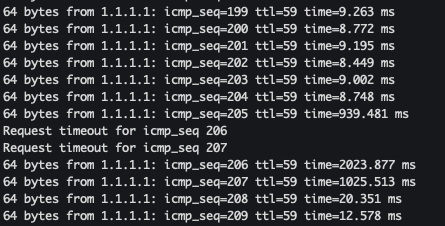
My wifi kept dropping packets, confirmed by ping. It would look something like the first image (packets dropping, then it comes back to life). After a while the connection would just stop working completely and drop all packets. If I turned my wifi off and on again, it would resume working normally.
I thought this was a problem with my router, cables or ISP, so I went through the usual troubleshooting processes: checking settings, swapping cables, powercycling, etc. nothing worked.
Eventually I started noticing that it would only happen when I sat in my office. I was taking a video meeting and it kept dropping segments of audio, making it hard to understand the other person.
I unplugged my laptop from my monitor + keyboard because I wanted to try walking into another room. Immediately, the video started working perfectly.
I thought it was because I was a few steps closer to my router - but that didn't really make sense because the router had always worked fine from that location.
I started thinking about what I'd changed in my desk setup recently, the only thing I could think of was when I changed from using a USB-C <-> DP cable for my monitor, to using a HDMI <-> HDMI cable.
I tried plugging my screen back in. Immediately, the packets started dropping. I unplugged it, the dropping stopped.
It turns out my HDMI cable doesn't have enough shielding, so it was jamming my own WiFi signal with radio frequency interference 🤯
I unrolled the HDMI cable that was sitting behind my laptop and draped the main length of the cord down behind my desk, and now my internet works perfectly.
Apparently this is a fairly common issue?!