📄 Skills in Agent Harnesses
A lot of people don't know this (I didn't until recently) but most agent harnesses will load the description of your skill upon starting up your harness. This is how Claude Code works.
What people don't usually know is that even when you explicitly call a skill to be used inside of a harness, or the AI figures out to use a skill, it usually only does a read of the first 150 lines of the skill (to understand how to use it or if it applies to the work it's trying to do).
It's really important to outline a table in the first 150 lines of the mandatory parts of the skill that must be run when you invoke the skill.
If you make some type of mandatory instruction after 150 lines, it might get missed entirely. If you describe in prompting that you want to use a provided Python script or template, it also might be out of bounds of that 150 lines and never get called correctly.
If you write a table of contents of the skill actions in the first 150 lines and mark which ones are mandatory (or that, if the user has called the skill, you must read the whole skill context and all references), you get more reliable skills. We use markdown checklists for this now.
I built an AI agent that hunts bugs while I sleep. It maps a target, tests the bug classes I care about, kills its own false positives, writes the PoC and pings me at midnight.
Step by step build in the article.
#bugbounty#hacking#cybersecurity https://t.co/uZspRQcw9B
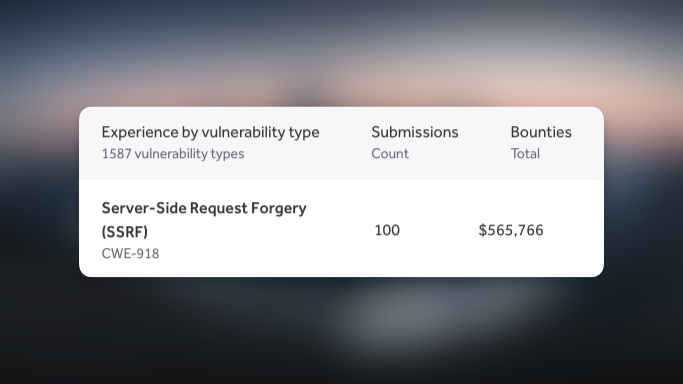
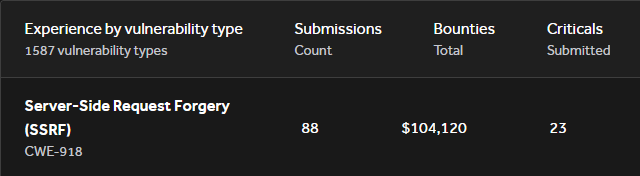
I've made over 100k on SSRF vulnerabilities.
They aren't always as simple as pointing it at localhost or AWS Metadata service.
Here are some tricks I've picked up over the past 5 years of web app testing:
Lately I've been killing it with PostMessage related bugs.
Here is a little PostMessage primer for those of you that aren't comfortable with the topic:
PostMessages, despite the name, are not related at all to HTTP POST requests.
The simplest way to think of them is a pathway for two browser frames to communicate. "What is a frame?" You might ask - I gotchu.
A frame is a:
* Browser tab
* <iframe> frame
* <portal> frame (not yet fully released)
So let's say you've got a browser tab and a iframe within that tab that is on a different origin. The easiest way for these two frames to communicate is via PostMessage.
We set up a PostMessage communication channel via these things called "listeners". For two way communication, each page has to have a listener. But often only one-way communication is necessary.
A listener is defined via "window.addEventListener("message", {YourFunction})" in JavaScript. That {YourFunction} part would be replaced with reference to the function defined to handle the PostMessages.
Let's say the iframe does "parent.postMessage('hi', '*')" the function mentioned in the listener definition above will receive an event object e such that e[.]data is 'hi'. The parent page can then make a decision on what to do with that data.
This essentially provides an API for communication between the two pages.
This can often lead to a vulnerability if the e.origin attribute is not explicitly checked, because the page is not certain which origin (ie, domain) the postMessage came from. It could have come from site[.]com or it could have come from attacker[.]com.
The most useful attack scenario nowadays looks like this:
The attacker has a page that uses "var x = window[.]open('//othersite')". The attacker then sends a PostMessage to that site with malicious data: "x.postMessage('<svg onload=alert(1)>', '*')".
That data is then parsed by the handler function defined in the addEventListener call, and affects the integrity or confidentiality of the page in some way.
That's it! Keep an eye out for cool PostMessage bugs using @fransrosen's PostMessage-Tracker tool on GitHub.
Glhf, find bugs!
This one it’s not about the bug it’s self
It’s about how you testing and never give up and keep testing and trying
You should keep this write up next to you when you hunt for ATO
Well done omar 👍👍