🚀 iMe Wallet update: Managing crypto assets and protecting your funds just got even easier.
Try it out: https://t.co/pGhO88kWXb
💸 Buy & sell #crypto with fiat directly in the app. Available payment methods, limits, and currencies depend on your region.
🪙 Add custom #tokens via smart contract:
Manage Tokens → Manage Custom Tokens → Select a network and enter the smart contract address.
🔐 Create encrypted backups and restore wallet access anytime:
Settings → Security → Backup Wallet.
⚡️ Plus: improved performance & stability for smoother crypto management. Open iMe Wallet and try the new features now!
#iMe #iMeWallet #Wallet #Security #Web3 #DeFi
🎉 10M+ downloads on Google Play!
🥰 Millions of users worldwide choose iMe for messaging, productivity, digital asset management, and AI-powered features — all in one app
🫶 A huge thank you to our amazing community for helping us reach this milestone. And we're just getting started. New features, massive updates, and new records are ahead of us!
Drop a 🔥 if you're part of the iMe family and tell us how long you've been using iMe!
#iMe #Messenger #GooglePlay #AI #Telegram #Web3
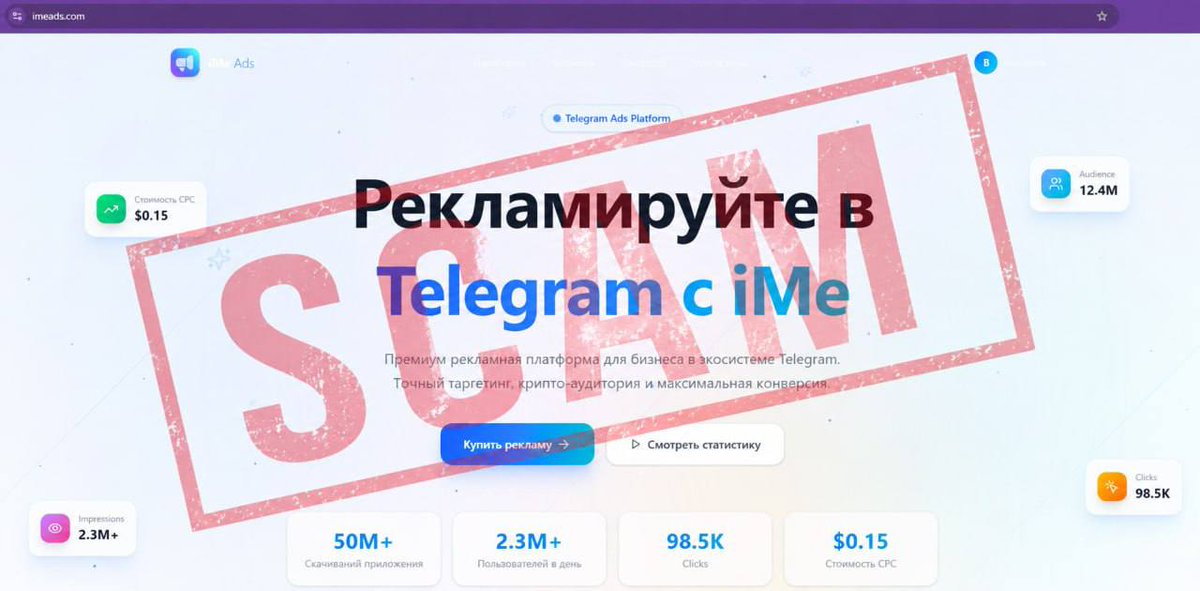
⚠️ WARNING: SCAM ALERT ⚠️
Scammers are impersonating iMe Lab and offering paid advertising placements in the iMe app.
🚫 iMe has NOT launched an advertising platform yet.
Stay safe:
✅ Verify information via our official channels: https://t.co/jBLj2GW7Gk
https://t.co/fH1Qs0Zgao
✅ Contact our support in iMe or Telegram @imemessenger for confirmation.
✅ Remember: iMe admins and support NEVER DM first!
Known scam contacts:
👤 TG usernames: @migelcmo, @migel, @imesupp
📧 Scam emails: [email protected], [email protected]
🌐 Web: https://t.co/mEpwzKnerf
🔒Please report and block these accounts. Stay vigilant!
#ScamAlert #Safety #iMe #Telegram
⏰ Never forget important messages again with Reminders in #iMe!
📩 Turn any message into a reminder in just a few taps with iMe's To-Do feature. No need to take screenshots, forward to the Cloud, or set alarms.
How to set a reminder:
• Tap a message → “Remind later”;
• Pick a timer or set a custom date & time;
• Get notified right on schedule.
💡 All reminders are saved in To-Do → "Inbox" under the "Reminder" title, where you can edit or delete them anytime.
#iMe #Telegram #messenger #productivity
📱 iMe Mobile: eSIMs for iMe Users
🚀 We are gearing up to launch iMe Mobile - built-in eSIM plans with coverage in 135+ countries!
💎 Get mobile data, a second number, and easy sign-ups for global services — all without a physical SIM.
What’s coming:
- Fast eSIM activation;
- Perfect for travel & work;
- Great for a second Telegram account;
- Special perks for iMe Premium users & $LIME holders;
- Flexible data packages for daily use and travel.
🍋 For $LIME holders, iMe Mobile offers unique conditions on data plans and adds a new level of #token utility within the iMe ecosystem.
👀 More features are still under wraps… iMe Mobile is coming up soon. Stay tuned!
#iMe #iMeMobile #eSIM #Telegram
🔐 How to Spot Scammers and Save Your Account
Scammers are everywhere in messengers. They’re constantly inventing new ways to steal your accounts or money.
Common traps:
🔗 Fake “Premium gifts” & voting links → steal your Telegram login.
📂 “Is this you in the photo?” files → malware/APK scams.
👤 Fake admins/support → phishing & blackmail.
📈 “100x crypto bots/tokens” → pump & dump schemes.
How to stay safe:
1. Never share Telegram codes.
2. Avoid shady files & urgent messages.
3. Double-check usernames.
4. Enable #2FA for maximum protection.
If you receive a suspicious message, the best thing to do is block the user and hit "Report" right away.
Have you seen scams like these? What tricks were used on you?
#iMe #Telegram #messenger #CyberSecurity
📱 Tired of switching between chats and task apps?
✅ iMe has a built-in To-Do List, so you can manage tasks right inside your messenger without losing important messages.
Where to find it:
• iOS: Bottom toolbar or Settings → To-Do
• Android/Desktop: Side menu → To-Do
With iMe’s To-Do List you can:
✨ Create and plan tasks from chat messages.
📂 Organize everything with Smart Folders & sections like “Today” and “Inbox”.
⏰ Add deadlines and reminders to stay on track.
👍 Just tap a message → “Create Task” and iMe will automatically turn it into a task with description included.
Work, chats, and planning — all in one place. How do you usually manage your tasks?
#iMe #Telegram #messenger #todo #taskmanagment
📱💻 Ever started a message on your phone and finished it on your laptop?
☁️ That’s how #iMe & Telegram cloud sync works. Your chats, media, and files are stored securely in the cloud, so even if you lose your phone or switch devices, your data is restored instantly.
⚡ Every action — messages, reactions, deleting chats, read notifications — syncs across all devices in seconds.
🔑 Each login creates a separate session. Your phone, tablet, and PC all work independently, which means you stay connected everywhere. But old sessions can become a security risk, so regularly check:
Settings → Devices → remove unknown or unused devices.
🔐 For extra protection, enable Two-Step Verification.
👀 The exception: Secret Chats stay only on the devices where they were created and never sync through the cloud.
How many devices are connected to your account right now?
#messenger #Telegram #CyberSecurity #Privacy
📱💻 Logged into iMe or Telegram on multiple devices? Old sessions can become a security risk even without a hack.
📑 A step-by-step guide to cleaning things up:
✔️ Go to: Settings → Devices
✔️ Carefully review the list for unknown devices or locations
✔️ Clear the list by tapping "Terminate all other sessions"
✔️ Set up auto-termination
✔️ Turn on Two-Step Verification 🔐
👀 Check your "Devices" section right now! Did you find any old sessions, or is your list clean?
#iMe #CyberSecurity #Telegram #Privacy
🤖 Why switch between #AI apps when everything is already inside iMe?
⚡️ Chat, code, research, summarize texts, generate images & avatars — all with top AI models in one messenger.
Start it now: https://t.co/k9bSBosKQC
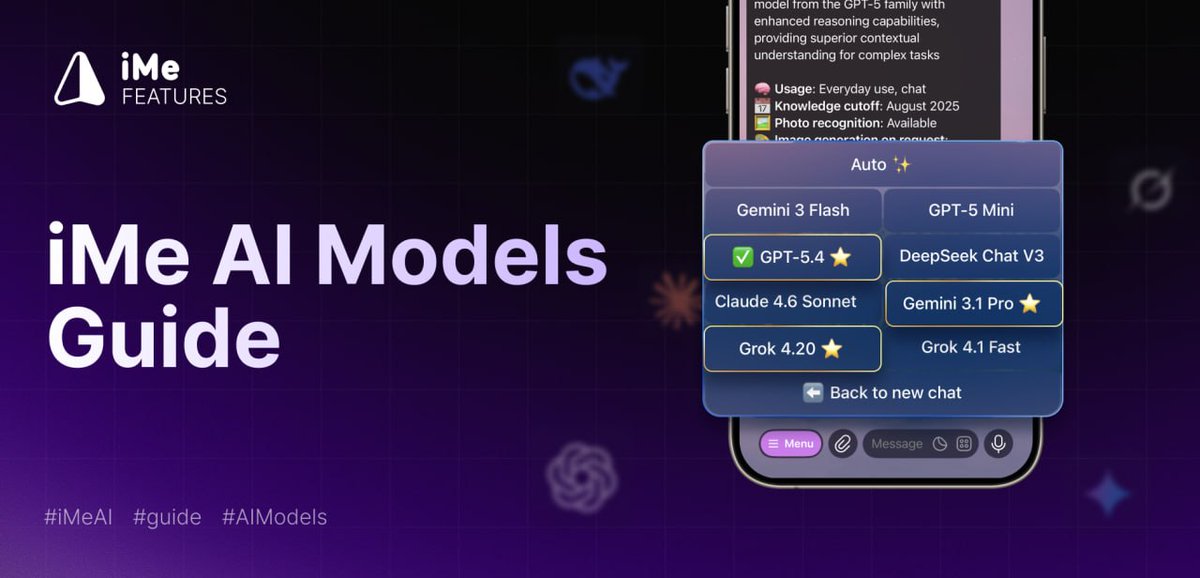
🎁 Free access includes GPT-5 Mini, #Gemini Flash, @grok Fast, @deepseek_ai & #NanoBanana.
👑 Premium unlocks GPT-5.4, #Claude Sonnet, Gemini Pro, Grok 4.20 + x10 limits & pro image generation.
How to choose a model in iMe AI
- Open the iMe AI chat
- Tap “Menu”
- Select “Start new chat” or go to “Settings”
- Tap “Change model” and pick the one you need
Pick the perfect AI for every task directly in iMe AI.
#iMe #Telegram #Messenger #AIBoom
👀 Too busy to read long messages?
☀️ iMe turns any text into voice with built-in #AI Text-to-Voice. Just tap “Listen” and hear messages out loud instantly.
How it works: Tap on a message and select “Listen” from the menu - the AI will read it out loud for you.
🎭 The free version includes a standard system voice, while Premium unlocks 11 natural voices + 22 moods.
Select a style 👉 Settings → Tools → Messages → Text to Voice → Provider: Premium → Speaking Style → Voice / Mood
Try “Drunk Philosopher” or “Chill Guy” right now. They change the whole vibe of a chat. Which style fits your friends best?
#iMe #AI #Telegram #messaging #text2voice
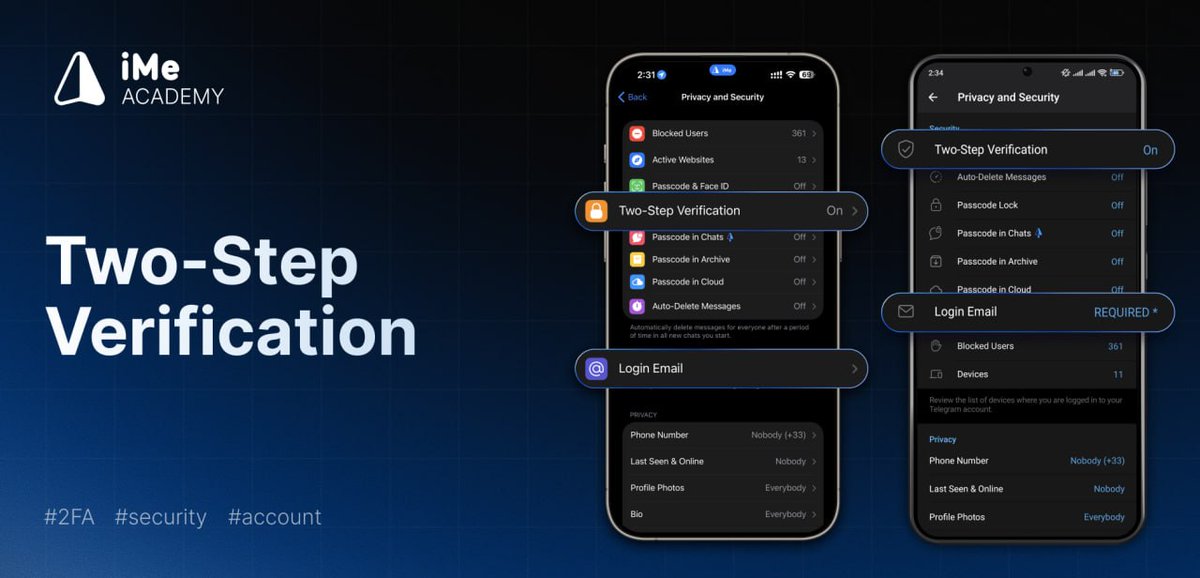
🔐 Protect your iMe & #Telegram account with Two-Step Verification.
⚡️ Even if someone gets your SMS code, they can’t log in without your cloud password.
How to enable:
1. Go to Settings → Privacy and Security → Two-Step Verification.
2. Set your password.
3. Add a recovery email and confirm it with the code from the email.
🔓 To disable: go to the same menu, tap “Disable Password,” and confirm it.
🚀 Pro tip: always connect a recovery email, or you may lose access to your account. Secure your chats & assets!
#iMe #Messenger #CyberSecurity #2FA #security
✨Need a lawyer, coder, chef, or even a wild creative thinker?
🤖With iMe AI Roles, your #AI assistant becomes a real expert for any task. Choose from 66 ready-made personas or create your own custom AI role.
🔥Note: iMe Premium unlocks x10 limits + Pro image generation
How to choose a role in iMe AI:
- Open your chat with iMe AI https://t.co/j8JFThslg2
- Tap the "Menu" button
- Select "Start a new chat" or go to "Settings"
- Tap "Role" and pick the perfect match for your task, or build your own
👀Which AI role would you try first?
#iMe #messenger #ArtificialIntelligence #Tech
📱 Ever sent a sticker or GIF… and then realized it didn’t mean what you thought?
😎 In #iMe, you can preview #GIFs and stickers before sending - no long tap needed - so you’re sure it matches the vibe.
🖼️ What you can do in preview:
• Edit sticker before sending
• Set it as your avatar
• Send with or without sound
• Schedule sending
• Add to Favorites
• View the full sticker pack
👉 How to enable:
Long tap a sticker / GIF or go to: Settings → Tools → Confirmation → GIF / sticker preview → Enable
#Messaging #Telegram #Stickers #UserExperience
📱 Too many chats?
🚀 Recent Chats panel in #iMe gives you instant access to your latest conversations. Now you can pin unlimited chats for quick access!
How to enable:
Settings → Tools → Chat List → Recent Chats → Enable panel
Advanced settings:
• Choose whether to include archived chats.
• Select specific chat types or all of them.
• Customize counters and reactions you want to see.
🙌 No folders. No endless scrolling. Just one tap.
#Messenger #Telegram #Productivity #Messaging
🙄 Tired of narrow text and small images in posts?
🥳 In #iMe, you can view channel posts in full width.
🦾 Upgrade your reading experience: turn on Wide Posts — more content on screen, less empty space.
✅ How to enable:
Settings → Tools → Messages → Wide channel posts
✍️ Note: when Wide Posts are enabled, quick action buttons on the right are hidden. All options are available in the context menu.
#Messenger #Telegram #Features #MobileApp
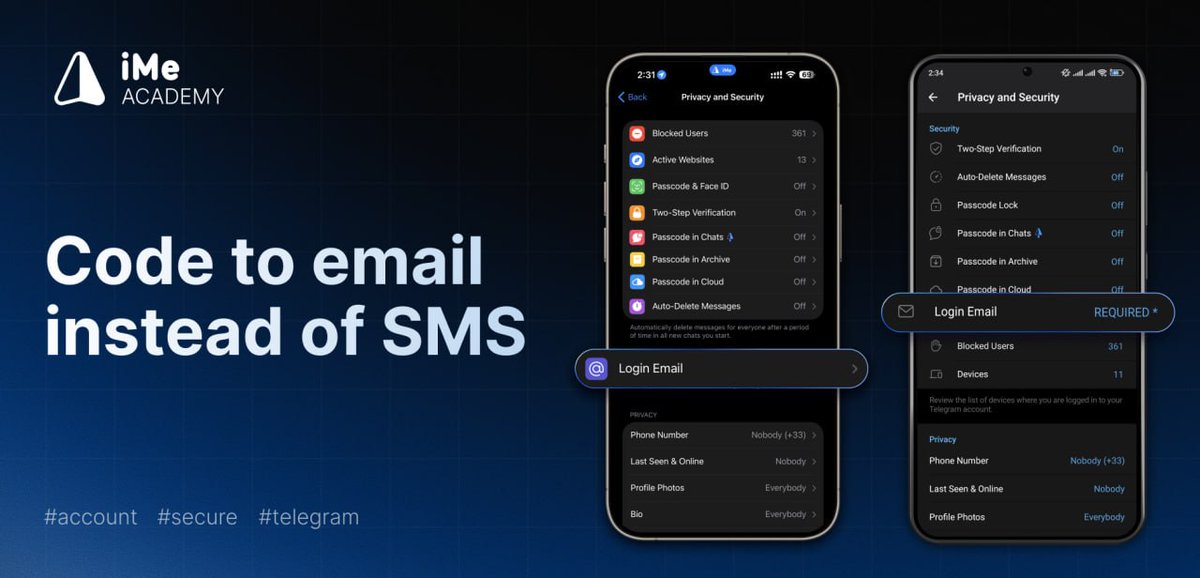
📩 Use email code instead of SMS and don’t lose access to your account!
Your iMe account is the same as your #Telegram account, so logging in requires a verification code sent via active session, SMS, or linked email.
📲 Many users only have one active session — after reinstalling the app, that session disappears, and SMS delivery may not always work reliably.
🔐 That’s why email login codes are the safest and most stable option.
Setup:
⚙️ Settings → Privacy & Security → Login Email → confirm your email with a code
Takes less than a minute and can save you from losing access to your account!
#iMe #Security #iMeAcademy #Crypto #Web3
🚀 iMe Wallet Update
iMe Wallet makes #Web3 smoother. Try it out: https://t.co/pGhO88kWXb
Now featuring:
🔗 #WalletConnect support — connect to thousands of dApps via QR or link.
💎 #TonConnect support — seamless access to the TON ecosystem in one tap.
⚡️ Performance improvements & bug fixes for a faster, more stable experience.
How to connect to dApps via QR code
- Open the main wallet screen.
- Tap on "⋯ More".
- Select "Scan QR".
🔐 Manage active sessions, connect securely to dApps, and scan QR codes right from your wallet. Go to iMe Wallet and check out the new features!
#iMe #iMeWallet #Crypto #TON #DeFi